CorelDRAW Graphics Suite – Professional Vector Design Software
CorelDRAW Graphics Suite has maintained a significant presence in the professional vector design market for
over three decades, serving as the primary design platform for a substantial community of graphic designers,
sign makers, print professionals, fashion designers, and industrial illustrators who have built their
workflows around Corel’s ecosystem rather than Adobe’s. Originally released in 1989, CorelDRAW was one of
the
first vector graphics editors available for Windows, establishing an early and enduring foothold in the
Windows design community during a period when professional graphic design was predominantly associated with
Macintosh platforms. This early Windows focus created a loyal user base that has persisted through decades
of
industry evolution, and the software has continued to develop with capabilities that serve both creative
design and technical illustration needs across diverse professional disciplines.
The suite approach distinguishes CorelDRAW from standalone vector editors by bundling multiple complementary
applications into a single purchase — CorelDRAW for vector illustration and layout, Corel PHOTO-PAINT for
raster image editing, Corel Font Manager for typography management, and additional utilities for screen
capture, bitmap-to-vector tracing, and file format conversion. This bundled approach provides a
comprehensive design toolkit that addresses the complete range of tasks professional designers encounter
without requiring separate application purchases or subscriptions for each capability. For designers who
work across vector illustration, page layout, and photo editing within their daily workflow, the integrated
suite provides workflow continuity that reduces context switching between disparate applications.
Vector Illustration and Drawing Tools
CorelDRAW’s vector illustration tools provide the precision drawing capabilities that professional vector
design demands, including Bézier curves with node editing, freehand drawing tools with pressure sensitivity
for graphic tablet users, shape tools with parametric controls, and specialized tools for creating artistic
media strokes including calligraphic, pressure-sensitive, and preset brush effects that maintain vector
scalability while producing organic, hand-drawn appearances. The LiveSketch tool uses machine learning to
convert freehand pen strokes into clean vector curves in real time, bridging the gap between natural drawing
gestures and precise vector geometry in a way that serves designers who think and create through sketching
rather than point-and-click construction.
The pen and node editing tools provide granular control over vector paths through node manipulation, curve
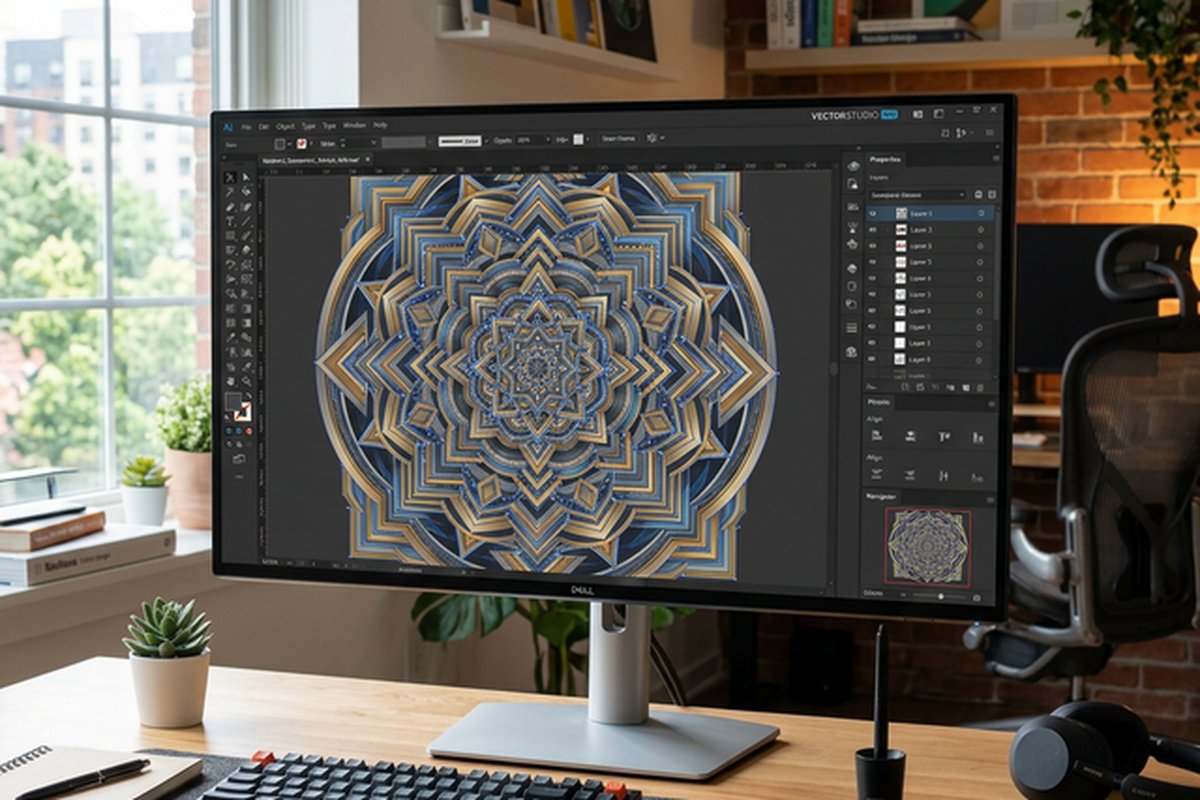
smoothing, path joining, and geometric transformations. The symmetry drawing mode enables creating complex
symmetrical designs — including radial, mirror, and kaleidoscope patterns — through drawing on one segment
while the software automatically reproduces the strokes across all symmetry axes. This symmetry capability
is particularly valued in textile design, ornamental illustration, and mandala creation where geometric
symmetry is fundamental to the design output. The contour tool creates concentric offset copies of vector
objects, useful for creating dimensional effects, cut lines for sign production, and decorative border
elements.
Page Layout and Typography
CorelDRAW integrates page layout capabilities directly within the vector illustration environment, enabling
designers to create multi-page documents including brochures, catalogs, business cards, and marketing
collateral without switching to a separate layout application. The multi-page document support includes
master pages for consistent design elements, page numbering, and the ability to create documents with
different page sizes within a single file — a capability particularly useful for creating stationery
sets, packaging layouts, or promotional material collections that include multiple piece sizes.

Typography controls include advanced OpenType feature support for accessing stylistic alternates, swashes,
ligatures, and contextual alternatives within fonts that provide these design options. The text fitting
tools
enable flowing text along paths, fitting text within shapes, and wrapping text around objects with
configurable standoff distances. Variable font support enables adjusting font weight, width, and other
design axes using continuous sliders rather than selecting from predetermined font weights, providing
typographic flexibility for achieving precise visual hierarchy and text density within layouts. The Font
Manager application enables organizing, previewing, and activating fonts across the system with filtering
by style, weight, and foundry, addressing the font management challenges that designers with extensive
font libraries regularly encounter.
Color Management and Print Production
CorelDRAW provides comprehensive color management capabilities that address professional print production
requirements, including ICC color profile support, CMYK color mode for print-ready output, spot color
support for Pantone and custom ink specifications, and color proofing features that simulate print output
on screen for pre-press verification. The color styles system enables creating and managing project-wide
color specifications that can be updated globally, ensuring color consistency across multi-page documents
and maintaining brand color accuracy across different design pieces within a project.
Print production tools include pre-flight checks that verify document specifications before output,
identifying potential issues including missing fonts, low-resolution images, color space mismatches, and
objects extending beyond trim boundaries. The PDF export capabilities support PDF/X standards for
commercial printing with configurable color conversion, font embedding, and transparency flattening
options that meet the technical requirements of professional print workflows. For sign production and
vinyl cutting workflows — a significant CorelDRAW user segment — the software provides direct output
to cutting plotters and integrates with production workflows that convert vector designs into physical
signage, vehicle wraps, and cut vinyl graphics.
Corel PHOTO-PAINT Integration
Corel PHOTO-PAINT provides raster image editing capabilities within the suite, serving as the companion
application for photo retouching, image manipulation, and bitmap editing tasks that vector tools cannot
address. The application provides layer-based editing, selection tools, retouching brushes, color
adjustment tools, and effects filters that handle the image editing tasks that design projects commonly
require — adjusting photos for placement in designs, creating textured backgrounds, retouching product
photography, and preparing images for print production with appropriate resolution and color space
settings.
The integration between CorelDRAW and PHOTO-PAINT enables sending vector objects to PHOTO-PAINT for
raster-specific editing and returning the edited results to the CorelDRAW document seamlessly. This
round-trip editing workflow eliminates manual export and reimport steps when designs require both vector
and raster manipulation. While PHOTO-PAINT does not match Adobe Photoshop’s depth in advanced compositing,
AI-powered features, and plugin ecosystem, it provides the image editing capabilities that the majority of
graphic design workflows actually require without needing a separate application purchase. For designers
comparing image editing alternatives, our Photoshop
vs Affinity Photo comparison examines the professional editing landscape.
File Format Compatibility
CorelDRAW supports an extensive range of file formats for import and export, including AI (Adobe
Illustrator),
PSD (Photoshop), PDF, SVG, EPS, DXF, and dozens of additional formats that enable working with files from
virtually any design application or receiving files from clients and collaborators regardless of their
preferred design tools. The AI and PSD import capabilities enable opening Adobe-format files directly in
CorelDRAW, maintaining layer structure, text editability, and effects compatibility to the extent permitted
by format translation between different rendering engines.
The CDR file format — CorelDRAW’s native format — is widely supported in the sign-making, embroidery, and
industrial design industries where CorelDRAW has historically maintained strong adoption. This broad CDR
format support in production equipment and workflows means that CorelDRAW files can often be sent directly
to cutting plotters, engravers, embroidery machines, and industrial production equipment without format
conversion, streamlining the design-to-production workflow in manufacturing and production environments
where CorelDRAW has established format compatibility with production hardware.
Specialized Industry Applications
CorelDRAW maintains particularly strong adoption in several specialized design sectors where its specific
capabilities and historical presence have created enduring ecosystem advantages. The sign-making and wide-
format printing industry relies heavily on CorelDRAW’s vector precision, direct plotter output, and tools
specifically designed for sign production workflows including contour cutting, vinyl color separation, and
RIP software integration. Fashion and textile design benefits from CorelDRAW’s pattern creation tools,
symmetry features, and repeat pattern capabilities that serve the specific needs of fabric and surface
pattern design.
Technical illustration and industrial design use CorelDRAW’s precision tools, dimensioning features, and
technical drawing capabilities for creating assembly diagrams, technical manuals, and engineering
documentation. The print and prepress industry utilizes CorelDRAW’s comprehensive print production tools,
color management, and pre-flight capabilities for preparing artwork for commercial printing. These
specialized industry applications represent workflow investment beyond simple software preference — entire
production pipelines, equipment integrations, and staff training are built around CorelDRAW’s capabilities
and file formats in these sectors.
Licensing and Pricing Model
CorelDRAW Graphics Suite offers both perpetual license and subscription pricing options, providing
flexibility
that the Adobe Creative Cloud subscription-only model does not. The perpetual license option enables
purchasing the current version outright with permanent usage rights, while the subscription option provides
access to the latest version with continuous updates, cloud storage, and additional online services. This
dual pricing model appeals to different user preferences — professionals who prefer one-time purchases and
budget predictability can choose the perpetual license, while users who want continuous updates and cloud
features can choose the subscription.
The pricing positions CorelDRAW as a cost-effective alternative to Adobe’s Creative Cloud suite for designers
whose workflow is adequately served by the CorelDRAW suite’s capabilities. The perpetual license eliminates
the ongoing cost commitment that subscription models require, which is particularly valued by freelance
designers, small studios, and organizations that prefer capital expenditure over operational expenditure for
software tools. For designers evaluating cost-effective alternatives across the design software landscape,
our free
design software comparison covers budget-friendly options.
Platform Availability and System Requirements
CorelDRAW Graphics Suite is available for Windows and macOS, with a web-based companion application
(CorelDRAW.app) that provides vector editing capabilities through a web browser for lighter editing tasks
and remote access to designs stored in Corel’s cloud storage. The Windows version has historically been the
primary development platform with the most complete feature set, reflecting CorelDRAW’s Windows-centric
heritage, while the macOS version — reintroduced after a significant absence from the Mac platform — has
progressively achieved feature parity with the Windows edition through ongoing development.
System requirements reflect the applications’ professional capabilities, with GPU acceleration supporting
real-time preview of effects, zoom and pan operations, and complex document rendering. The suite performs
well on modern hardware configurations, with SSD storage and adequate RAM improving performance with large
documents containing complex vector artwork, high-resolution images, and multi-page layouts. The cloud
storage integration enables accessing and editing CorelDRAW files from the web application on devices where
the desktop suite is not installed, providing flexibility for reviewing and making quick edits to designs
while away from the primary workstation.
Collaboration and Workflow Features
CorelDRAW provides collaboration features including design review workflows where designs can be shared for
review and annotation by clients and team members through the CorelDRAW.app web interface without requiring
reviewers to install the desktop application. This review capability addresses a common workflow need where
design approval involves stakeholders who do not have or want design software installed. The annotation and
approval system enables structured feedback collection that improves communication efficiency compared to
informal feedback channels.
Asset management features include the ability to create and share content libraries containing frequently
used design elements, symbols, color palettes, and templates across team members and projects. These shared
resources enable maintaining brand consistency and reducing redundant design work when multiple designers
contribute to projects that share common design elements and brand guidelines. For teams comparing
collaborative design tools, our Figma
review covers the strongest cloud-native collaboration platform.
Strengths and Honest Limitations
CorelDRAW Graphics Suite’s strengths include comprehensive vector illustration capabilities refined over
three decades of development, the integrated suite approach that bundles vector, raster, and font
management tools in a single purchase, strong print production and color management tools valued by
prepress professionals, specialized capabilities for sign-making and industrial design workflows,
the perpetual license option that provides permanent ownership without ongoing subscription costs,
and broad file format compatibility that enables working with files from virtually any design
application. The established ecosystem presence in specific industries creates workflow and
compatibility advantages that persist beyond simple feature comparison.
Limitations include a smaller plugin and extension ecosystem compared to Adobe Illustrator’s extensive
marketplace, collaboration features that do not match the real-time multiplayer capabilities of
cloud-native tools like Figma, a user interface that some designers find less refined than competing
applications, and online learning resources and community content that are less extensive than those
available for Adobe products. The macOS version, while now achieving feature parity, has a shorter
development history on Mac that may mean occasional platform-specific issues. For designers evaluating
one-time purchase alternatives to Adobe, our Affinity
Designer review covers another strong perpetual-license vector design option.
Features and pricing referenced in this article are based on information available at the time of writing
and are subject to change. Please verify current details on the official Corel website.