Gravit Designer Features – Vector Graphics Creation Tool
The professional vector graphics design space has traditionally been dominated by desktop-installed
applications requiring significant upfront investment — either Adobe Illustrator’s ongoing subscription
commitment or alternatives like Affinity Designer’s one-time purchase license. Gravit Designer, now known as
Corel Vector following its acquisition by Corel Corporation, challenged this assumption by delivering a
full-featured vector design application that runs natively in web browsers alongside traditional desktop
installations, making professional-grade vector editing accessible from any computer with a modern browser
without requiring local software installation, license file management, or administrator privileges to
install applications.
Originally developed by the German design tools company Gravit and later acquired by Corel, the application
has maintained its cross-platform philosophy while gaining access to Corel’s extensive graphic design
expertise and resources. The tool targets designers, illustrators, and creative professionals who need
capable vector editing tools with the flexibility to work from any device and the freedom from
platform-specific application dependencies. Whether you are primarily a Windows user, a macOS designer, a
Linux enthusiast, or someone who works across multiple platforms throughout the week depending on location
and device availability, Gravit Designer provides the same comprehensive vector editing experience
regardless of your operating system or access method.
This article examines Gravit Designer’s design capabilities in practical detail, evaluates its performance
and feature depth against established vector design tools, assesses the implications of its cross-platform
architecture for real-world design workflows, and helps you understand where the application excels, where
it encounters limitations, and what types of design work it is genuinely well-suited to support.
Cross-Platform Architecture
The cross-platform approach is fundamental to Gravit Designer’s identity and represents its most significant
architectural differentiator within the vector design tool landscape. The application is available as a
browser-based web application accessible through Chrome, Firefox, Edge, and Safari, as a locally installed
desktop application for Windows, macOS, Linux, and ChromeOS, and historically through mobile interfaces,
though the primary experience is optimized for desktop-class screens and input devices. All variants share
the same underlying design engine and feature set, ensuring that a design created in the browser version is
fully compatible with the desktop application and vice versa.
Cloud storage integration enables seamless file synchronization between access points. A design started on a
desktop workstation at the office can be continued on a personal laptop through the browser version at home,
reviewed on a different machine at a client site, and finalized back at the original workstation — all
without manual file transfer, version management headaches, or format compatibility concerns. The cloud
storage also provides automatic backup functionality, ensuring that work in progress is preserved against
local hardware failures, browser crashes, and accidental file deletion.
The browser-based access path has particular practical implications for several common scenarios. Designers
working on shared or managed computers in educational institutions, coworking spaces, libraries, or
corporate environments with restricted software installation policies can access Gravit Designer’s full
vector editing capabilities through the browser without requiring IT department approval for application
installation. Freelancers working from client offices where they cannot install software on provided
machines can maintain full productivity through browser-based access. Teams in organizations that
standardize on ChromeOS devices gain access to professional vector design capabilities that would otherwise
require switching to a different operating system entirely.
Vector Design Tools and Interface
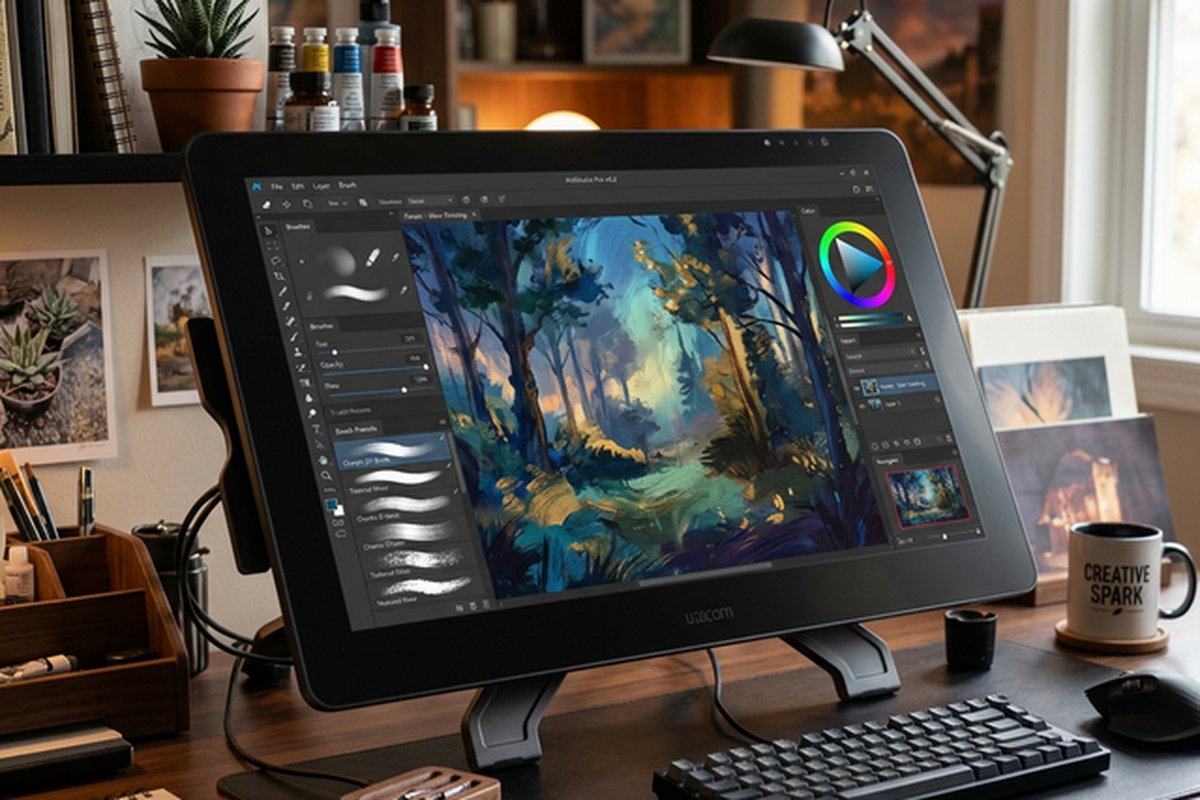
The design interface follows established vector editor conventions with a toolbar providing access to drawing
and editing instruments, an inspector panel displaying properties and settings for selected objects, a
layers panel for managing document structure, and a central canvas workspace with artboard support for
organizing multiple design compositions within a single document. The interface layout is clean and
well-organized, with a modern visual aesthetic that avoids the overwhelming toolbar density that some vector
editors present to new users.
Drawing tools include a Pen tool for Bezier path creation with smooth and sharp anchor point placement,
control handle manipulation for curve shaping, and path continuation and closure operations. The Bezigon
tool provides an alternative path creation mode that generates smoother curves with fewer control points,
which is particularly useful for tracing organic shapes and creating flowing illustrations where manual
Bezier handle adjustment would be tedious. Shape tools generate parameterized geometric primitives —
rectangles, ellipses, polygons, stars, and spirals — with live property controls that allow modifying shape
parameters like corner radius, vertex count, inner radius, and spiral decay after creation without
committing to a final destructive form.
Boolean operations combine multiple shapes through Add, Subtract, Intersect, Difference, and Divide
operations, enabling construction of complex compound shapes from simpler geometric building blocks. The
Knife tool cuts existing shapes along arbitrary paths, creating separate pieces from a single shape — a
practical capability for creating custom shapes, visual effects, and compositional elements that would be
difficult to construct from scratch using only standard shape tools. Path editing provides node-level
control with node type conversion between smooth, mirrored, disconnected, and straight segment types, path
segment manipulation through direct interaction, and path simplification tools that reduce node count while
preserving path shape within configurable tolerance thresholds.

Advanced Design Features
Gradient controls support linear and radial gradient types with unlimited color stops, adjustable stop
positions and midpoints, and opacity variation along the gradient ramp. The gradient editor provides visual
manipulation directly on the canvas through draggable start and end handles, or precise numerical control
through the inspector panel for exact positioning requirements.
Gravit Designer also includes a built-in template library with professionally designed starting points for
common design categories including social media graphics, presentations, marketing materials, and basic
web design mockups. While the template library is significantly smaller than what dedicated template
platforms like Canva provide, it offers useful starting points that accelerate the design process for
users who want to begin from a structured layout rather than a blank canvas.
Fill types extend beyond solid colors and
gradients to include noise textures with configurable density, scale, and color parameters, providing
textured surface appearance without importing raster bitmap textures.
Effects and filters can be applied non-destructively to any object, including drop shadows with configurable
offset, blur radius, spread, and color; inner shadows for inset dimensional effects; outer glow and inner
glow for luminous edge treatments; and Gaussian blur for soft-focus effects. Multiple effects can be stacked
on a single object, and the effects stack can be reordered, enabled or disabled individually, and modified
at any time without permanently altering the underlying vector geometry. This non-destructive effects
pipeline enables experimental creative exploration where designers can test different effect combinations,
compare visual treatments, and refine their choices without fear of irreversibly modifying their base
artwork.
Typography support includes access to Google Fonts with the ability to use locally installed fonts in the
desktop application versions, paragraph and character-level formatting controls, text-on-path capability for
flowing text along curved vector paths, and text conversion to outlines for creating vector shapes from
typography. The typographic controls cover essential parameters including font family, weight, size, line
height, letter spacing, paragraph alignment, and basic text decoration options. OpenType feature support
varies by implementation version, with the desktop applications generally providing broader OpenType feature
access than the browser-based version due to differences in font rendering technology availability across
platforms.
Export, Integration, and Workflow
Export capabilities support a comprehensive range of output formats including SVG for web-ready vector
graphics, PDF for print and document distribution, PNG and JPEG for raster output at configurable
resolutions, and the application’s native GVDesign format for preserving full editing capability. The export
dialog provides controls for resolution, color space, quality parameters, and canvas boundary options.
Slice-based export enables defining multiple export regions within a single document, each with independent
format and resolution settings, for efficiently generating the multiple asset variations that web and
application design workflows require — different icon sizes, platform-specific image dimensions, and
resolution multipliers for high-density displays.
File import supports SVG, PDF, EPS, AI (with compatibility limitations for complex Illustrator-specific
features), and common raster formats. The SVG import and export quality is particularly strong, reflecting
the application’s web-oriented design heritage and the importance of SVG as the standard vector format for
web graphics. For designers working primarily with web-ready vector assets, Gravit Designer’s SVG handling
represents a genuine strength that some competing tools handle less reliably.
Presentation mode transforms multi-page documents into slideshow presentations, adding a utility dimension
that extends beyond pure design work into the presentation creation space. While not as feature-complete as
dedicated presentation applications, the presentation mode provides a convenient way to present design work,
mood boards, concept explorations, and visual proposals directly from the design application without
exporting to a separate presentation tool.
Practical Design Use Cases
Gravit Designer handles a wide range of practical design tasks with competence that belies its free and
low-cost positioning. Logo design workflows benefit from the comprehensive shape tools, Boolean operations,
and precise alignment capabilities that enable constructing clean, scalable brand marks from geometric and
typographic elements. The SVG export quality ensures that logos created in Gravit Designer translate cleanly
to web deployment, while PDF export provides versatile output for print production, client review documents,
development contexts.
Cloud storage and cross-device synchronization extend the accessibility advantage of browser-based access
by enabling users to start a design on one device and continue editing on another without manual file
transfer operations. Designs saved to Gravit’s cloud storage sync automatically across devices, ensuring
that the latest version is always accessible regardless of which computer or browser instance you use to
access the application. The cloud storage also provides basic version management, allowing users to revert
to previous saved states if design changes need to be undone beyond the limits of the undo history buffer.
For users who work across multiple environments — a desktop workstation at the office, a laptop while
traveling, and occasionally a different computer at a client site — this cloud-based cross-device continuity
eliminates the traditional pain point of managing design file transfers between different machines and
ensures that design work is never stranded on an inaccessible device.
Icon design is another area where Gravit Designer performs well, with the pixel-snapping capabilities
ensuring that vector icons render crisply at specific target sizes, the grid and guide system providing
consistent spacing across icon families, and the batch export capability generating all size variants needed
for application icon sets from a single source design. Social media graphics, marketing materials, and basic
infographic layouts are readily achievable through the combination of shape tools, text capabilities, and
the growing template collection that provides starting points for common format dimensions.
Web and application design workflows are supported through artboard-based multi-screen design,
constraint-based layout hints for responsive behavior, and the inspector-panel specification output that
provides developers with dimensional and styling information for elements. While Gravit Designer does not
match the depth of dedicated interface design tools like Figma in areas like interactive prototyping,
component variant systems, and auto-layout capabilities, it provides sufficient interface design
functionality for basic web and application design projects where the design team does not have access to or
budget for specialized interface design platforms.
Print design capabilities cover common requirements including business card layouts, flyer designs, poster
compositions, and basic brochure layouts with CMYK color mode support for print-appropriate color handling.
While the print production capabilities do not match the sophisticated prepress preparation features of
dedicated desktop publishing applications, they cover the practical needs of small businesses, independent
designers, and organizations that produce printed materials occasionally rather than as a core production
workflow.
Corel Integration and Development Direction
The acquisition by Corel Corporation brought Gravit Designer into the portfolio of one of the most
established companies in the graphic design software market, alongside products like CorelDRAW, Corel
PHOTO-PAINT, and Corel PaintShop Pro. This corporate relationship provides access to Corel’s extensive
graphic design expertise, engineering resources, and market presence, which has influenced the platform’s
feature development trajectory and its positioning within Corel’s broader product strategy.
The rebranding to Corel Vector reflects the strategic integration of Gravit Designer’s technology into
Corel’s product ecosystem while maintaining the cross-platform accessibility that defined the original
platform and differentiated it from Corel’s traditional desktop-installed applications. Users may encounter
the tool under either name depending on access context, with the Gravit Designer name persisting in
community references, educational materials, and established user resources while the Corel Vector branding
appears in newer marketing and product documentation contexts.
Pricing and Access Tiers
Gravit Designer is available in a free tier that provides access to the core design tools with some
limitations on export resolution, cloud storage capacity, and specific feature access. The Pro tier removes
these limitations, providing full export resolution control, expanded cloud storage, offline desktop
application access, advanced features like the knife tool and specific effects, and PDF export capabilities.
The pricing is positioned well below subscription design tools like Adobe Illustrator and comparable to or
lower than other cross-platform design alternatives, making the Pro tier accessible for individual
designers, small agencies, and organizations with modest software budgets.
The free tier is genuinely functional for learning, personal projects, and basic professional work where the
limitations do not constrain the specific output requirements. Students, hobbyists, and professionals
evaluating the platform can accomplish meaningful design work at zero cost, with the upgrade path to Pro
providing an obvious and affordable option when the free tier limitations become relevant to their specific
workflow needs.
Strengths and Honest Limitations
Gravit Designer’s strengths are compelling for specific user profiles and workflow requirements. The genuine
cross-platform availability with browser-based access ensures design capability is available on any device
without installation dependencies. The feature depth is impressive for a tool available at no cost or low
cost, covering the majority of common vector design tasks with capable implementations. The modern interface
design provides a welcoming experience for designers coming from other tools or learning vector design for
the first time. The Bezigon tool and path handling capabilities are genuinely well-designed for efficient
curve creation. The Corel backing provides confidence in continued development and support availability.
Limitations exist primarily in depth and ecosystem maturity relative to established competitors. The plugin
or extension ecosystem is minimal compared to Illustrator’s extensive marketplace or Figma’s community
plugin library. Complex file import from Illustrator can lose advanced effects, gradients, and features that
do not have direct equivalents in Gravit Designer’s rendering model. The collaborative features are limited
to basic file sharing rather than the real-time co-editing that modern team design workflows increasingly
expect. Performance with very complex documents containing thousands of objects with extensive effects can
become noticeably slower in the browser version compared to native desktop applications, though typical
design projects operate within comfortable performance boundaries. The community and learning resource
ecosystem is smaller than those surrounding more established tools, which can make finding solutions to
specific workflow challenges or advanced technique guidance more difficult than with platforms that have
larger active user communities sharing knowledge and creative resources.
For alternative vector design platforms, our reviews of Affinity
Designer and Vectr offer
desktop-focused and simplicity-focused perspectives respectively.
Features and pricing referenced in this article are based on information available at the time of writing
and are subject to change. Please verify current details on the official Gravit Designer website.