iCloud Drive for Apple – Seamless iOS and Mac Integration
iCloud Drive exists within a context fundamentally different from every other cloud storage service
reviewed on this site: it is not a standalone product competing for customers in an open market, but a
deeply integrated component of Apple’s ecosystem designed to connect iPhone, iPad, Mac, and Apple Watch
experiences through seamless data synchronization and file availability across all Apple devices owned
by a single user. Evaluating iCloud Drive as a general-purpose cloud storage service misses the point
of its design — it is purpose-built to serve Apple users, and its strengths and limitations both derive
directly from that singular focus.
iCloud Drive launched in 2014 as part of iOS 8 and OS X Yosemite, evolving from the earlier iCloud
document synchronization system into a more general-purpose file storage service with folder hierarchy
support, file sharing capabilities, and third-party application integration. The service has matured
significantly since its initial launch, adding features including folder sharing, collaboration through
iWork applications, Advanced Data Protection with end-to-end encryption, and improved Windows support
that extends basic cross-platform file access to non-Apple devices.
Apple Ecosystem Integration
The integration between iCloud Drive and Apple’s operating systems represents the deepest cloud storage
integration available on any platform, surpassing even OneDrive’s Windows integration in terms of the
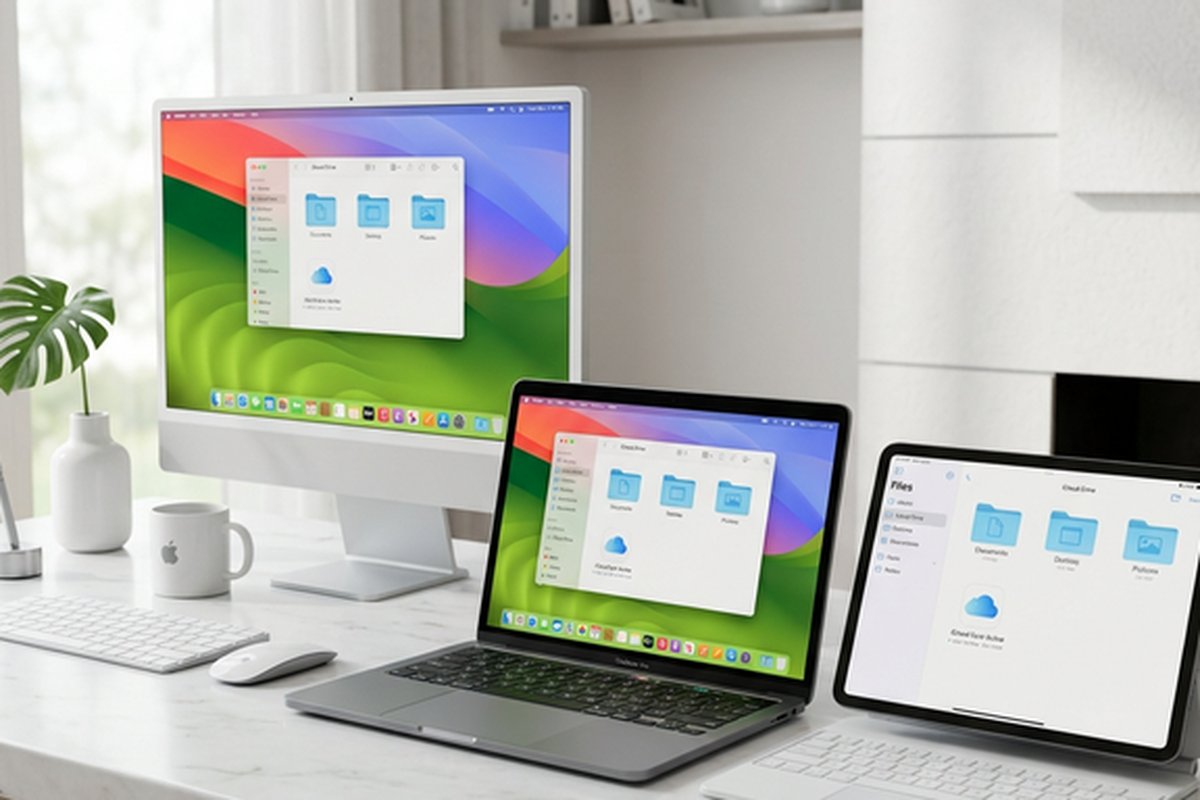
breadth and invisibility of cloud storage throughout the user experience. On Mac, iCloud Drive appears
in the Finder sidebar as a native location alongside local disks, and the Desktop and Documents folder
synchronization feature mirrors the user’s most commonly used storage locations to the cloud automatically.
Files stored in iCloud Drive are accessible through the standard Finder interface with the same visual
appearance and interaction patterns as locally stored files.
On iPhone and iPad, the Files application provides unified access to iCloud Drive alongside other storage
services, with iCloud Drive content integrated throughout the iOS experience. Applications can save to and
read from iCloud Drive through the system document picker, and many Apple applications — Pages, Numbers,
Keynote, GarageBand, iMovie — use iCloud Drive as their default storage location, requiring no
configuration or conscious user decisions about where to save files. The Handoff feature allows starting
work on one Apple device and continuing seamlessly on another, with iCloud Drive providing the underlying
file synchronization that makes this cross-device continuity possible.
Photos integration through iCloud Photos synchronizes the entire photo library across all Apple devices,
maintaining a unified photo collection that is accessible from any iPhone, iPad, Mac, or through the
iCloud web interface. iCloud Photos uses intelligent storage management on each device, storing
full-resolution originals in the cloud while keeping optimized smaller versions on local devices to
conserve storage space, automatically downloading full-resolution versions when needed for editing or
viewing at full quality. This photo synchronization is one of the most practically valuable aspects of
iCloud for many Apple users, eliminating the need to manually transfer photos between devices and
ensuring that the complete photo library is always accessible regardless of which device is in hand.
Storage Plans and iCloud+ Features
Apple provides 5 gigabytes of free iCloud storage with every Apple ID, shared across iCloud Drive, iCloud
Photos, device backups, and application data. The 5-gigabyte free allocation is notably insufficient for
most practical use cases — a single iPhone backup can consume most of the free storage, and enabling
iCloud Photos with even a modest photo library quickly exceeds the limit. The restrictive free tier is
widely criticized and effectively forces most active Apple device users to purchase additional storage
to use core iCloud features like device backup and photo synchronization.
iCloud+ subscription plans expand storage to 50 gigabytes, 200 gigabytes, 2 terabytes, 6 terabytes, and
12 terabytes, with additional privacy features included at all paid tiers. iCloud Private Relay, a
privacy feature included with iCloud+, routes Safari web traffic through two separate relays to prevent
anyone — including Apple — from combining a user’s identity with their browsing activity. Hide My Email
generates unique random email addresses that forward to the user’s actual email address, allowing sign-ups
for services without revealing the real email address. Custom Email Domain support allows using a personal
domain with iCloud Mail. These privacy features, while unrelated to cloud storage functionality, add
meaningful value to iCloud+ subscriptions beyond raw storage capacity.
Family Sharing allows sharing iCloud+ storage with up to five family members, with each member maintaining
their own private storage space within the shared allocation. Family Sharing is managed through Apple’s
family group system and extends the storage benefit across the family without giving family members access
to each other’s stored content. For families with multiple Apple device users, shared iCloud+ storage can
be significantly more economical than separate individual subscriptions.
Advanced Data Protection
Advanced Data Protection, introduced in late 2022, extends end-to-end encryption to the majority of iCloud
data categories including iCloud Drive files, Photos, Notes, Reminders, Safari bookmarks, Siri shortcuts,
Voice Memos, Wallet passes, and device backups. When enabled, data in these categories is encrypted with
keys that only the user’s trusted devices possess, and Apple cannot access the encrypted data even if
compelled by legal process. This represents a significant enhancement to iCloud’s security architecture,
providing zero-knowledge encryption comparable to dedicated encrypted storage services for users who enable
the feature.
Advanced Data Protection requires that all devices signed into the Apple ID are updated to supported
operating system versions and that the user establishes a recovery contact or recovery key to ensure
account access if all trusted devices are lost. The recovery requirement exists because Apple cannot assist
with account recovery for end-to-end encrypted data — if all trusted devices and recovery methods are lost,
the encrypted data is permanently inaccessible. This trade-off mirrors the password-loss risk of dedicated
encrypted storage services and is an inherent consequence of genuine zero-knowledge encryption.
Collaboration and Sharing
iCloud Drive supports file and folder sharing with granular permission controls. Files can be shared with
specific people through their Apple ID or email address, with configurable permissions for view-only or
full editing access. Shared folders enable ongoing collaboration where multiple participants can access
and contribute to folder contents with changes synchronized across all participants’ iCloud Drive.
Sharing is managed through the standard share sheet interface familiar to Apple users, maintaining
consistency with sharing interactions throughout the Apple ecosystem.
Real-time collaboration in Apple’s iWork applications — Pages, Numbers, and Keynote — enables simultaneous
editing of documents, spreadsheets, and presentations stored in iCloud Drive, with live presence
indicators showing where other collaborators are working within the document. The collaboration experience
within iWork applications is smooth and responsive, though the iWork application suite itself has a
smaller user base and less feature depth than Google Workspace or Microsoft 365, which limits the practical
reach of iCloud-based collaboration in professional environments where Google Docs or Microsoft Word are
organizational standards.
Cross-Platform Access
While iCloud Drive is optimized for Apple devices, cross-platform access is available through the iCloud
web interface at icloud.com, which provides browser-based access to iCloud Drive files, Photos, Mail,
Calendar, Contacts, Notes, and iWork applications from any device with a web browser. The web interface
provides file management, preview capabilities, and access to the web versions of Pages, Numbers, and
Keynote for document editing from non-Apple devices.
The iCloud for Windows application provides basic iCloud Drive integration on Windows computers, creating
a local folder that synchronizes with iCloud Drive and integrating iCloud Photos with the Windows Photos
application. The Windows experience has improved over time but remains less polished and less deeply
integrated than the native macOS experience. For users who work across both Apple and Windows devices,
the iCloud for Windows application provides functional cross-platform file access, though the experience
is not comparable to using OneDrive on Windows or Google Drive’s platform-agnostic web-based approach.
iCloud Backup and Device Recovery
iCloud Backup automatically creates daily backups of iPhone and iPad data when the device is connected to
power, locked, and connected to WiFi. The backup includes application data, device settings, home screen
organization, photos and videos not already backed up through iCloud Photos, messages, ringtones, and
purchase history. This automatic backup capability is one of iCloud’s most practically valuable features
because it enables seamless device replacement — when setting up a new iPhone or iPad, iCloud Backup
can restore the complete state of the previous device without requiring a computer-based backup and
restore process.
The practical challenge with iCloud Backup is storage consumption. Device backups can consume several
gigabytes of iCloud storage, which quickly exhausts the 5-gigabyte free allocation when combined with
iCloud Photos and other synced data. This creates a situation where the most practically useful iCloud
feature — automatic device backup — essentially requires a paid iCloud+ subscription to function
effectively for most users with modern devices that contain significant amounts of data.
Data Migration Between Apple and Non-Apple Services
Apple provides data transfer tools for migrating data between iCloud and other platforms, though the
migration paths are less streamlined than those offered by platform-agnostic services. Transferring files
from Google Drive or Dropbox to iCloud Drive requires downloading from the source service and uploading
to iCloud, either through the web interface or through the desktop applications. Moving away from iCloud
to another platform follows a similar manual process. Apple’s Data and Privacy portal allows requesting
a copy of all data stored in iCloud, which provides a mechanism for obtaining a complete data export if
transitioning to a different cloud storage platform.
For users considering commitment to iCloud Drive, the ecosystem lock-in effect deserves honest
consideration. While files in iCloud Drive can be accessed and exported at any time, the deeper
integration features — Handoff continuity, Photos synchronization, automatic backup, Messages in the
cloud — create switching costs that increase over time as more data and workflows depend on iCloud
integration. Users who anticipate potentially switching away from Apple devices in the future may want
to consider platform-agnostic storage options that maintain the same experience regardless of device
platform choices.
Strengths and Honest Limitations
iCloud Drive’s integration with Apple devices is genuinely seamless and provides the most frictionless
cloud storage experience available for users operating entirely within Apple’s hardware ecosystem. The
automatic synchronization of documents, photos, device settings, passwords, and application data creates
a unified experience where cloud storage is essentially invisible — it simply works without requiring
user attention or management. iCloud+ subscriptions provide reasonable storage at competitive pricing
alongside useful privacy features. The combination of iCloud Photos, iCloud Backup, and iCloud Drive
creates a comprehensive cloud data management system for Apple users that no third-party service
can replicate at the same integration depth.
Advanced Data Protection deserves particular mention as a significant security upgrade. When enabled,
Advanced Data Protection extends end-to-end encryption to the majority of iCloud data categories
including iCloud Drive files, Photos, Notes, Reminders, Voice Memos, Safari bookmarks, and device
backups. This encryption upgrade positions iCloud among the most secure mainstream cloud storage
options when Advanced Data Protection is activated, though the feature must be explicitly enabled
and is not the default setting.
The limitations are significant for users who are not exclusively within the Apple ecosystem. Cross-platform
support is basic compared to services designed for platform-agnostic access. The 5-gigabyte free tier is
inadequate for meaningful use with Apple devices. Third-party application integration and developer API
access are limited compared to Google Drive, Dropbox, and OneDrive. Administrative and business features
are minimal, limiting iCloud Drive’s suitability for organizational deployment. For users seeking broader
platform support, our Google
Drive review and Dropbox
review cover platform-agnostic alternatives.
Features and pricing referenced in this article are based on information available at the time of writing
and are subject to change. Please verify current details on the official Apple iCloud website.