Jira for Non-Technical Teams – Software Project Management Guide
Jira has a reputation problem, and it is well aware of it. The platform built by Atlassian has become
arguably the most widely deployed project management tool in the world, used by tens of thousands of
organizations ranging from early-stage startups to Fortune 500 enterprises across every industry imaginable.
But mention Jira to a marketing team, an HR department, a finance group, a legal operations team, or a
creative agency and you will often see eyes glaze over, brows furrow, or faces fall into expressions of
resigned frustration. Jira is widely perceived as “that developer tool” — the complex, jargon-heavy system
that engineering uses and that nobody else in the organization can figure out how to navigate, let alone use
productively for their own work. It is covered in technical terminology borrowed from software development
methodology, built around concepts from agile frameworks that many business professionals have never
studied, and carries a visual density and configuration complexity that can make non-technical professionals
feel like they have accidentally wandered into someone else’s highly specialized workspace and should
quietly leave before they break something important.
Here is what gets lost in that reputation: Jira’s underlying capabilities — structured task tracking with
configurable workflows, board-based visual work management, robust reporting and analytics, powerful
automation rules, and deep integration with the broader Atlassian ecosystem — are not inherently technical
capabilities. They are universal project management capabilities that apply to any team managing structured
work with defined processes, sequential handoffs between people, quality gates, approval requirements, and
clear accountability for outcomes. The barrier between non-technical teams and productive Jira use is not
the platform’s functionality but rather its historically developer-centric presentation layer, its
specialized vocabulary, and its default configurations that assume everyone who touches the system
understands what a sprint is, why a story is different from an epic, what velocity measures, and how a
sprint backlog differs from a product backlog.
This article explores how non-technical teams can approach Jira effectively, providing a comprehensive
translation of its software development vocabulary into universal project management language, walking
through practical setup decisions, and honestly evaluating whether the platform’s genuine power justifies
the learning investment for teams whose daily work has nothing to do with writing code, shipping software,
or managing development sprints.
Understanding the Terminology Translation
The single biggest barrier preventing non-technical teams from successfully adopting Jira is its vocabulary.
Every field label, every menu option, every piece of documentation, and every online tutorial uses
terminology rooted deeply in software development methodology. This specialized vocabulary creates an
artificial comprehension gap that makes the platform feel far more foreign and intimidating than it actually
is once you understand what the words mean. Once you translate the jargon into universal project management
language that any business professional recognizes, much of the mystique evaporates and the underlying
capabilities become immediately recognizable as tools your team already understands conceptually.
The term Issue is the most fundamental and most confusing for newcomers. Jira calls every single trackable
work item an issue, regardless of whether anything is actually wrong or broken. This naming convention comes
from its origins as a bug tracking tool, but in modern Jira, an issue is simply any unit of work your team
needs to track. Think of issue as meaning task, work item, deliverable, request, or action item depending on
your context. A marketing campaign deliverable is an issue. An HR onboarding checklist item is an issue. A
finance report that needs to be prepared and reviewed is an issue. A legal contract that needs drafting and
approval is an issue. The word carries no inherent connotation of problems, defects, or anything broken in
Jira’s current architecture — it is simply the platform’s generic term for any piece of tracked work.
An Epic is a large body of work that can be broken down into smaller, individually trackable pieces. In
non-technical terms, this is a project, a campaign, a multi-phase initiative, a client engagement, or any
substantial effort composed of multiple individual tasks that collectively deliver a meaningful outcome. A
Q2 Brand Refresh campaign containing fifteen individual design, copywriting, and review deliverables would
be modeled as an epic containing fifteen child issues.
A Story is a single piece of work that delivers identifiable, tangible value when completed. Outside software
development, think of this as an individual task, deliverable, or work item within a larger initiative.
Design new business card template would be a story within the Q2 Brand Refresh epic. The terminology comes
from user stories in agile methodology, but the concept of a discrete, completable unit of work is universal
across every industry and function.
A Sprint is a fixed time period, typically ranging from one to four weeks, during which a specific set of
work items are planned, actively worked on, and ideally completed before the next period begins.
Non-technical teams can productively reframe this concept as a work cycle, a planning period, a delivery
iteration, or simply the current period depending on what language feels natural. Many business teams
already work in analogous cycles without using the sprint label — monthly reporting periods, bi-weekly
client deliverable rounds, quarterly campaign launches — and mapping these existing rhythms to Jira’s sprint
concept often makes the transition feel less foreign than expected.
The Backlog is the complete list of work items that have been identified and recorded but not yet scheduled
into a specific sprint or committed to a specific timeframe. In universal terms, this is your intake queue,
your ideas and requests pipeline, your future work inventory, or your someday-maybe list. The backlog
represents everything your team knows it needs to handle eventually but has not yet selected for active work
in the current or upcoming work period.
Velocity refers to the average amount of work a team completes during each sprint or cycle, measured either
in story points (an abstract complexity estimate) or in simple work item count. Think of this as your team’s
throughput rate — the quantified measure of how many deliverables, tasks, or units of work your team
consistently completes per work cycle under normal conditions. This metric becomes valuable for capacity
planning and realistic forecasting once you have tracked it consistently across several cycles.
Choosing the Right Project Type
When creating a new project in Jira, you are presented with several project template options that differ in
their configuration model and administrative requirements. For non-technical teams, understanding these
differences prevents the common mistake of choosing a project type that creates unnecessary administrative
dependency or overwhelming configuration complexity.
Team-managed projects, previously called Next-gen projects, provide a simplified configuration model where
the team lead or designated project owner can modify workflows, add custom fields, configure board columns,
and adjust settings without needing Jira system administrator privileges or submitting configuration change
requests through IT. Team-managed projects are deliberately less configurable than company-managed projects,
but this constraint is actually an advantage for most non-technical teams because it means there are fewer
settings to learn, fewer opportunities for misconfiguration, and fewer situations where you need to request
help from someone else to make changes to your own project setup. For non-technical teams getting started
with Jira for the first time, team-managed projects dramatically reduce the administrative overhead and
allow gradual, hands-on learning of the platform’s capabilities without requiring deep system administration
knowledge from day one.
Company-managed projects, previously called Classic projects, offer the full depth of Jira configuration
including custom workflows with complex transition rules, shared configuration schemes that enforce
consistency across multiple projects, advanced permission structures, and organization-wide standardization
for how work types, statuses, priorities, and fields are defined. Company-managed projects are typically set
up and maintained by dedicated Jira administrators. The richer configuration capabilities become valuable
once a team is comfortable with Jira’s concepts and wants to implement more sophisticated workflow logic,
but the initial learning curve and administrative dependency on Jira administrators can slow adoption
significantly for teams without existing Jira experience or organizational support.
The choice between Kanban and Scrum board types determines how work is organized and visualized within your
project, regardless of whether you chose team-managed or company-managed. Kanban boards show all work items
in a continuous, uninterrupted flow through status columns without fixed time periods. Work enters the board
when created and leaves when completed, and the board always shows the current state of all active and
pending work. Scrum boards organize work into discrete, time-boxed sprints with explicit planning ceremonies
at the beginning of each sprint and review sessions at the end. Most non-technical teams find Kanban boards
more immediately intuitive because they map naturally to a simple, familiar workflow concept that requires
no methodology knowledge: tasks move progressively from left to right through columns labeled To Do, then In
Progress, then Done, without requiring sprint planning rituals, backlog grooming sessions, or velocity
calculations.
Customizing Workflows for Your Business Process
Jira’s workflow customization is one of its most powerful and practically valuable capabilities, and it is
also one of the most underused features by non-technical teams who either do not know it exists or assume it
requires technical expertise to configure. A workflow in Jira defines the complete journey that any work
item takes from creation to completion, specifically which statuses are available, which transitions between
statuses are permitted, and what conditions or actions accompany each transition.
Default workflows in Jira typically include three statuses: To Do, In Progress, and Done. While this simple
three-stage model works for basic task tracking, real business processes almost always involve more nuanced
stages that reflect actual decision points, review cycles, approval gates, and handoff moments. A marketing
team’s content production workflow might include statuses like Brief Received, In Writing, Internal Review,
Client Review, Revisions Needed, Approved, Scheduled, and Published. An HR recruitment workflow might flow
through Position Open, Screening Resumes, Phone Screen Scheduled, Interview Complete, Panel Discussion,
Offer Extended, Offer Accepted, and Onboarding Started. A legal team’s contract review workflow might
include Draft Received, Initial Review, Redlines Sent, Negotiation, Final Review, Approved, and Executed.
Customizing your workflow to accurately model your actual business process creates several concrete benefits
that directly improve team productivity and process reliability. Status visibility across the board gives
everyone immediate, accurate understanding of where every piece of work stands in the process without asking
anyone for a verbal status update. Transition rules can enforce process discipline automatically — if
internal review must happen before client review, the workflow can block the transition from In Writing
directly to Client Review, requiring that the work pass through Internal Review first. Post-function
automations can automatically reassign work, send email notifications, update custom fields, or log
timestamps when specific transitions occur, removing manual administrative steps that consume time and are
prone to being forgotten under pressure. And process bottleneck analysis becomes possible because Jira
tracks how long items spend in each status, revealing whether work consistently stalls at specific stages
and enabling targeted process improvement.
Board Configuration and Visual Management
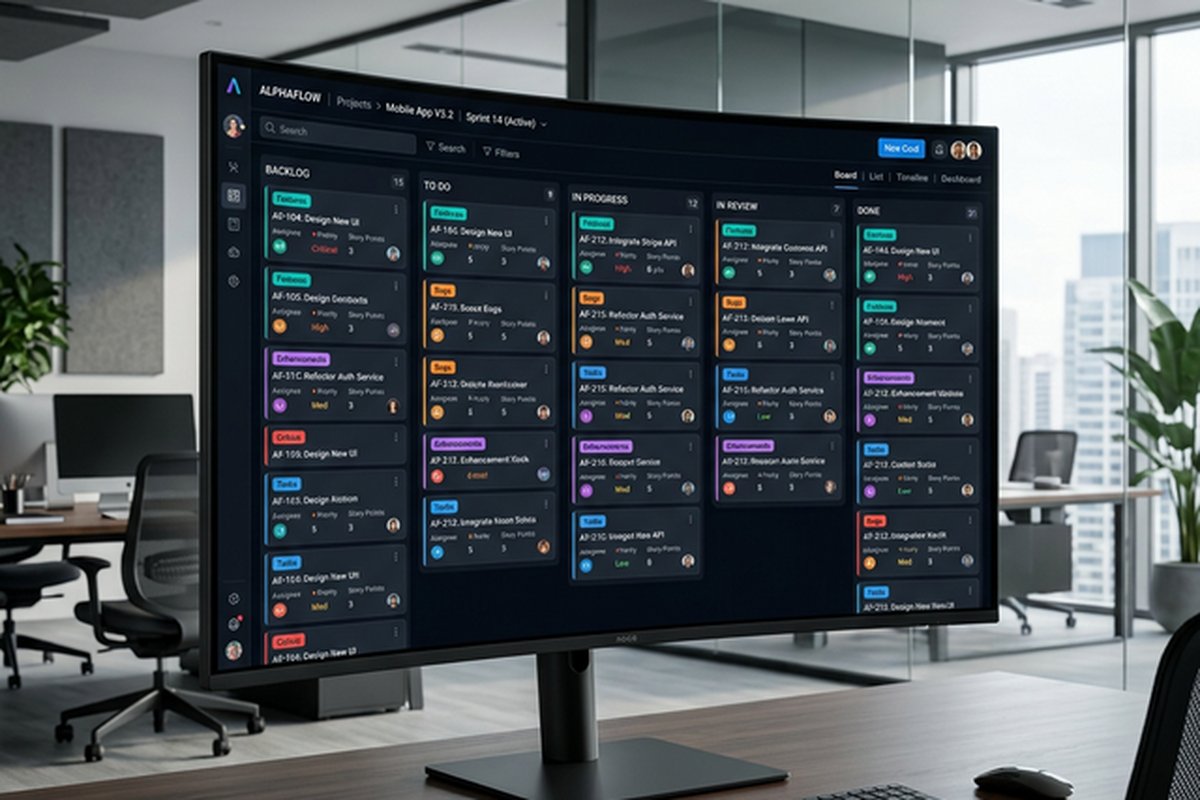
Jira boards display work items as visual cards arranged in columns that represent your workflow statuses.
Team members drag cards between columns as they progress through their work, creating an intuitive, tactile
representation of work flow that requires no technical knowledge to understand, interact with, or learn.
Board configuration options extend the basic column layout into a sophisticated visual management system.
Swim lanes create horizontal separations that group cards by assignee, priority level, epic, issue type, or
any other field, allowing you to see work distribution patterns at a glance. Quick filters add one-click
buttons above the board that instantly filter the displayed cards to show specific subsets like My Items,
High Priority, Blocked Items, or Due This Week, reducing visual noise and helping team members focus on what
matters to them right now. Column constraints set work-in-progress limits that visually flag when a status
column contains more items than the team can realistically handle simultaneously, surfacing capacity
problems before they cause deadline failures.
Automation, Reporting, and Integration
Jira’s built-in automation engine eliminates repetitive manual project management actions through declarative
trigger-condition-action rules that non-technical users can create without writing any code. Practical
examples include automatically transitioning an epic from Backlog to In Progress when its first child issue
moves to In Progress, posting a Slack notification to a team channel when any item is flagged as Blocked,
automatically assigning items to the designated team lead when priority is elevated to Critical,
auto-closing a parent epic when every single child issue has reached Done status, and creating recurring
tasks on defined schedules for work that repeats weekly, monthly, or quarterly such as status reports,
compliance checks, or maintenance reviews.
Reporting capabilities provide data-driven visibility into team performance patterns and project health
metrics over time. Key reports available include created versus resolved charts showing whether your team is
completing work faster or slower than new work is arriving, revealing whether your backlog is growing or
shrinking. Cumulative flow diagrams visualize how many items sit in each workflow status over time, making
bottleneck stages immediately visible as expanding horizontal bands in the chart. Average age reports
indicate how long items typically remain in specific statuses before transitioning forward, highlighting
process stages where work stalls and intervention is needed.
Dashboards in Jira allow you to assemble customizable pages composed of gadgets — configurable widgets that
each display specific data pulled from your projects. A practical non-technical team dashboard might include
a pie chart showing current work distribution by status, a list gadget showing all items due within the
current week, a filter results gadget highlighting every item currently flagged as blocked, an activity
stream showing the most recent updates across all team projects, and a two-dimensional filter gadget
cross-referencing assignees against statuses for workload visibility.
Jira integrates tightly with Atlassian’s companion products including Confluence for team documentation and
knowledge bases with bidirectional linking to Jira issues, Trello for teams preferring simpler visual boards
for lighter workflows, Jira Service Management for customer-facing request handling and internal service
desk operations, and Bitbucket for teams that do interact with development workflows. External integrations
with Slack, Microsoft Teams, Google Workspace, and hundreds of other tools through the Atlassian Marketplace
connect Jira’s tracking capabilities with the communication and collaboration tools your team already uses
daily.
Honest Assessment for Non-Technical Teams
Jira’s genuine strengths for non-technical teams include powerful workflow customization that can accurately
model virtually any business process regardless of industry or function, robust reporting capabilities for
data-driven management and continuous process improvement, strong automation capabilities that reduce
administrative overhead without requiring technical skills, and the deep Atlassian ecosystem integration
that connects project tracking with documentation, communication, and service management. For non-technical
teams operating within organizations that already use Jira for engineering or product development, adopting
Jira for business functions provides valuable cross-departmental visibility, enables shared workflows where
business and technical teams hand off work to each other, and eliminates the tool fragmentation and
information silos that form when different departments use completely separate, disconnected platforms for
managing their work.
Honest challenges include the genuinely steep initial learning curve that is amplified significantly by
developer-centric terminology, interface density and visual complexity that can overwhelm new users during
their first weeks, the administrative overhead of project configuration particularly for company-managed
projects requiring administrator involvement, and the practical reality that a substantial portion of Jira’s
advanced functionality is designed for software development workflows that non-technical teams will never
need and should actively ignore rather than attempt to understand.
For teams seeking simpler alternatives with dramatically faster onboarding and less configuration overhead,
our comparisons of Trello’s
visual approach and Basecamp’s
simplicity-first philosophy provide perspectives on platforms that deliberately prioritize ease of
adoption and minimal learning curves over deep configurability and workflow sophistication.
Features and pricing referenced in this article are based on information available at the time of writing
and are subject to change. Please verify current details on the official Jira website.