Teamwork.com Features – Client Project Management Platform
Most project management platforms are designed with internal team coordination as their primary use case.
They assume your work originates within your organization, is executed by your team members, and is
delivered to internal stakeholders who share your company’s systems, communication norms, and operational
terminology. Teamwork.com takes a fundamentally different starting premise — it is built for teams whose
work exists within the context of client relationships, where projects originate from external requests,
where deliverables are produced for paying clients who expect professional communication and transparent
progress visibility, and where the business viability of every project depends on the relationship between
billable time invested and the revenue that time generates.
This client-centric foundation influences every significant design decision in the platform, from its
granular time tracking and multiple billing rate structures supporting different rate cards for different
client engagements, to its sophisticated client-facing access controls that let you expose exactly the right
amount of project information to external stakeholders without revealing internal discussions, cost data, or
profitability metrics. For agencies, consultancies, professional service firms, freelancers managing
multiple concurrent engagements, and any organization that bills clients for project-based work,
Teamwork.com addresses operational needs that general-purpose project management tools handle awkwardly if
they handle them at all.
This article examines how Teamwork.com approaches project management specifically through the lens of client
work management, exploring its time tracking and billing capabilities, client collaboration features and
privacy controls, workload management for team capacity planning, profitability analysis for business
decision-making, and the broader feature set that supports professional service delivery at scale.
Time Tracking — The Revenue Foundation
For organizations that bill clients based on hours worked, time tracking is not an optional add-on feature or
a nice-to-have productivity measurement tool — it is the literal mechanism through which the business
generates revenue. Every unbilled minute of client work represents direct revenue leakage that silently
erodes project profitability and organizational financial health. Teamwork.com treats time tracking with
corresponding seriousness, providing multiple flexible input methods and rich configuration options designed
to minimize friction, maximize capture accuracy, and ensure that billable time is comprehensively recorded
without creating onerous administrative burden for the team members doing the actual work.
Team members can log time through several methods depending on their work style, preference, and the nature
of the work being performed. A running timer can be started and stopped as work happens, capturing exact
elapsed time without requiring estimation or after-the-fact reconstruction. Manual time entries allow
retroactive logging with specified dates, hours, minutes, and descriptive notes for team members who prefer
batch processing their time logs at logical breakpoints during the day or at the end of each workday.
Desktop and mobile applications ensure that time can be tracked regardless of location, device, or whether
the team member has browser access — a critical capability for professionals who split their time between
office work, client site visits, commuting, and remote locations.
Each time entry can be classified as billable or non-billable, annotated with descriptive notes explaining
what work was performed during that period, and tagged with custom categorization labels for reporting
segmentation. The billable versus non-billable classification is essential for accurate invoicing and drives
the profitability calculations that determine whether individual projects and overall client relationships
are generating positive financial returns. Descriptive notes on time entries serve dual purposes: they
provide context for internal project review and retrospective analysis, and they appear on client-facing
invoices as line-item descriptions that justify the hours being billed, reducing client questions, disputes,
and invoice-related back-and-forth communication.
Billing rate configuration in Teamwork.com supports the multi-layered rate structures that professional
service organizations actually use in practice, rather than the simplified single-rate models that
general-purpose project management tools typically assume. You can configure billing rates at the project
level where all work on a given project bills at a uniform agreed-upon rate, at the team member level where
each person’s time bills at their individual rate reflecting seniority, specialization, and market value
regardless of which project they are working on, and at the project-member intersection level where specific
team members bill at project-specific rates that override both the default project rate and the individual’s
default personal rate. This flexible rate hierarchy accurately models the complex billing arrangements that
agencies and consultancies negotiate with different clients for different engagement types.
Client Collaboration and Privacy Architecture
Managing client visibility into project work requires a nuanced permission system that balances two competing
needs: clients legitimately need to see enough project information to feel informed, confident in progress,
and able to provide timely feedback and approvals; simultaneously, you need to protect internal discussions,
cost information, resource allocation decisions, and candid team communications from external view.
Teamwork.com handles this balance through a layered privacy architecture that provides precise, granular
control over what external clients can access, see, and interact with.
Projects can include client users who are granted access to specific project areas while being automatically
excluded from others based on their permission profile. Client users can typically view task lists and task
statuses so they understand what work is planned and how it is progressing, access shared files and
deliverables so they can review and provide feedback on work products, post comments on tasks visible to
them so they can ask questions and provide input within the project context, and view project milestones so
they understand key dates, delivery timelines, and upcoming checkpoints. Simultaneously, client users are
automatically excluded from viewing internal team messages and discussions marked as private, time tracking
entries and cost data that reveal your internal economics, billing rates and profitability information,
resource allocation details showing how your team capacity is distributed, risk registers and internal notes
about project challenges, and any content explicitly marked as team-only by your project managers.
This privacy segregation means you can maintain a single project workspace that serves both your internal
team’s operational needs and your client’s visibility requirements without maintaining duplicate project
structures, transferring selected information between internal and external systems, or censoring and
reformatting internal communications for external consumption. The privacy is structural rather than
procedural — it is enforced by the platform’s permission system rather than depending on individual team
members remembering which information is appropriate for client view and which should remain internal.
Workload Management and Capacity Planning
Service organizations are constantly balancing two competing pressures with direct financial implications:
under-utilization wastes expensive human resources and erodes margins through idle capacity that generates
no revenue, while over-allocation leads to deadline failures, quality deterioration, team burnout, employee
dissatisfaction, and ultimately client relationship damage and lost future business. Teamwork.com’s workload
management features provide the visibility needed to navigate between these opposing risks by showing
clearly how work is distributed across team members and where capacity imbalances exist that require
management intervention.
The workload view displays team members with their assigned task counts and estimated effort hours across
defined time periods, making it immediately visible when someone is approaching or exceeding their realistic
capacity threshold for a given week or sprint. Overloaded team members are highlighted visually with clear
color indicators, enabling proactive rebalancing before commitments are missed rather than reactive
firefighting after deadlines have already slipped and client trust has already been damaged. Tasks can be
reassigned or rescheduled directly from the workload visualization, and the platform reflects the changes
across all affected project views immediately.
Portfolio-level views aggregate workload information across all active projects, providing managers and
resource planners with cross-project visibility into total team capacity utilization. A team member might
appear comfortably loaded when examined within any single project viewed in isolation, but significantly
overcommitted when their total assignments across five concurrent client engagements are summed and compared
against their available working hours. Only cross-project workload visibility reveals these hidden
overallocation patterns that are invisible at the individual project level.
Profitability Analysis and Financial Visibility
Profitability reporting connects time tracking data with billing rate configurations to calculate financial
metrics at the project level, revealing whether individual engagements are generating positive financial
returns, breaking even, or losing money after accounting for the cost of the human resources invested in
executing them.
Key profitability metrics available include total billable value representing the revenue potential of all
tracked billable time at applicable rates, total internal cost representing the actual cost to the
organization of the team hours invested in the project, profit margin calculated as the difference between
billable value and internal cost expressed as a percentage of revenue, budget utilization showing the
percentage of any fixed project budget that has been consumed by work completed to date, and estimated
completion cost projecting total project cost at the current burn rate and work velocity to forecast whether
the budget will be sufficient or whether an overrun is developing.
For organizations managing portfolios of concurrent client engagements, profitability reporting across the
project portfolio reveals which clients and which types of engagements generate the strongest financial
returns and which consistently underperform relative to the resources they consume. This intelligence
directly informs strategic decisions about which client relationships to invest in growing, which engagement
types to pursue more aggressively in business development, which services to price more carefully based on
historical cost patterns, and where operational efficiency improvements would generate the most significant
financial impact.
Task Management and Project Views
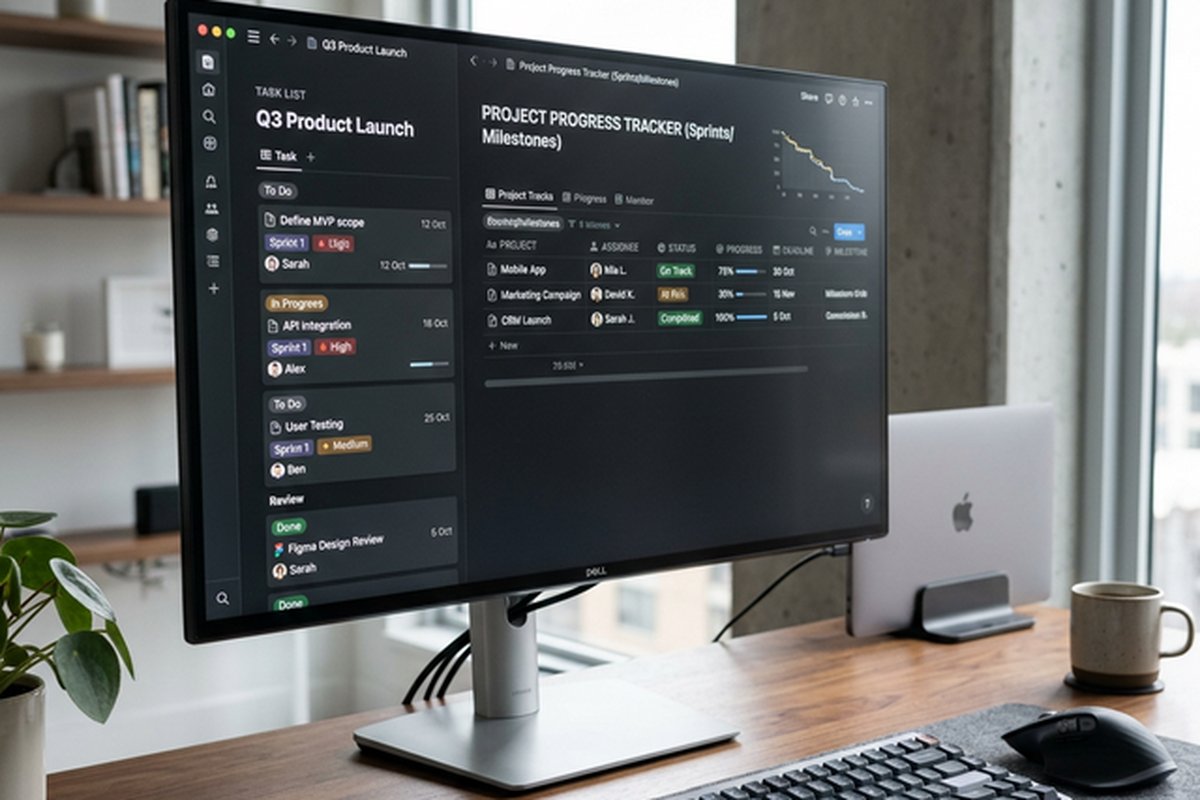
Teamwork.com provides comprehensive task management with multiple view types including list, board, table,
and Gantt chart views. Tasks support subtask hierarchies for breaking complex deliverables into their
component steps, custom fields for capturing client-specific metadata and tracking attributes beyond the
default set, tags for cross-cutting categorization across multiple dimensions, dependencies with automatic
rescheduling that cascades timeline adjustments through connected tasks when dates change, file attachments
for associating reference materials and deliverables directly with the work items they relate to, comment
threads for contextual discussions tied precisely to specific tasks rather than floating in disconnected
communication channels, and time log associations that connect recorded effort directly to the work items
that consumed that effort.
The Gantt chart view provides visual timeline planning with interactive task bars that team members and
project managers can drag to reschedule, resize to adjust duration, and connect with dependency arrows to
establish sequential relationships. For client-facing project work where deadlines are typically
non-negotiable
and set by contractual agreements or client expectations, the Gantt chart provides immediate visual
confirmation
of whether the current task schedule is compatible with the agreed delivery dates. When dependencies are
properly
configured, the Gantt chart also reveals the critical path through each project — the specific sequence of
dependent tasks that determines the earliest possible project completion date and where any delay directly
threatens the overall delivery commitment.
The board view arranges tasks into Kanban-style columns for visual workflow management, with cards
representing individual tasks that can be dragged between columns as work progresses through stages. Board
view is particularly effective during daily team standups, weekly client status calls, and internal project
review meetings where the visual representation of work flow communicates progress patterns, bottleneck
locations, and overall project momentum more intuitively than numerical status reports or text-based
updates.
Task templates and project templates accelerate setup for recurring engagement types, and this acceleration
compounds significantly for organizations that deliver the same category of work repeatedly across different
clients. A web development agency might create a template for their standard website redesign engagement
that includes every phase from discovery workshop through design concepts, development sprints, content
migration, quality assurance testing, client acceptance review, and production launch. Each time a new
website project begins, applying the template instantly creates the complete task structure with appropriate
dependency relationships, estimated durations, role-based assignments, and milestone checkpoints.
Recurring tasks automate creation of repeating deliverables on defined schedules, which is essential for
retainer-based client relationships that require regular periodic deliverables such as monthly analytics
reports, weekly social media content packages, quarterly performance reviews, or annual audit preparations.
Reporting and Dashboards
Teamwork.com’s reporting capabilities are specifically designed to answer the operational and financial
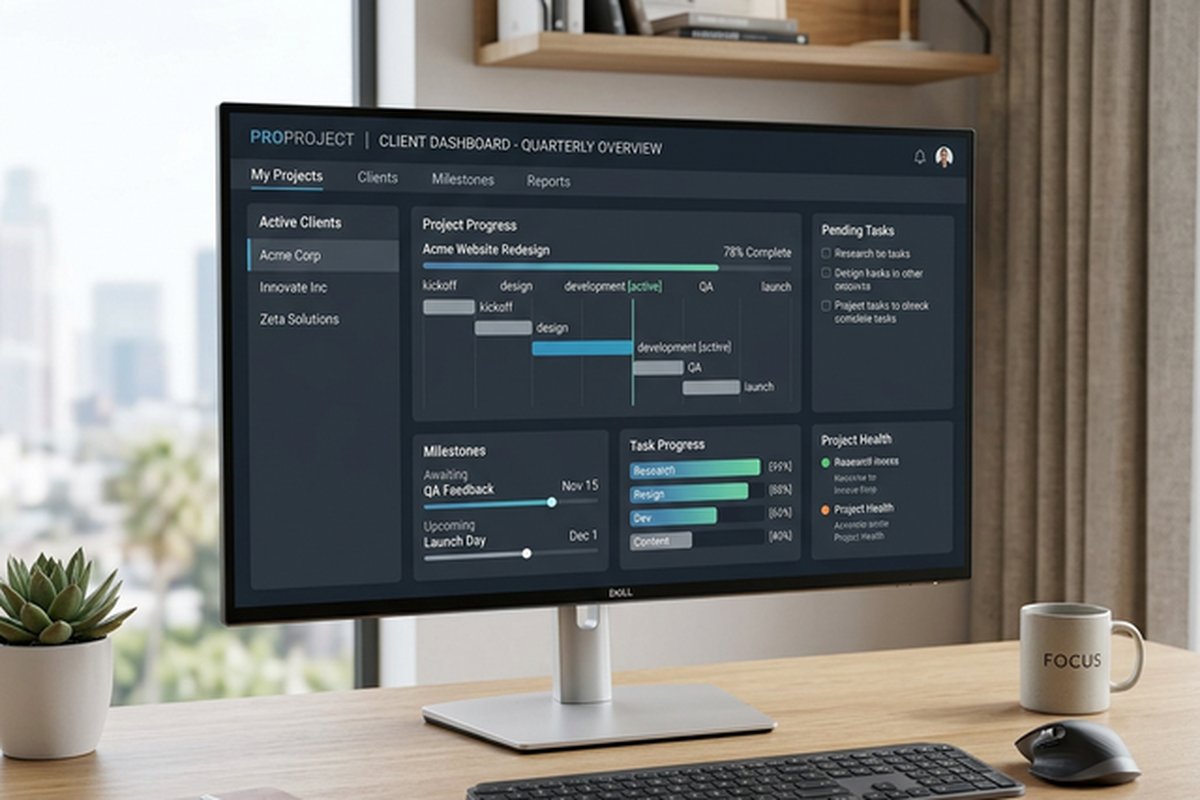
questions that client service organizations face daily. Project health reports summarize task completion
rates, milestone achievement status, time budget consumption percentages, and overall progress against
planned schedules for individual projects. These reports can be filtered by date range, team member,
task category, or milestone phase, enabling project managers to generate precisely the information
needed for client status presentations, internal team reviews, and executive portfolio briefings.
Time reports aggregate tracked hours across configurable dimensions including team member, project,
client, task category, date range, and billable status. These reports serve multiple audiences: project
managers use them to monitor budget burn rates and identify projects approaching or exceeding their time
budgets before overruns become critical. Finance teams use them to generate accurate client invoices based
on verified billable hours with supporting detail. Operations leaders use them to analyze utilization
rates across the team, identifying individuals who are consistently under-utilized and represent available
capacity for new work versus those who are chronically over-committed and at risk for burnout and
quality deterioration.
Dashboard views aggregate key metrics from multiple projects into unified visual displays that update
in real time as underlying data changes. A portfolio dashboard might include total active project count
with breakdown by client, aggregate billable hours tracked this month versus the same period last month,
projects currently at risk with summarized risk indicators, upcoming milestones due within the next two
weeks across all active engagements, and team utilization percentages showing available capacity for
new business. Dashboards can be customized for different audiences — an operations dashboard emphasizing
resource utilization and delivery metrics versus a financial dashboard emphasizing revenue recognition,
profitability trends, and budget adherence across the client portfolio.
Integrations and Ecosystem
The platform integrates with widely used business tools including Slack, Microsoft Teams, Google Workspace,
HubSpot, QuickBooks, Xero, Zapier, and others. The QuickBooks and Xero integrations are particularly
relevant for service businesses because they connect project time and billing data directly to accounting
systems, reducing manual data transfer between project management and financial management platforms and
improving the accuracy and timeliness of client invoicing.
Teamwork.com extends beyond core project management through companion products including Teamwork Desk for
client-facing help desk and customer support ticketing, Teamwork Spaces for team documentation and knowledge
management, and Teamwork Chat for internal team messaging. These companion products integrate with the core
project management platform, creating a connected ecosystem where client communications, project execution,
knowledge documentation, and team collaboration share context and data without requiring separate
third-party integration configurations.
Mobile applications for iOS and Android provide full project access from any location, allowing team
members to log time, update task statuses, upload deliverables, and participate in project discussions
while traveling between client sites, attending conferences, or working remotely from locations without
desktop computer access. The mobile time tracking capability is particularly important for service
professionals who frequently work on-site at client locations where desktop time entry would be
impractical and where relying on memory-based retrospective time logging at the end of the week
consistently results in lost billable hours and inaccurate project cost tracking.
For teams evaluating alternatives with different architectural approaches to project management, our reviews
of Asana vs
Monday.com and ClickUp’s
all-in-one approach cover platforms designed around internal team coordination rather than
client-facing project delivery.
Features and pricing referenced in this article are based on information available at the time of writing
and are subject to change. Please verify current details on the official Teamwork.com website.