Filmora Wondershare Platform – Beginner Friendly Video Editor
Filmora, developed by Wondershare, occupies the important middle ground between the extreme simplicity of
mobile-first editors like CapCut and the professional complexity of platforms like Adobe Premiere Pro and
DaVinci Resolve. This positioning serves a genuinely large audience — content creators, small business
marketers, educators, YouTube creators, and hobbyists who need editing capabilities that exceed basic
cutting and trimming but who do not require or want the complexity of professional-grade editing
environments designed for broadcast and film production. Filmora’s design philosophy prioritizes
accessibility without completely sacrificing capability, creating an editing experience where meaningful
creative results are achievable by users with no prior editing experience while providing enough depth to
support growing skills and increasingly sophisticated projects.
Wondershare has evolved Filmora through multiple major versions, each expanding the feature set while
maintaining the accessible interface that defines the product’s identity. The current version incorporates
AI-powered features, an extensive creative effects library, multi-platform support across Windows and macOS,
and editing capabilities that genuinely compete with more expensive alternatives for the content types that
Filmora’s target audience produces. The subscription and perpetual license pricing options position Filmora
as a moderately priced alternative between free editors and Adobe’s higher-priced Creative Cloud
subscriptions.
Interface Design and Accessibility
Filmora’s interface immediately communicates its beginner-friendly approach through clear visual
organization, descriptive labels, and a workflow layout that guides new users through the editing process
without requiring prior knowledge of editing terminology or conventions. The media import panel, effects
library, timeline, and preview window are arranged in a standard layout that feels intuitive from first
interaction. Unlike professional editors where significant interface customization and configuration may be
needed before comfortable editing begins, Filmora’s default layout is designed to be immediately productive
without configuration.
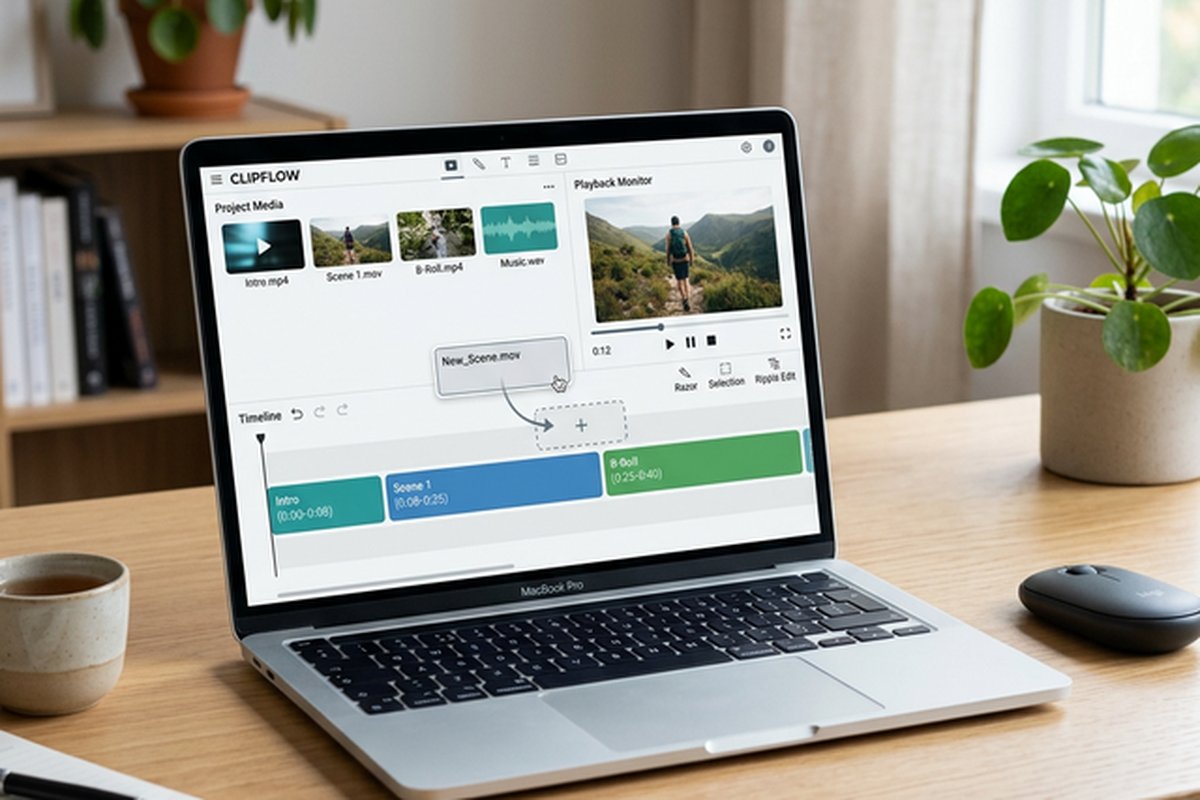
The timeline provides multi-track editing with drag-and-drop clip placement, visual trimming through clip
edge dragging, and intuitive splitting through a playhead-positioned split tool. While the timeline lacks
the advanced trim modes and keyboard-driven efficiency of professional editors, it provides the level of
timeline control that content creators need for assembling and refining edits for YouTube videos, social
media content, educational materials, and marketing videos. The preview window supports real-time playback
through effects and transitions, providing immediate visual feedback that helps beginners understand the
impact of their editing decisions without requiring intermediate render steps.
Creative Effects and Templates
Filmora’s effects library represents one of its strongest differentiators, providing an extensive collection
of visual effects, transitions, titles, filters, overlays, and motion elements that can be applied through
simple drag-and-drop operations. The effects are organized in categories with visual previews, enabling
users to browse and audition effects before applying them to their timeline. This browsable, visual approach
to effects access is more approachable than the parameter-driven effects application in professional editors
where achieving specific visual results often requires understanding properties, keyframes, and compositing
concepts.

Filmstock, Wondershare’s creative asset marketplace, provides additional effects, templates, and media
resources that expand the built-in library with regularly updated content packs. Template projects provide
complete, pre-built editing structures where users replace placeholder content with their own footage and
customize text, colors, and timing to create polished videos following proven visual formats. This template
approach is particularly valuable for recurring content creators who need consistent visual branding across
multiple videos — intros, outros, lower thirds, and transition styles can be standardized through templates
and applied efficiently across content series.
The title and text tools provide customizable text overlays with animation presets including typewriter
effects, movement animations, and stylized text reveals. Text templates cover common use cases including
social media captions, YouTube end screens, chapter titles, and informational text overlays. The keyframe
animation system enables creating custom motion paths for text and graphic elements, providing a bridge
between simple template application and more sophisticated motion graphics work for users ready to explore
beyond preset options.
AI Features and Automation
Filmora has invested significantly in AI-powered features that automate tasks previously requiring manual
effort or technical skill. AI Smart Cutout provides object isolation and background removal using machine
learning, enabling background replacement, picture-in-picture effects, and clean presentations without green
screen filming. AI Audio Denoise reduces background noise from recordings, addressing the common problem of
imperfect recording environments that affect home studios, office recordings, and field shooting situations.
Auto Beat Sync analyzes music tracks and automatically aligns clip cuts to musical beats, creating rhythmic
edit patterns that would require manual beat counting and precise cutting to achieve in traditional editing
workflows. AI Text-to-Video generates video content from text descriptions, providing starting points for
content creation that can be refined and customized. AI Copywriting assists with generating video titles,
descriptions, and scripts, streamlining the content planning process. Speech-to-Text generates captions and
subtitles from spoken dialogue, addressing the accessibility and engagement requirements that make captioned
content essential for social media distribution.
Audio Editing Capabilities
Audio tools in Filmora provide the level of audio editing that video content creators need without the
complexity of dedicated digital audio workstation interfaces. Volume keyframing enables adjusting audio
levels at specific points in the timeline for ducking music under dialogue, building audio transitions, and
managing audio dynamics. Audio equalization presets provide quick tonal adjustments for common scenarios
including voice enhancement, music balancing, and environmental audio improvement. The audio mixer provides
per-track volume and panning controls for managing the mix between dialogue, music, and sound effects.
The built-in music and sound effects library provides royalty-free audio content that covers common content
creation needs without requiring external audio sourcing. Audio visualization effects create visual
representations of audio waveforms, frequency spectrums, and beat patterns that add dynamic visual elements
to music-driven content. The audio detach function separates audio from video clips for independent editing
and replacement, and the voice changer feature applies pitch and tonal modifications to recorded dialogue
for creative effects or privacy protection.
Export and Sharing Workflow
Filmora provides comprehensive export options covering common delivery targets including YouTube, Vimeo,
TikTok, Instagram, and general-purpose video files. Platform-specific export presets automatically
configure resolution, aspect ratio, frame rate, and bitrate settings for optimal quality on each
target platform. Custom export settings provide manual control over codec selection, quality
parameters, and file format for specialized delivery requirements. GPU-accelerated rendering through
NVIDIA CUDA and Intel Quick Sync support significantly reduces export times compared to
software-only encoding, particularly for high-resolution output.
Direct upload integration with YouTube and Vimeo enables publishing completed videos without
manually downloading export files and re-uploading through platform web interfaces. DVD burning
capability enables creating physical media deliveries for clients, family members, or archival
purposes. The batch export functionality enables rendering multiple projects or timeline sections
sequentially, useful for content creators who produce multiple videos per session and want to
queue renders for overnight processing. The export history maintains records of previous render
settings for consistent re-export when projects require revision and re-delivery.
Screen Recording Integration
Filmora includes built-in screen recording capability that captures desktop activity, application
demonstrations, and webcam footage directly within the editing application. While the screen
recording tools are less specialized than dedicated screen recording applications like Camtasia,
they provide adequate capture quality for tutorial creation, software demonstrations, and
presentation recordings within a single application workflow. The recorded footage appears
directly in the Filmora media library for immediate editing without file transfer between
separate recording and editing applications.
The screen recording supports customizable capture regions, webcam overlay recording,
microphone narration capture, and system audio recording simultaneously. For content creators
producing a mix of standard video content and screen-based tutorials, the integrated recording
capability eliminates the need for a separate screen recording tool, reducing both software cost
and workflow complexity. The recording quality is suitable for web delivery at common social media
and YouTube resolutions, though users requiring broadcast-quality screen recording may benefit
from dedicated capture applications with more granular recording controls.
Performance and System Compatibility
Filmora is designed to run smoothly on a broader range of hardware than professional editors,
with lower system requirements that enable editing on mid-range laptops and desktops that would
struggle with the resource demands of DaVinci Resolve or Premiere Pro. This lower hardware
threshold aligns with Filmora’s target audience of content creators and hobbyists who may not
have dedicated workstation hardware. The application supports both Windows and macOS with
consistent feature availability across platforms.
Proxy editing support enables smooth editing of high-resolution footage on less powerful
hardware by creating lightweight copies for editing playback and automatically substituting
original resolution files during final rendering. The light application footprint compared to
professional alternatives means faster application launch, responsive interface behavior, and
reduced impact on system performance during editing sessions. These performance characteristics
make Filmora practical for use on shared computers, educational lab machines, and personal
devices that are not primarily configured for video production workloads.
Target Audience and Growth Path
Filmora serves several distinct user groups effectively. YouTube content creators producing
regular weekly or biweekly videos benefit from the efficient editing workflow, effects
library, and export optimization for YouTube delivery. Small business marketers creating
promotional videos, product demonstrations, and social media marketing content find Filmora’s
template and branding tools well-suited to their recurring content needs. Educational
content creators producing course materials, lectures, and training videos appreciate the
accessible interface combined with sufficient capability for professional-looking output.
For users who begin with Filmora and eventually require more advanced capabilities, the
transition to professional editors represents a significant learning investment but is
eased by the fundamental editing concepts — timeline organization, clip trimming, effects
application, audio mixing — that remain consistent across editing platforms. Understanding
where Filmora’s capabilities end helps users make informed decisions about when to invest
in learning more complex platforms rather than struggling to achieve results that exceed
Filmora’s design intent. The editing skills developed in Filmora transfer to professional
platforms, making it a legitimate learning foundation rather than a dead-end tool.
Cloud and Collaboration Features
Wondershare provides cloud storage integration for Filmora projects, enabling backup and
cross-device access to editing work in progress. The cloud sync capability ensures that
projects are not lost to local hardware failures and enables continuing editing work across
different computers with Filmora installed. The Filmora Workspace feature provides basic team
collaboration capabilities including project sharing, cloud-based review, and comment functionality
that serve the needs of small teams and client-editor workflows where review and feedback cycles
are part of the content production process. While these collaboration features do not match the
depth of professional editing platforms like Premiere Pro’s Team Projects, they provide
meaningful collaboration capability for Filmora’s target user base of small content teams
and individual creators working with clients.
Strengths and Honest Limitations
Filmora excels at making video editing accessible to beginners while providing enough capability for
intermediate content production workflows. The interface design successfully balances feature availability
with visual clarity. The effects library and AI features provide creative capabilities that would require
significant expertise in professional editors. The pricing provides access to capable editing at a fraction
of professional editor costs. The built-in screen recording enables tutorial and demonstration content
creation without separate capture applications. The proxy editing and lightweight system requirements make
Filmora practical on a broader range of hardware than professional alternatives require. The cross-platform
availability on both Windows and macOS provides flexibility for users in mixed-platform environments. For
comparison with the free professional alternative, our DaVinci
Resolve review covers the most capable free option available.
Limitations include editing depth that does not satisfy professional production requirements, a watermark on
exported video in the free trial version that makes the trial unsuitable for published content, an effects
and template ecosystem that provides breadth over depth with some effects feeling generic, performance
that can slow with heavily layered compositions despite the generally light resource footprint, and color
correction tools that are adequate for basic grading but lack the precision controls that professional
colorists require. The subscription pricing model for some features creates ongoing costs, and the upgrade
pricing between major versions can feel frequent for users who want to maintain access to the latest
features. For broader context on editing options across different price points and skill levels, our free video
editing comparison evaluates completely free alternatives that may serve some users’ needs
without any cost investment.
Features and pricing referenced in this article are based on information available at the time of writing
and are subject to change. Please verify current details on the official Wondershare website.