Premiere Pro vs Final Cut – Professional Editor Comparison
The comparison between Adobe Premiere Pro and Final Cut Pro represents the most consequential choice in
professional video editing — two platforms that approach the same fundamental challenge of assembling raw
footage into finished productions through meaningfully different design philosophies, workflow
architectures, pricing models, and ecosystem strategies. This is not merely a feature-checklist comparison
where one platform objectively wins across all criteria. Premiere Pro and Final Cut Pro represent genuinely
different visions of what professional video editing should look like, and the better choice depends on
specific workflow requirements, platform commitments, budget constraints, team collaboration needs, and
individual editing preferences that vary dramatically across the diverse contexts where professional video
editing occurs.
Understanding this comparison requires acknowledging that both platforms have evolved through decades of
competitive development, continuously adopting features and improvements inspired by each other and by
emerging competitors like DaVinci Resolve. The current versions of both applications represent mature,
capable, professional-grade editing platforms that can produce identical final output quality — the
differences lie in workflow efficiency for specific tasks, ecosystem integration value, pricing structure
economics, and subjective editing experience preferences that influence daily editing productivity and
satisfaction.
Platform and Pricing
The most immediately apparent difference involves platform availability and pricing model. Premiere Pro
operates on Adobe’s Creative Cloud subscription requiring ongoing monthly or annual payment for continued
access, while Final Cut Pro offers a one-time purchase that provides permanent ownership with free updates.
Premiere Pro runs on both Windows and macOS, while Final Cut Pro is exclusively available on macOS. These
fundamental differences create the first filter in the comparison: Windows users cannot consider Final Cut
Pro regardless of other evaluation criteria, and editors who refuse subscription pricing cannot consider
Premiere Pro without accepting that ongoing cost.
The financial comparison over time favors different platforms depending on the evaluation timeframe and
whether additional Creative Cloud applications are included. Premiere Pro’s subscription cost accumulates
over years and eventually exceeds Final Cut Pro’s one-time purchase price significantly. However, the
Creative Cloud subscription typically includes access to After Effects, Audition, Photoshop, Media Encoder,
and other applications that would require separate purchases if equivalent functionality were needed
alongside Final Cut Pro. The total cost comparison depends heavily on which additional applications are
needed and how many years the comparison spans.
Timeline Architecture
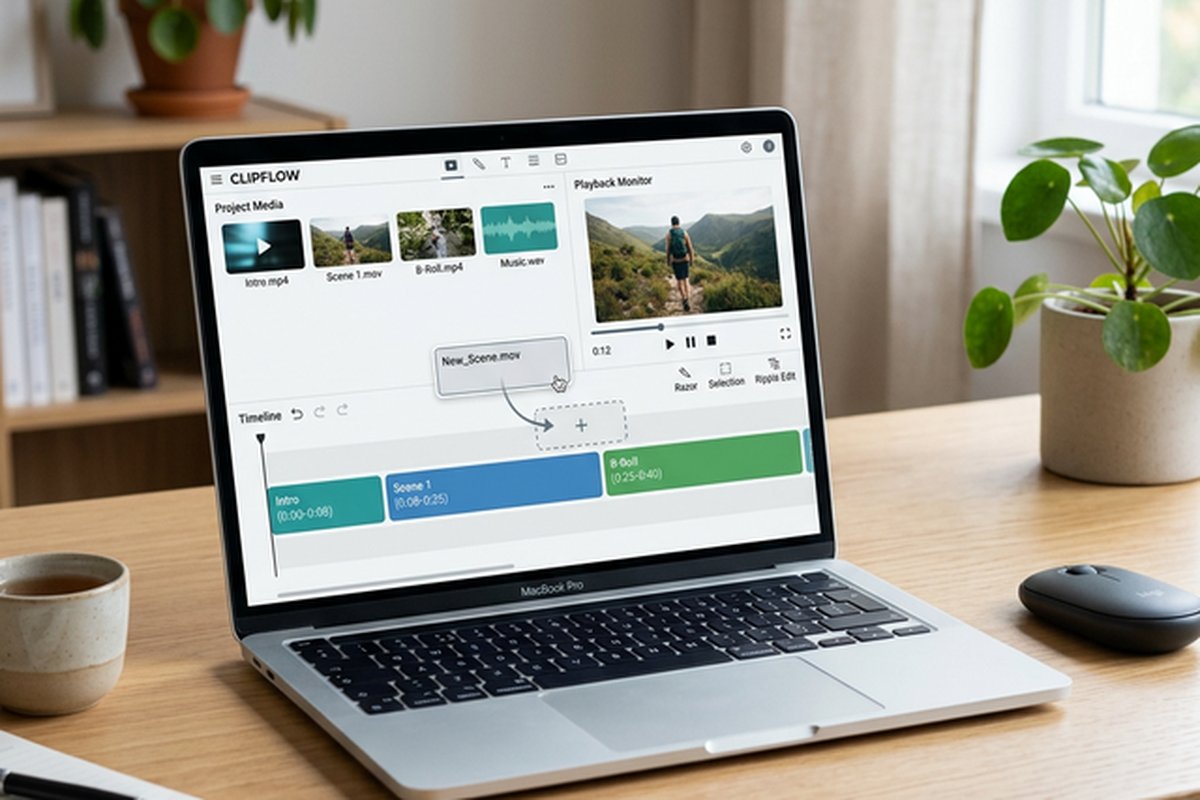
Premiere Pro uses traditional track-based timeline editing where clips are placed on numbered video and audio
tracks with explicit manual control over every clip position, track assignment, and spatial relationship.
Final Cut Pro uses the magnetic timeline where clips automatically arrange themselves without creating gaps,
using storylines and connected clips instead of numbered tracks. This architectural difference represents
the most significant workflow distinction between the platforms and strongly influences which editors prefer
which platform based on their editing habits, training background, and the types of projects they typically
produce.

Track-based editing in Premiere Pro provides explicit control and predictability that many experienced
editors prefer — clips stay exactly where placed, empty spaces remain where created, and the spatial
organization of the timeline directly reflects the editor’s intentional arrangement decisions. The magnetic
timeline in Final Cut Pro provides automatic gap management, relationship-based organization, and editing
speed advantages for certain editing styles, particularly rapid assembly and restructuring workflows where
the automatic arrangement eliminates manual cleanup of gaps and misalignments that accumulate during active
editing.
The transition between these timeline models represents a significant learning investment in either
direction. Editors trained on track-based editing may find the magnetic timeline unpredictable and difficult
to control until the different organizational logic becomes intuitive. Editors accustomed to the magnetic
timeline may find track-based editing tedious due to the manual gap management that the magnetic timeline
eliminates automatically. Neither approach is objectively superior — they represent different trade-offs
between explicit control and automated organization.
Ecosystem Integration
Premiere Pro’s integration with Adobe Creative Cloud creates a comprehensive post-production ecosystem where
editing, visual effects, audio post-production, graphics, and media management flow between integrated
applications through Dynamic Link, shared project files, and unified asset management. After Effects
compositions appear as live clips in Premiere Pro timelines. Audition provides advanced audio editing with
round-trip integration. Photoshop files import with layer structure preserved. Media Encoder handles
background rendering. Frame.io provides cloud-based review and approval workflows. This ecosystem
integration is Premiere Pro’s strongest competitive advantage and the primary reason many professional
production environments standardize on Adobe’s platform.
Final Cut Pro’s ecosystem includes Apple Motion for motion graphics and Compressor for encoding and format
conversion, providing capable companion applications that address the major workflow needs beyond editing.
However, the Final Cut ecosystem is smaller and less deeply integrated than Adobe’s suite. Final Cut Pro
compensates through Apple Silicon optimization that provides performance advantages on Mac hardware, native
integration with Apple’s media ecosystem including iCloud and AirDrop, and a growing third-party plugin
ecosystem that extends the platform’s capabilities through external developers.
Performance Comparison
Final Cut Pro demonstrates superior performance on Apple Silicon Macs due to native optimization for Apple’s
proprietary hardware architecture. Real-time playback of multiple 4K and 8K streams, effects processing
during playback, and rendering speeds consistently outpace Premiere Pro on equivalent Mac hardware. This
performance advantage is particularly pronounced with ProRes footage, where Final Cut Pro’s integration with
Apple’s ProRes codec provides optimization that third-party applications cannot match. For editors working
on recent Mac hardware, the performance difference is tangible and influences daily editing productivity.
Premiere Pro provides competitive performance on Windows systems with strong GPU acceleration through NVIDIA
CUDA and AMD support, and has improved significantly on Apple Silicon through native ARM optimization. The
cross-platform availability means Premiere Pro editors can choose their hardware platform based on overall
system preferences, budget, and additional workflow requirements without being constrained to Apple
hardware. For organizations with mixed hardware environments, Premiere Pro’s cross-platform project
compatibility enables editors on different operating systems to share projects seamlessly.
Collaboration and Team Workflows
Premiere Pro provides more comprehensive collaboration tools through Team Projects for cloud-based
multi-editor workflows, Productions for large-scale project organization, and Frame.io integration for
client review and approval processes. These collaboration features address the needs of production teams
where multiple editors, assistant editors, and post-production staff contribute to shared projects
simultaneously — a common requirement in broadcast, corporate, and large-scale content production
environments.
Final Cut Pro’s collaboration capabilities are more limited, primarily relying on library sharing and
role-based workflow organization rather than real-time cloud collaboration. While Final Cut Pro supports
multi-user workflows through shared storage and library management, the collaboration model requires more
manual coordination than Premiere Pro’s cloud-based collaboration infrastructure. For solo editors and
small teams, this difference is less significant, but for large production teams, Premiere Pro’s
collaboration tools provide genuine workflow advantages.
Audio Post-Production Comparison
Premiere Pro integrates with Adobe Audition through Dynamic Link for comprehensive audio post-production
including multi-track mixing, spectral editing, noise reduction, audio restoration, and professional
mastering workflows. This integration provides access to a complete digital audio workstation within
the Adobe ecosystem without the learning curve of standalone professional audio applications. The
Essential Sound panel within Premiere Pro provides simplified audio categorization and processing
that addresses common audio needs — dialogue normalization, music ducking, ambient sound
enhancement — without requiring Audition for basic audio processing tasks.
Final Cut Pro provides integrated audio editing with role-based organization, built-in audio effects
including equalization and compression, and the ability to export individual audio roles as separate
stems for external audio mixing. The roles system provides organizational advantages for managing
complex audio mixes within the editing timeline. For users requiring advanced audio capabilities,
Logic Pro provides the same deep integration with Final Cut Pro that Audition provides with
Premiere Pro. Both platforms provide adequate built-in audio tools for most editing workflows,
with the companion audio applications serving specialized audio post-production requirements.
Color Grading Comparison
Premiere Pro’s Lumetri color panel provides a streamlined color correction and grading interface
directly within the editing timeline. The panel consolidates basic correction, creative looks,
curves, color wheels, HSL secondary qualifiers, and vignette controls into a single inspector
panel. While Lumetri provides competent color correction for most editing scenarios, it does not
match the depth of dedicated grading applications. For advanced grading needs, Premiere Pro
projects can be sent to DaVinci Resolve for color finishing through XML or AAF exchange.
Final Cut Pro provides multiple color correction interfaces — Color Board, Color Wheels, Color
Curves, and Hue/Saturation Curves — that offer different approaches to color adjustment. The
comparison display enables side-by-side evaluation of corrected and reference frames. HDR
workflows are natively supported with proper monitoring and tone mapping capabilities. Both
platforms provide adequate-to-good color correction for standard editorial workflows, with
DaVinci Resolve remaining the strongest option for productions where color grading is a
critical quality factor requiring the deepest available tools.
Format Support and Compatibility
Premiere Pro provides the broader native format support, handling virtually every common and many
uncommon video, audio, and image formats without requiring format conversion or plugin
installation. This comprehensive format support is particularly valuable in production
environments that work with footage from diverse camera sources and need to edit directly
from source files without transcoding delays. Final Cut Pro provides excellent format support
with particular optimization for ProRes and Apple-native formats, though some less common
formats may require conversion before editing.
Both platforms support proxy editing workflows for managing high-resolution footage on systems
where real-time full-resolution playback is not feasible. Final Cut Pro’s automatic proxy
generation and management is generally considered more seamless than Premiere Pro’s proxy
implementation. The XML and AAF exchange formats enable moving projects between Premiere Pro
and Final Cut Pro when production requirements change or when specific platforms are needed
for specific post-production tasks, though the translation between different timeline
architectures involves some manual adaptation.
Switching and Migration Considerations
Editors considering switching between Premiere Pro and Final Cut Pro should evaluate the
investment required for adapting to a fundamentally different editing workflow. The transition
from track-based to magnetic timeline editing — or vice versa — requires relearning editing
habits and developing new muscle memory that can temporarily reduce editing productivity during
the transition period. The ecosystem implications of switching — losing access to After Effects
integration when leaving Premiere Pro, or losing Apple Silicon optimization when leaving Final
Cut Pro — should factor into the migration decision alongside the direct editing capability
comparison.
Third-Party Plugin and Extension Ecosystems
Premiere Pro benefits from the largest third-party plugin ecosystem in the video editing industry,
with hundreds of effects, transitions, templates, and workflow tools available from developers
including Boris FX, Red Giant, FilmImpact, and others. The Adobe Exchange marketplace provides
centralized discovery and installation of extensions and plugins. Final Cut Pro’s third-party
ecosystem is smaller but growing, with notable developers including MotionVFX, FxFactory, and
CoreMelt providing professional-quality effects and workflow extensions. The quality of available
plugins in both ecosystems is generally high, though Premiere Pro’s larger selection provides
more options for specialized effects and workflow requirements. Both platforms support standard
audio plugin formats for extending their built-in audio processing capabilities with third-party
equalizers, compressors, and specialized audio processing tools.
Who Should Choose Which
Premiere Pro is the stronger choice for editors working across Windows and Mac platforms, teams requiring
cloud-based collaboration through Team Projects and Frame.io, production environments that rely on deep
Adobe ecosystem integration including After Effects for motion graphics and Audition for audio
post-production, and organizations where industry-standard tool familiarity is a hiring and workflow
requirement. Editors who work with footage from diverse camera sources benefit from Premiere Pro’s
unmatched format compatibility. Production teams with client review workflows benefit from Frame.io
integration. For deeper analysis of Premiere Pro’s individual strengths, our Premiere
Pro review provides comprehensive coverage.
Final Cut Pro is the stronger choice for editors committed to Mac hardware seeking maximum performance on
Apple Silicon processors, editors who prefer the magnetic timeline workflow and its automatic gap
management, budget-conscious professionals who prefer one-time purchase ownership over ongoing subscription
commitments, and independent creators who value editing speed and hardware performance over ecosystem
breadth. Editors working primarily with ProRes footage benefit from Final Cut Pro’s optimized ProRes
handling. Multicam editors benefit from Final Cut Pro’s industry-leading angle editing workflow. For deeper
analysis of Final Cut Pro’s individual strengths, our Final Cut Pro
review provides comprehensive coverage. Users evaluating free alternatives to both platforms should
consider our DaVinci
Resolve review, which covers a free professional-grade editor that rivals both paid platforms in
many capability areas.
Features and pricing referenced in this article are based on information available at the time of writing
and are subject to change. Please verify current details on the official Adobe and Apple websites.