Collaboration Tool Comparison – Choosing the Right Platform for Teams
Choosing team collaboration tools has become one of the most consequential technology decisions
organizations make, yet it is frequently approached with insufficient analysis — defaulting to
the most popular option, following a competitor’s choice, or adopting whatever tool a new team
member recommends from their previous organization. The collaboration tool landscape is
genuinely complex, spanning team messaging, video conferencing, project management, document
collaboration, visual whiteboarding, and asynchronous communication platforms that each serve
different collaboration patterns. The right choice is not about finding the “best” tool
objectively but about matching tool capabilities to how your team actually works — communication
patterns, team size, technical requirements, budget constraints, and integration with existing
technology investments.
This comparison evaluates collaboration tools across functional categories, providing an honest
assessment framework that helps organizations identify which tools address their actual needs
rather than which tools have the most impressive feature lists. The practical reality is that
most organizations need a combination of 2-4 collaboration tools that cover different
communication patterns, and the strategic challenge is selecting tools that complement each
other without creating fragmented, disconnected workflows that reduce the productivity these
tools are supposed to enhance.
Team Messaging Platforms
Team messaging platforms provide the persistent, channel-based text communication that serves
as the daily communication backbone for most teams. The category is dominated by two platforms
with fundamentally different positioning: Slack, the dedicated messaging platform with the most
refined communication experience and broadest integration ecosystem, and Microsoft Teams, the
Microsoft 365-integrated platform that bundles messaging with video, file collaboration, and
productivity tools.
Slack excels at message organization through channels, threading discipline, integration breadth,
and the polish of the day-to-day messaging experience. Teams that prioritize communication
quality, use diverse (non-Microsoft) productivity tools, and value the most refined messaging
experience typically prefer Slack. Microsoft Teams excels at integration with Microsoft 365
applications, the included-at-no-additional-cost availability within existing Microsoft
subscriptions, and the combined messaging-video-files capability within a single application.
Teams deeply invested in the Microsoft ecosystem typically prefer Teams for the integration
depth that no third-party tool can replicate. For detailed analysis of each platform, our
Slack
guide and Microsoft
Teams review provide comprehensive evaluations.

Video Conferencing Platforms
Video conferencing has become essential infrastructure rather than an occasional convenience,
and the platform choice affects meeting quality, participant experience, and integration with
broader collaboration workflows. Zoom provides the strongest standalone video conferencing
experience with superior video quality, the most comprehensive meeting features (breakout rooms,
polling, whiteboard, webinars), and reliable performance across network conditions. Google Meet
provides solid video conferencing deeply integrated with Google Workspace, with the advantage
of browser-based joining and no-install participation that reduces barriers for external
participants.
Microsoft Teams provides integrated video conferencing within the Microsoft 365 environment,
with the strategic advantage that organizations already paying for Microsoft 365 receive video
conferencing at no incremental cost. The choice between standalone video platforms (Zoom) and
ecosystem-integrated video (Meet, Teams) depends on whether video quality and feature depth
or ecosystem integration and cost consolidation is the higher priority. Organizations with
complex meeting needs — workshops, large events, webinars, training sessions — typically benefit
from Zoom’s deeper feature set, while organizations with standard meeting needs may find
ecosystem-integrated video sufficient and more cost-effective. Our Google
Meet vs Zoom comparison provides a detailed head-to-head evaluation of the leading
standalone and ecosystem-integrated video platforms.
Documentation and Knowledge Management
Team documentation platforms organize institutional knowledge, process documentation, and
collaborative documents that teams create and reference. The primary contenders — Notion,
Confluence, and built-in documentation features within collaboration platforms — serve
different organizational profiles. Notion provides the most flexible, modern documentation
experience with database-driven organization, block-based editing, and an all-in-one workspace
that consolidates documents, databases, and project tracking. Confluence provides enterprise-grade
documentation with deep Jira integration, structured space-based organization, and compliance
features that large organizations require.
For teams already using Atlassian products (particularly Jira), Confluence provides the most
natural documentation layer with integration depth that third-party platforms cannot match.
For teams prioritizing modern user experience, flexible workspace design, and consolidated
tools, Notion provides a more contemporary platform with broader functional coverage. For
detailed comparisons, our Notion
review and Confluence
review provide in-depth platform evaluations.
Project Management Integration
Team collaboration tools increasingly overlap with project management platforms, creating
both opportunities and confusion about tool selection. Platforms like ClickUp and Notion
combine collaboration features with substantial project management capabilities, challenging
the traditional model where collaboration and project management are handled by separate
tools. The integration approach matters — teams that choose separate collaboration and project
management tools need robust integration between them to avoid information silos, while teams
that choose consolidated platforms trade integration complexity for potential feature depth
limitations in individual capability areas.
The practical consideration is workflow continuity: when a team discusses a feature in Slack,
makes decisions in a Zoom meeting, documents the plan in Notion, and tracks implementation in
Jira, the information flow between these tools determines whether the workflow is productive
or fragmented. Native integrations (Jira-Confluence, Slack-Asana, Teams-Planner) provide the
most reliable cross-tool connectivity, while third-party integration platforms (Zapier, Make)
fill gaps for tool combinations without native integration support. Teams should map their
actual information flows before selecting tools, ensuring that the chosen combination supports
natural workflow transitions rather than creating dead ends where information must be
manually transferred between disconnected platforms.
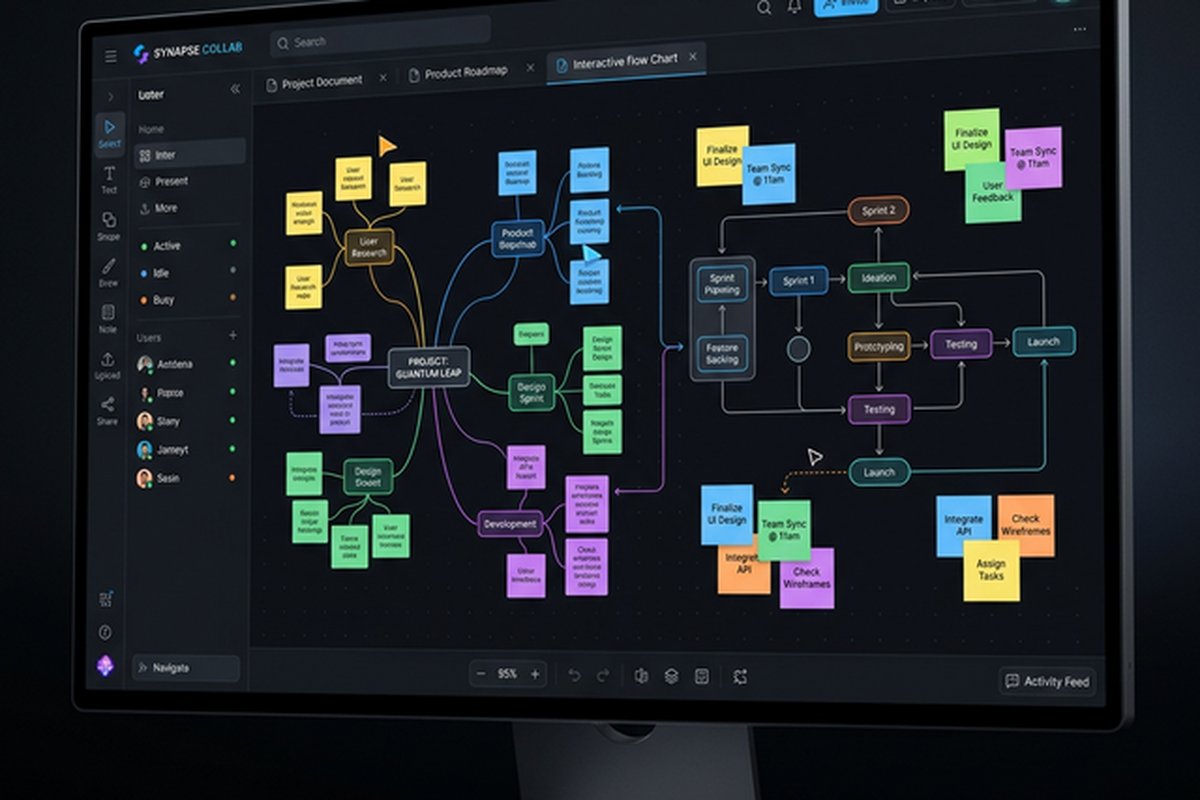
Visual Collaboration Tools
Visual collaboration platforms provide digital whiteboarding and spatial thinking tools for
brainstorming, diagramming, workshop facilitation, and visual planning. Miro leads this
category with the most comprehensive whiteboard features, the deepest template library,
and the strongest facilitation tools for remote workshops and collaborative visual work.
FigJam (from Figma) provides lighter visual collaboration tightly integrated with Figma’s
design tools, making it ideal for design teams already within the Figma ecosystem. Microsoft
Whiteboard and ClickUp Whiteboards provide basic visual collaboration within their respective
platforms without requiring additional subscriptions.
The visual collaboration decision depends on usage frequency and depth requirements. Teams
that regularly conduct visual workshops, planning sessions, and collaborative diagramming
benefit from Miro’s purpose-built depth. Teams with occasional whiteboarding needs may
find lighter options within their existing platforms sufficient. Our Miro
review covers the leading dedicated platform, and our Figma
team collaboration review covers design-specific visual collaboration.
Asynchronous Communication
Asynchronous communication tools address the growing recognition that not all team communication
should be synchronous. Loom provides async video messaging for visual communication that does
not require live meetings, enabling screen recordings with narration that recipients watch at
their convenience. The async video model is particularly valuable for distributed teams across
timezones, detailed explanations that benefit from visual demonstration, and reducing the
meeting overload that synchronous collaboration cultures create.
The async communication space also includes threaded discussions within messaging platforms,
comment-based feedback within design and documentation tools, and email for formal external
communication. The strategic consideration is ensuring that teams have appropriate channels
for both synchronous and asynchronous communication, with clear norms about which communication
mode is appropriate for different types of information exchange. Our Loom
review covers the leading async video platform in detail.
All-in-One vs Best-of-Breed Strategy
The fundamental strategic choice in collaboration tooling is between all-in-one platforms that
consolidate multiple capabilities within a single tool and best-of-breed strategies that select
specialized tools for each collaboration function. All-in-one platforms — Microsoft Teams,
ClickUp, Notion, Google Workspace — reduce the number of subscriptions, simplify administration,
and provide native integration between collaboration functions. Best-of-breed strategies —
Slack + Zoom + Notion + Miro, for example — provide the strongest experience in each functional
area but require managing multiple subscriptions, configuring integrations between tools, and
accepting the context switching that multi-tool workflows create.
The practical recommendation for most organizations is a hybrid approach: select one or two
primary platforms that cover core daily collaboration needs (messaging, video, file collaboration)
and supplement with specialized tools for specific functions where the primary platform’s
capability is insufficient. This approach provides the foundation benefits of consolidated
platforms while adding specialized depth where generic capabilities fall short. The specific
tool combination depends on existing technology investments (Microsoft 365 vs Google Workspace
vs independent tools), team communication patterns, budget constraints, and which collaboration
functions require specialized depth versus adequate general-purpose capability.
Decision Framework
Selecting the right tool combination requires evaluating organizational context rather than
feature checklists. Start by identifying your team’s primary communication patterns — is daily
collaboration primarily text-based, meeting-heavy, documentation-focused, or visual? Identify
your existing technology ecosystem — Microsoft 365, Google Workspace, Atlassian, or independent?
Assess your budget constraints — per-user subscription costs accumulate quickly across multiple
tools for large teams. Evaluate your integration requirements — which tools must connect with
which systems for workflow continuity?
For Microsoft-ecosystem organizations, Microsoft Teams provides the most cost-effective and
deeply integrated starting point, supplemented with specialized tools as needed. For Google
Workspace organizations, leveraging Google Meet, Chat, and integrated collaboration provides
a similar foundation. For organizations without strong ecosystem commitments, Slack + Zoom
provides a premium communication foundation, with documentation and visual collaboration tools
selected based on specific needs. For budget-conscious teams exploring free options, our free
tools comparison covers capable free-tier options across collaboration categories, and
Discord provides free voice and text collaboration suitable for smaller, informal teams as
covered in our Discord
for teams review.
Budget Optimization Strategies
Managing collaboration tool costs requires evaluating both direct subscription expenses and
the hidden costs of tool fragmentation — integration maintenance, training time for multiple
platforms, and productivity lost to context switching between disconnected tools. The most
cost-effective approach for many organizations is leveraging the collaboration features included
in their existing productivity platform subscriptions. Microsoft 365 subscribers already have
access to Teams, OneDrive, SharePoint, and associated collaboration features. Google Workspace
subscribers already have Meet, Chat, Drive, and integrated collaboration capabilities.
Negotiating annual plans rather than monthly subscriptions typically reduces per-user costs by
15-25% across collaboration platforms. Evaluating actual usage patterns — which team members
actively use which features — prevents paying for full seats for occasional users who could
function with limited or guest access tiers. Many platforms offer nonprofit, educational, and
startup discounts that significantly reduce costs for qualifying organizations. The total cost
evaluation should include the time costs of managing multiple tool subscriptions, user
provisioning across platforms, and maintaining integrations between disconnected tools.
Implementation and Change Management
Successful collaboration tool adoption requires more than selecting the right platform — it
requires change management that helps teams transition from established workflows to new tools
effectively. Pilot programs with specific teams before organization-wide rollout enable
identifying configuration needs, integration requirements, and workflow adjustments in a
controlled environment. Designating tool champions within each team creates internal advocates
who provide peer support and encourage adoption within their immediate working groups.
Training that focuses on workflow transformation rather than feature tutorials produces better
adoption outcomes. Rather than teaching teams every feature of a new platform, training should
demonstrate how the new tool improves specific workflows the team performs daily — showing
how a design review workflow moves from email chains to Figma comments, or how status updates
move from weekly meetings to Slack channel updates. Establishing explicit communication norms
— which tool for which purpose, expected response times, channel vs direct message guidelines —
prevents the ambiguity that causes teams to use tools inconsistently or revert to previous
habits. Regular check-ins during the first months after tool adoption identify pain points,
workflow gaps, and training needs before frustration leads to abandonment.
Common Mistakes to Avoid
The most common collaboration tool mistake is adopting more tools than the team needs, creating
fragmentation where information scatters across platforms and team members are uncertain which
tool to use for which communication. The second most common mistake is choosing tools based on
feature counts rather than workflow fit — a platform with 100 features the team does not use
provides less value than a platform with 10 features the team uses daily. The third mistake
is neglecting communication norms — every tool requires explicit guidelines about how the
team will use it, what belongs in which channel or space, and expected response patterns.
Organizations should resist the temptation to adopt every promising new tool and instead
invest in effectively using fewer tools with clear purposes and established team norms.
The most productive teams typically use 2-4 collaboration tools effectively rather than
8-10 tools inconsistently. Each new tool added to the stack should have a clear, specific
purpose that existing tools genuinely cannot serve, and the team should establish explicit
usage guidelines before opening access — preventing the organic sprawl that transforms a
thoughtful tool selection into a fragmented communication landscape.
Features and pricing referenced in this article are based on information available at the time of
writing and are subject to change. Please verify current details on each platform’s official
website.