Basecamp Simplicity vs Advanced Tools – Which Fits Your Team
There is a philosophical divide in the project management software world that does not get discussed nearly
enough, despite the fact that it fundamentally determines whether a team will thrive with a particular tool
or fight against it every single day. On one side of this divide sit platforms that compete by adding more
features with every release cycle — more views, more integrations, more customization options, more
automation capabilities, more configuration settings, more reporting dashboards, and more administrative
controls. Each release promises to solve another workflow challenge, serve another team type, and close
another competitive gap. On the other side of this divide sits Basecamp, a platform that has deliberately
and vocally resisted the feature arms race for over two decades and instead made opinionated simplicity its
defining characteristic, its core competitive advantage, and its reason for existing in a market filled with
increasingly complex alternatives.
Founded by Jason Fried and David Heinemeier Hansson at the software company 37signals, Basecamp has been
operating continuously since 2004, making it one of the oldest web-based project management tools still in
active development and daily use by paying customers worldwide. Over those two decades, while competitors
have grown into sprawling platforms with hundreds of configuration options, fifteen different view types,
nested administrative menus requiring dedicated system administrators to manage, and feature comparison
tables stretching across multiple pages, Basecamp has maintained a remarkably streamlined and focused
feature set. The team behind Basecamp has not only declined to add features that competitors consider
essential but has actively argued in books, blog posts, conference talks, and podcasts that the entire
approach of maximizing features is fundamentally misguided and counterproductive for most teams.
Whether that deliberate restraint represents principled design wisdom or frustrating product limitation
depends entirely on what your team actually needs from a project management tool, how you think about the
relationship between software features and team productivity, and whether you believe that more tools,
options, and configuration switches generally help or generally hinder people trying to do focused,
meaningful work together.
The Basecamp Philosophy
To understand Basecamp as a product, you need to understand its creators’ deeply held perspective on work,
software design, and organizational culture. The team behind Basecamp has been vocal advocates for calm work
practices, opinionated software design that makes decisions on the user’s behalf rather than exposing every
possible option, and the counterintuitive idea that most project management complexity is self-inflicted by
organizations rather than genuinely necessitated by the work itself. Their published books including Rework,
It Doesn’t Have to Be Crazy at Work, and Shape Up articulate a comprehensive worldview where fewer meetings,
fewer notifications, fewer intersecting tools, fewer configuration options, and fewer interruptions lead to
measurably better outcomes for both individuals and organizations than the maximalist alternative that most
software companies promote and most organizations adopt by default.
This philosophy is embedded directly in the product at every design decision. Basecamp deliberately omits
features that its competitors treat as table stakes requirements — things like Gantt charts for visual
timeline planning, Kanban boards for workflow visualization, custom fields for structured data capture,
built-in time tracking for effort measurement, complex conditional automation rules for workflow
enforcement, portfolio views for cross-project visibility, and the dozens of specialized view types that
platforms like ClickUp, Monday.com, and Asana use as competitive differentiators. The reasoning behind these
omissions is not that these features lack value in every possible context, but rather that including them
adds cognitive overhead for every user, creates decision fatigue about which feature to use for which
purpose, introduces configuration complexity that requires ongoing administrative maintenance, and builds
dependency on tool features rather than team communication habits.
What Basecamp Offers — The Six Core Tools
Despite its deliberately minimalist reputation, Basecamp provides comprehensive coverage of core project
coordination needs through a carefully curated set of six tools that appear consistently in every project.
This consistency means that every project in every organization using Basecamp has the same structure, the
same tools, and the same navigation — there is no configuration variance between projects, no per-project
customization that creates cognitive switching costs, and no need to learn a new layout for each new
initiative.
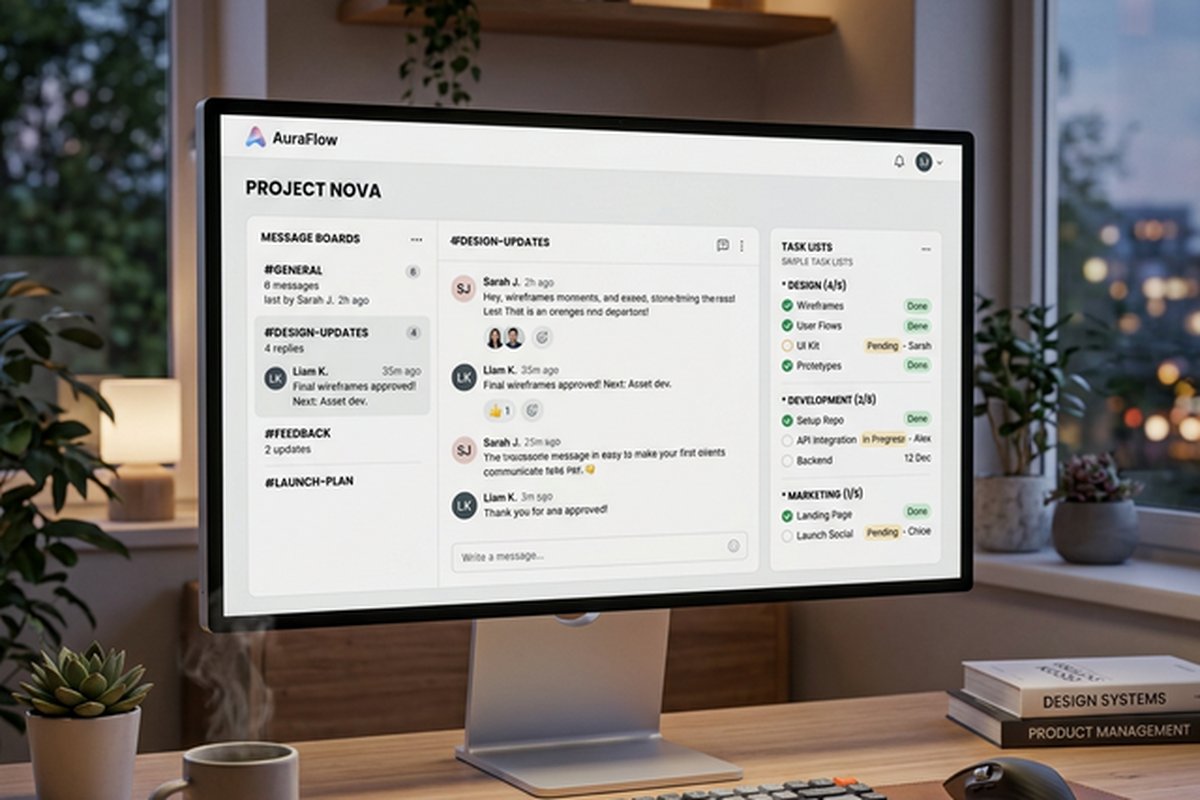
The Message Board provides a threaded, topic-based discussion space where team members post updates,
proposals, questions, decisions, announcements, and longer-form communications organized by subject. Unlike
real-time chat tools like Slack or Microsoft Teams where messages flow past in an unstructured,
chronological stream that becomes essentially unsearchable after a few hours of activity, the message board
encourages longer, more thoughtful, more completely articulated posts organized by distinct topics, with
threaded replies keeping related responses coherent and readable even days or weeks after the original post.
Each message supports rich text formatting, embedded file attachments, inline images, and threaded response
chains. The message board is central to Basecamp’s communication philosophy — it is explicitly designed to
replace the quick, fragmented, attention-fracturing Slack messages and frequent status update meetings that
break focus and fragment attention throughout the workday.
The To-dos system manages tasks through intentionally straightforward lists. To-do lists group related tasks
by theme, phase, deliverable type, or responsibility area. Individual to-do items can be assigned to one or
more team members with optional due dates, descriptive text notes, attached files, and discussion comments.
Tasks exist in exactly two states: incomplete or complete. There are no custom statuses like In Review or
Blocked, no configurable priority fields with color-coded levels and numerical rankings, no multi-stage
workflow state machines governing permitted transitions, and no automated rules that fire when tasks change
status. You create a task, optionally assign it and set a deadline, and eventually mark it done. The
structural simplicity intentionally ends there, and the platform’s designers would argue that most teams
working with basic project coordination needs find this binary state model perfectly adequate for tracking
who needs to do what by when.
The Schedule provides a shared calendar within each project for tracking important dates including deadlines,
milestones, meetings, review sessions, launch events, and any other time-bound items. Schedule entries
support descriptions, assigned participants, and specific time details. The schedule provides a clean
chronological view of what is coming up within a project without the complexity of Gantt chart dependency
relationships, critical path analysis calculations, resource leveling algorithms, or automated schedule
cascading. It answers the question “what happens when?” without attempting to answer “what depends on what?”
or “who is overcommitted this week?”
The Docs and Files area provides document storage and creation where teams can upload files of any type,
create rich text documents directly within Basecamp, and organize project-relevant resources in nested
folder structures. Documents support collaborative editing with version history that tracks changes over
time. The Campfire feature provides group chat within each project for quick, informal, real-time
conversations when synchronous communication is genuinely necessary. And Automatic Check-ins pose recurring
questions to team members on configurable schedules — questions like What did you work on today, What are
you planning to focus on this week, and Is anything currently blocking your progress — collecting responses
in a shared feed that creates a lightweight, asynchronous status reporting mechanism effectively replacing
many daily standup meetings that teams would otherwise need to schedule, attend, and facilitate.

The Flat Pricing Advantage
Basecamp’s pricing structure stands dramatically apart from virtually every other project management platform
on the market. Rather than charging per user per month — the dominant pricing model used by Asana,
Monday.com, ClickUp, Wrike, Jira, Smartsheet, and nearly every competitor — Basecamp charges a single flat
monthly fee for unlimited users and unlimited projects.
This pricing approach creates significant economic implications that compound dramatically with team size.
For teams of thirty, fifty, or a hundred people, Basecamp’s flat rate can represent savings of thousands of
dollars per month compared to the cumulative per-user pricing that competitors charge at scale. For very
small teams of two or three people, Basecamp may actually cost more per individual than entry-level plans
from competitors using per-seat pricing. The economic advantage depends entirely on your team’s headcount
and grows proportionally as the number of people needing access increases.
The flat pricing also eliminates a subtle behavioral friction that affects decision-making on every other
platform: the reluctance to invite additional team members because each additional seat incrementally
increases the monthly software bill. With Basecamp, inviting contractors, part-time collaborators, external
agency partners, interested executives, client stakeholders, seasonal workers, or occasional reviewers
carries zero incremental cost, which naturally leads to more inclusive project visibility, broader
organizational awareness of ongoing work, and reduced information asymmetry between team members with direct
access and stakeholders who are typically excluded because their access would increase the software budget.
Where Simplicity Creates Genuine Advantages
Basecamp’s deliberately stripped-down approach creates real, measurable operational advantages in specific
and well-defined scenarios, and understanding these strengths clearly and honestly helps determine whether
the platform’s philosophy genuinely matches your team’s daily reality.
Onboarding speed is arguably Basecamp’s strongest practical advantage over every competitor. Because there
are dramatically fewer features, settings, views, and concepts to learn compared to any competing platform,
new team members reliably become fully productive with Basecamp within hours rather than the days or weeks
that feature-rich platforms with extensive view types, custom field schemas, automation rule libraries, and
administrative permissions structures require for confident competency. For organizations experiencing high
team turnover, frequent contractor cycling, seasonal hiring patterns, or cultural resistance to complex
digital tools, this consistently frictionless onboarding experience translates directly into productivity
gains and reduced frustration.
Reduced tool management overhead means teams using Basecamp rarely need a designated platform administrator.
The system operates the way it operates with minimal configuration, and while this means significantly less
flexibility, it also means dramatically less ongoing maintenance burden, zero time spent debugging broken
automation rules or misconfigured custom fields, and no organizational dependency on a specific individual
who understands the system’s administrative settings.
Communication-centered workflows particularly benefit from Basecamp. Teams whose primary operational
challenge is effective project communication — keeping everyone informed, capturing decisions in searchable
contexts, preventing critical information from disappearing in email threads or ephemeral chat streams —
find the message board and automatic check-in features directly address their core pain point.
Client-facing collaboration with external stakeholders is another natural strength. Agencies and professional
service firms that need clients to participate in project conversations without learning complex tools find
Basecamp’s straightforward interface reduces client training requirements and support questions to near
zero.
Hill Charts and the Shape Up Methodology
One of Basecamp’s most distinctive and genuinely innovative features is Hill Charts — a unique visual
progress tracking mechanism that communicates project status in a way fundamentally different from
traditional percentage-complete metrics and burndown charts. A hill chart represents progress as a dot
moving along a hill-shaped curve. The left side of the hill represents the uphill phase where the team
is figuring things out — exploring approaches, resolving unknowns, making key design decisions, and
navigating uncertainty about how to accomplish the work. The right side of the hill represents the
downhill phase where the path forward is clear and the primary remaining challenge is execution rather
than exploration — building, implementing, refining, and delivering work whose fundamental approach
has already been determined.
This distinction between figuring-it-out work and execution work communicates something that traditional
progress tracking mechanisms fundamentally cannot capture. A task that is fifty percent complete by
traditional measurement could be in a completely different state of risk depending on whether the team
has already solved the hard conceptual problems and is simply executing a known plan, or whether the
team has completed the easy parts first and is now facing the most uncertain and potentially time-consuming
phase of the work. Hill charts make this distinction visible at a glance, giving project leads and
stakeholders a more honest and more actionable understanding of where each scope of work actually
stands in terms of risk and certainty.
Hill charts are closely connected to Basecamp’s Shape Up methodology, documented in a free online book
that describes how the Basecamp team itself manages product development work. Shape Up organizes work
into six-week cycles with explicit cool-down periods between them, uses deliberate scope shaping to
define projects at the right level of abstraction before committing development resources, and treats
teams as autonomous units responsible for delivering shaped work within the committed timeframe without
day-to-day management oversight or detailed task-level tracking. While the Shape Up methodology is not
required for using Basecamp effectively, the platform’s design decisions and built-in features make the
most intuitive sense when understood through the lens of Shape Up’s organizational philosophy.
Which Teams Benefit Most from Basecamp
Understanding which team profiles genuinely thrive with Basecamp helps cut through the philosophical
debate and focus on practical fit assessment. Small to mid-sized teams of five to fifty people managing
straightforward projects with clear deliverables and known processes consistently report the highest
satisfaction with Basecamp because the platform’s communication tools directly address their primary
coordination challenges without introducing unnecessary complexity. Remote and distributed teams that
struggle with timezone-spanning synchronous meetings find Basecamp’s message boards and automatic
check-ins particularly valuable because these features are designed specifically for asynchronous
communication patterns where thoughtful written updates replace real-time verbal status exchanges.
Creative agencies managing client projects where deliverable tracking and client communication represent
the core workflow — rather than complex dependency scheduling or resource optimization — find Basecamp’s
combination of straightforward task lists, organized discussions, file sharing, and client-accessible
project spaces covers their essential operational needs without the overhead of features designed for
software development or enterprise program management. Educational institutions and nonprofit
organizations where volunteer contributors, part-time staff, and committee-based decision making are
common benefit from Basecamp’s zero learning curve and unlimited user pricing, which removes both the
training barrier and the financial barrier to broad organizational participation in project workspaces.
Where Simplicity Creates Real Limitations
Honest evaluation requires clearly acknowledging what Basecamp’s simplicity costs you in practical terms,
because these limitations are real, consequential, and deal-breaking for teams whose workflows genuinely
require the capabilities that Basecamp intentionally omits. There is no visual workflow tracking — no Kanban
boards, no status columns, and no drag-and-drop workflow visualization. No timeline planning — no Gantt
charts, no task dependencies, no critical path analysis, and no resource-aware scheduling. Limited task
structure — no custom fields, no configurable priority levels, no percentage completion tracking, and no
structured metadata beyond basic text. No time tracking or automation capabilities of any kind exist within
the platform. And minimal reporting — no burndown charts, no velocity metrics, no workload distribution
graphs, and no automated progress analytics.
For teams that need any combination of these capabilities for their daily work, Basecamp is not the right
tool, and no amount of philosophical alignment with its calm work values will compensate for missing
functionality that your workflow depends on. The honest question is whether your team actually needs these
features for productive work, or whether you have adopted them in other tools without ever questioning
whether the complexity they add delivers proportional value.
For deeper comparisons with feature-rich alternatives occupying the other end of the design philosophy
spectrum, our articles on Asana vs
Monday.com and ClickUp’s
all-in-one approach cover platforms that compete on feature depth and configurability.
Features and pricing referenced in this article are based on information available at the time of writing
and are subject to change. Please verify current details on the official Basecamp website.