Discord for Work Teams – Gaming Platform for Business Use
Discord’s trajectory from a gaming voice chat application to a platform increasingly adopted by
professional teams represents one of the more unexpected evolution stories in collaboration software.
Originally designed to provide gamers with low-latency voice communication during multiplayer gaming
sessions, Discord’s combination of persistent voice channels, flexible server organization, robust
bot ecosystem, and casual communication culture has attracted communities and teams far beyond the
gaming audience. Startups, creative agencies, developer communities, educational groups, and
remote-first teams have discovered that Discord’s always-on voice channels and informal communication
style address collaboration patterns that traditional enterprise tools handle awkwardly or not at all.
Using Discord for professional team communication involves genuine trade-offs that organizations must
evaluate honestly. Discord provides exceptional real-time voice collaboration, flexible channel
organization, and a vibrant bot ecosystem at a fraction of the cost of enterprise collaboration
platforms. However, it lacks the enterprise security features, compliance certifications, formal
administrative controls, and professional integration ecosystem that established business platforms
provide. The decision to use Discord professionally is not about whether it can technically support
team communication — it clearly can — but whether its strengths align with a team’s communication
patterns and whether its enterprise limitations are acceptable for the organization’s
requirements.
Voice Channel Innovation
Discord’s most distinctive feature for professional use is its persistent voice channels — always-open
audio rooms that team members can join and leave freely without scheduling meetings, sending
calendar invitations, or clicking meeting links. This model mirrors the experience of being in a
physical office where you can walk to someone’s desk for a conversation — voice channels provide
ambient team presence where you can see who is available, join a channel for a quick question or
discussion, and leave when the conversation is complete. This frictionless voice interaction fills
a communication gap that meeting-based platforms create, where a 30-second question requires
scheduling a meeting or sending messages and waiting for responses.
The Stage Channels feature provides a more structured format for presentations, Q&A sessions, and
speaker-audience interactions within the Discord environment. Stage channels support a speaker-
audience model where designated speakers present to an audience that can request to speak through
a hand-raise mechanism. This format supports team town halls, knowledge-sharing sessions, and
presentation events without requiring external webinar platforms. The voice quality has improved
significantly from Discord’s gaming-focused origins, with noise suppression, echo cancellation,
and adaptive bitrate that provide professional-quality audio for business conversations.

Server Organization and Channels
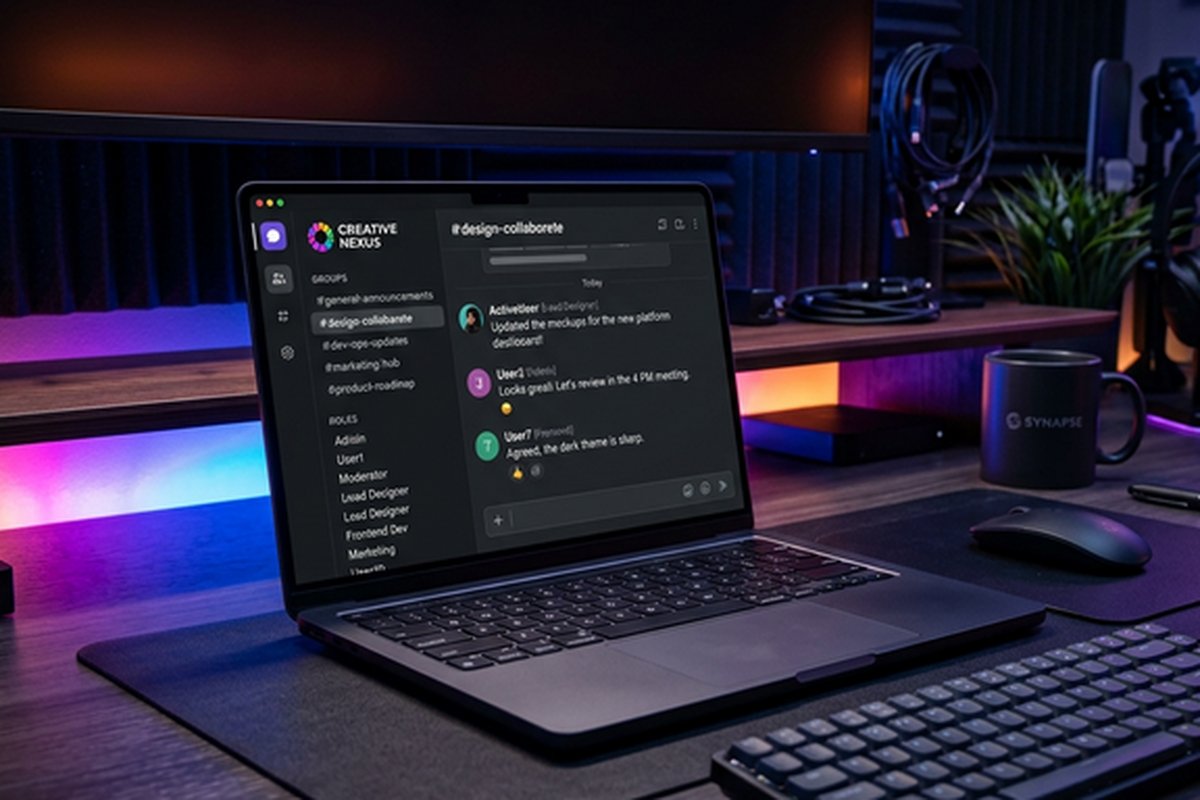
Discord servers provide flexible organizational structures through categories (groupings of channels)
and both text and voice channels within each category. A professional Discord server might organize
channels into categories like “General” (#announcements, #random, #introductions), “Engineering”
(#backend, #frontend, #devops, #code-review), “Design” (#design-feedback, #assets, #ui-discussion),
and “Voice” (General voice, Design review, Standup). The category-channel hierarchy provides
visual organization that scales from small teams to large communities with dozens of active
channels.
Role-based permissions enable controlling channel access, administrative capabilities, and feature
access based on assigned roles. Roles can represent team membership (Engineering, Marketing,
Design), seniority levels (Admin, Manager, Member), or functional roles (Bot Manager, Moderator)
with granular permission settings for each role. Channel-level permission overrides enable
restricting specific channels to specific roles — engineering-only channels, leadership-only
channels, or project-specific channels accessible only to assigned team members.
Bot Ecosystem and Automation
Discord’s bot ecosystem provides automation, integration, and utility capabilities through
thousands of available bots and the ability to create custom bots using Discord’s API. Productivity
bots handle task tracking, reminders, polls, and scheduling within Discord channels. Integration
bots connect Discord with GitHub (commit notifications, PR reviews), project management tools
(task updates, sprint notifications), and monitoring systems (server alerts, uptime notifications).
Moderation bots automate content moderation, welcome messages, and community management tasks.
Custom bot development using Discord’s API enables building organization-specific automations
tailored to team workflows. Teams with development capability can create bots that integrate
with internal systems, automate recurring processes, and provide custom functionality that
commercial integrations do not offer. The developer community around Discord bots is substantial,
with extensive documentation, open-source libraries in Python (discord.py), JavaScript
(discord.js), and other languages, and community support that makes bot development accessible
to developers without specialized Discord platform expertise.
Popular productivity bots for professional Discord servers include MEE6 for automated welcome
messages and role management, Carl-bot for advanced auto-moderation and reaction roles,
Dyno for dashboard-based server management, and Notion-integrated bots that sync Discord
discussions with documentation databases. Webhook integrations enable receiving notifications
from external services — GitHub commit alerts, CI/CD pipeline status, monitoring alerts,
and calendar reminders — directly in relevant Discord channels without custom bot development.
The webhook approach provides lightweight integration that connects existing tools with Discord
communication channels through simple HTTP endpoints, making basic integration accessible to
teams without development resources. For teams comparing Discord’s automation with purpose-built
project management automation, our ClickUp
review covers a platform with built-in automation alongside team communication.
Forum Channels and Organized Discussion
Discord’s forum channels provide structured, threaded discussion spaces that address the
limitation of standard text channels where conversations flow in a single stream and topics
overlap. Forum channels enable creating individual discussion threads with titles, tags, and
focused conversation spaces that remain organized and findable. This format is particularly
valuable for feature requests, bug reports, design feedback, Q&A discussions, and any
communication pattern where discrete topics need separate, persistent conversation spaces.
The combination of real-time chat channels for fast-flowing conversation and forum channels for
structured discussion creates a communication environment that addresses both communication
patterns within a single platform. Teams can use chat channels for daily coordination and
quick exchanges while using forum channels for product discussions, technical decisions, and
topics that benefit from organized, threaded responses rather than the stream-of-consciousness
format that standard chat channels provide.
Screen Sharing and Video
Discord supports screen sharing and video within voice channels, enabling visual collaboration
and presentations directly within the always-on voice environment. Screen sharing includes
application-specific sharing for presenting specific windows, full-screen sharing for
demonstrating workflows across applications, and streaming mode for higher-quality video
sharing. The integration of screen sharing within voice channels means that transitioning
from a verbal discussion to a visual demonstration is instant — no meeting links, no
separate applications, no waiting rooms.
The video quality supports professional use, though it does not match the optimization and
feature depth of dedicated video platforms. Video features are more limited than Zoom or
Google Meet — there are no breakout rooms, limited meeting management controls, no recording
with transcription, and fewer administrative features for managing large video sessions.
Discord’s video capabilities serve the quick, informal visual collaboration that complements
its voice channel model rather than formal, structured meeting scenarios.
Limitations for Professional Use
Organizations considering Discord for professional use must honestly evaluate its enterprise
limitations. Discord lacks SOC 2, HIPAA, and other compliance certifications that regulated
industries require. Data retention and export capabilities are limited compared to enterprise
platforms that provide comprehensive compliance and eDiscovery features. Administrative
controls, while functional, do not match the depth of enterprise administration that IT
departments expect from business-critical communication platforms.
The professional perception of Discord remains a challenge — external stakeholders, clients,
and traditional business partners may perceive Discord as unprofessional or associate it
exclusively with gaming. Integration with enterprise business tools (CRM, ERP, HR systems)
is limited compared to platforms designed for business integration from the outset. The
platform’s terms of service and data handling practices are designed for consumer and
community use rather than enterprise business requirements, which may create concerns for
organizations with strict data governance requirements.
Server Management and Moderation
Managing a Discord server for professional use requires establishing clear community guidelines,
moderation protocols, and administrative structures that maintain the productive environment
work teams need. Server boost levels provide enhanced features including higher audio quality in
voice channels, increased file upload limits, custom emoji slots, and server banner customization
that improve the professional experience. The audit log tracks administrative actions, message
deletions, and permission changes, providing the accountability trail that professional
environments require for tracking server modifications and resolving disputes about content
or access changes.
Moderation tools include slowmode settings that limit message frequency in high-activity channels,
AutoMod configuration for filtering inappropriate content and enforcing community guidelines
automatically, and verification levels that require account verification before new members
can participate. Timeout functionality enables temporarily restricting disruptive members without
permanent bans, and the warning system through moderation bots enables tracking behavioral
issues with progressive responses. For professional servers, establishing designated
moderation team members with clear escalation procedures ensures consistent enforcement of
community standards without relying on a single administrator to manage all server activity.
Community Building Features
Discord’s community features enable building engaged professional communities around products,
open-source projects, learning programs, and industry groups. Server Discovery allows public
servers to be found through Discord’s built-in discovery mechanism, enabling organic community
growth. Community server features include welcome screens with customizable onboarding information,
membership screening with questions that new members must answer before gaining access, and
announcement channels that distribute important updates to community members.
Events scheduling enables creating and promoting events within the server with date, time,
location (voice channel or external link), and description fields that members can indicate
interest in attending. Scheduled events appear prominently in the server interface and send
reminders to interested members, providing event management functionality without external
scheduling tools. The thread feature enables branching focused discussions from channel messages,
keeping detailed conversations organized without overwhelming the main channel feed with extended
discussions on specific topics. Server subscriptions and monetization features enable community
operators to create premium tiers with exclusive channel access, custom perks, and subscriber
recognition for communities that generate revenue through membership models.
The onboarding customization enables configuring the new member experience with guided channel
selection, role self-assignment based on interests or teams, and introductory content that
orients new members to the server’s structure, purpose, and community norms. This structured
onboarding replaces the disorienting experience of joining a large server with no guidance,
which is particularly important for professional communities where first impressions
affect member engagement and retention.
Best Use Cases for Business
Discord works most effectively as a professional tool for specific organizational profiles:
startups and small teams that value informal, low-friction communication and do not need
enterprise compliance features; creative and development teams where always-on voice
channels support collaborative work patterns; remote-first teams seeking the ambient
presence and spontaneous interaction that voice channels provide; developer communities
and open-source projects where Discord’s community features align with collaborative
development patterns; and educational organizations using Discord for student interaction,
office hours, and collaborative learning environments.
Organizations where Discord is less appropriate include regulated industries requiring
compliance certifications, enterprises with strict data governance requirements, client-facing
organizations where platform perception matters, and teams requiring deep integration with
enterprise business systems. For these organizations, platforms designed specifically for
business use provide the compliance, administration, and professional integration ecosystem
that Discord does not prioritize. For comprehensive comparison of business collaboration
tools, our collaboration
tool comparison evaluates platforms across the full spectrum from consumer-friendly
to enterprise-grade, and our Slack
workspace guide covers the leading enterprise team messaging alternative.
Features referenced in this article are based on information available at the time of writing and are
subject to change. Please verify current details on the official Discord website.