Krita Digital Painting – Open Source Art Creation Platform
Krita stands as one of the most accomplished open-source creative applications ever developed, providing
digital painting and illustration capabilities that genuinely compete with commercial applications costing
hundreds of dollars. Unlike many free software alternatives that offer simplified versions of professional
tools, Krita was built from the ground up as a serious digital painting application designed for concept
artists, illustrators, matte painters, texture artists, and comic creators who need professional-grade
brush engines, color management, and canvas manipulation capabilities. Developed by the KDE community and
supported by the Krita Foundation, the software has evolved through community-driven development and
targeted funding campaigns into a platform that professional artists genuinely use for commercial work
alongside — or instead of — Adobe Photoshop and Clip Studio Paint.
The distinction between Krita and general-purpose image editors like GIMP or Photoshop is important for
understanding Krita’s strengths and design philosophy. While Photoshop and GIMP are designed as
comprehensive image manipulation tools that handle photo editing, compositing, and graphic design alongside
painting capabilities, Krita is specifically designed as a painting-first application. This focus means
that every interface element, tool behavior, and performance optimization prioritizes the natural painting
and drawing experience — brush response, canvas rotation, color mixing, and the fluid creative workflow
that digital artists require when creating original artwork rather than manipulating existing photographs
or assembling composite images.
Brush Engines and Painting Tools
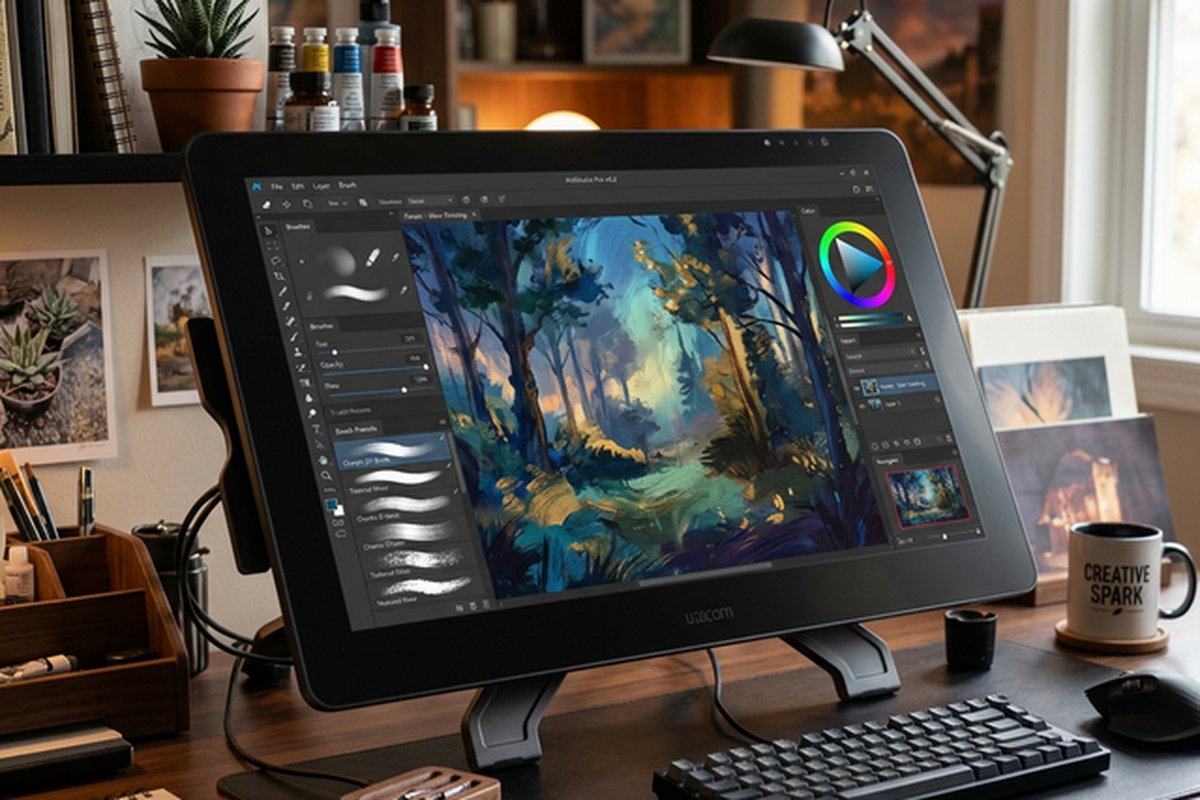
Krita’s brush engine system is arguably its strongest technical feature, providing nine distinct brush
engines that each simulate different artistic media and techniques. The Pixel brush engine handles
standard digital painting with configurable size, opacity, flow, spacing, and pressure response
parameters. The Color Smudge engine simulates wet media by blending underlying colors with the brush
stroke, enabling watercolor-like blending and oil paint mixing effects. The Shape engine creates
geometric and patterned strokes. The Quick brush engine provides high-performance painting for
simple strokes where speed is prioritized over advanced effects. Additional engines handle spray
painting, particle effects, curve-based strokes, deformation brushes, and experimental techniques.
Each brush engine supports extensive parameter customization through a sensor-based configuration system
where brush properties — size, opacity, rotation, flow, spacing, scatter — can be mapped to input
sensors including pen pressure, tilt, speed, distance, and time-based curves. This sensor mapping system
enables creating brushes that respond naturally to the artist’s physical input, producing organic,
expressive marks that reflect the artist’s hand movements and pressure variations. Krita includes over
100 pre-configured brush presets organized by category, and the brush creation system enables artists
to build custom brushes that match their specific artistic style and technique requirements. The brush
preset sharing ecosystem — through Krita’s resource management system and community-shared brush packs
— extends the available brush library substantially beyond the built-in collection.

Canvas and Layer Management
Krita’s canvas system provides the fluid painting experience that digital artists expect, with hardware-
accelerated canvas rendering through OpenGL that enables smooth zooming, panning, and rotation at any
magnification level. Canvas rotation is particularly important for digital painting — just as traditional
artists rotate their paper or canvas to achieve comfortable hand positions for different stroke angles,
digital artists need seamless canvas rotation to maintain natural stroke mechanics. Krita’s canvas
mirroring feature enables instantly flipping the view horizontally to check compositional balance and
identify asymmetry issues that become invisible when staring at an artwork from a single orientation for
extended periods.
The layer system supports standard layer types including paint layers, vector layers, group layers, filter
layers, fill layers, and file-backed layers for referencing external images. Layer blending modes include
the standard set plus additional modes specifically useful for painting workflows. The layer management
system supports alpha inheritance, layer isolation, and quick clipping group creation through the
alpha-inherit toggle — simplifying the common painting technique of painting within existing shapes
without manually creating and managing clipping masks. Transform tools include rotation, scaling, shearing,
perspective transformation, warp transformation, cage transformation, and liquify — providing the
manipulation capabilities needed for adjusting painted elements within compositions.
Color Management and Mixing
Krita provides sophisticated color management capabilities that serve both the creative and technical
aspects of digital painting. The color selector system includes multiple selector types — advanced
color selector wheel with value triangle, square selector configurations, specific color selectors for
HSV/HSL/HSI/HSY parameter adjustment, and a palette docker for managing saved colors. The artistic color
selector enables choosing colors through an interface designed for organic color exploration rather than
precise numerical specification, supporting the intuitive color selection that painting workflows require.
ICC color profile support enables working in different color spaces including sRGB, Adobe RGB, and CMYK
for managing color accuracy across different output targets. The gamut masking feature provides unique
functionality for painters — enabling the selection of restricted color ranges on the color wheel to
maintain color harmony throughout a painting by limiting available colors to harmonious combinations.
This gamut masking capability addresses a genuine artistic technique that few digital painting applications
implement directly. The HDR painting capabilities support creating high dynamic range artwork for HDR
displays and content pipelines, positioning Krita among the few painting applications that natively
support HDR color values and preview.
Animation Capabilities
Krita includes frame-by-frame animation capabilities that enable creating hand-drawn animations within the
painting environment. The animation timeline provides onion skinning for viewing adjacent frames during
drawing, frame management including keyframe placement and frame copying, and playback preview for
reviewing animation in progress. The animation tools integrate with Krita’s full painting toolset,
meaning that animation frames can be drawn using the same brush engines, blending modes, and canvas
tools available for still painting — there is no reduced toolset for animation work.
The animation capabilities serve several specific use cases: traditional frame-by-frame animation for
short animations, animated storyboards, animated concept art that demonstrates character movement or
environmental effects, and animated elements for use in larger production pipelines. Export options
include image sequence output for compositing in video editing applications, GIF export for simple
animated output, and video export through FFmpeg integration. While Krita’s animation features do not
replace dedicated animation software for complex production work, they provide accessible animation
creation within a painting-focused environment that serves artists who want to animate their artwork
without learning separate animation software.
Vector Tools and Text
While primarily a raster painting application, Krita includes vector tools for creating shape-based
elements within paintings. Vector layers support basic shape creation, path drawing with Bézier curves,
and text placement — useful for comic creation, design mockups, and compositions that require clean
geometric elements alongside painted artwork. The text tool supports basic typography controls for
adding lettering to comic panels, titles to illustrations, and annotation text to concept art.
The comic creation workflow benefits from the combination of painting tools for panel artwork, vector tools
for clean geometric panel borders and speech bubbles, and text tools for dialogue and caption placement.
Krita’s resource management system supports comic template pages and panel layouts that streamline the
comic production workflow for artists who produce sequential art regularly. The SVG-based vector format
ensures that vector elements maintain editability and resolution independence within the Krita document.
Resource Management and Customization
Krita’s resource management system enables organizing and managing the extensive collection of brushes,
gradients, patterns, palettes, workspaces, and other creative resources that artists accumulate over time.
The system supports importing and exporting resource bundles — packaged collections of brushes, patterns,
and other resources — enabling sharing custom toolsets between installations, with team members, or with
the broader Krita community. The workspace system enables saving and switching between different interface
layouts optimized for different tasks — a painting-focused layout with large canvas and essential tool
panels, an animation layout with timeline and onion skin controls, a comic layout with page management
panels, and minimal layouts for distraction-free painting sessions.
The scripting system supports Python scripting for automating repetitive tasks, creating custom tools, and
extending Krita’s functionality beyond the built-in capabilities. The plugin architecture enables
developing and installing extensions that add new features, tools, and workflow automation. Community-
developed plugins provide additional functionality including reference image management, advanced
perspective guides, and specialized export options that address workflow needs the core application
does not cover.
Performance and Platform Support
Krita runs on Windows, macOS, and Linux with native application performance on all three platforms. The
OpenGL-accelerated canvas provides responsive painting on modern hardware, with brush engine performance
optimized for real-time response during painting strokes — latency between pen input and visible marks
is critical for the natural painting experience, and Krita’s performance in this regard is competitive
with commercial painting applications. Large canvas support enables working at high resolutions needed
for print publication and detailed illustration work, with the canvas engine handling canvases up to
the limits of available system RAM.
The application’s memory management includes configurable canvas tiling and RAM usage limits that enable
working with large documents on systems with moderate RAM capacity. GPU acceleration through OpenGL
reduces CPU load for canvas operations, enabling smoother painting on mid-range hardware than pure
CPU-rendered alternatives. The portable version option on Windows enables running Krita from a USB
drive without installation, useful for artists who work across multiple computers or who need a
painting application on shared or managed computers where software installation is restricted. Krita
is also available through the Steam store on Windows, providing an alternative distribution channel
with automatic updates.
Community and Development
Krita’s development is supported by the Krita Foundation, a Dutch non-profit organization that employs
core developers and manages the project’s financial sustainability through donations, merchandise sales,
and Steam store revenue. This funding model has enabled consistent professional development that
maintains code quality and feature development pace. The community contribution model enables volunteer
developers and artists to contribute code, translations, documentation, and artwork that expand the
project beyond what the core team can accomplish alone.
The documentation and learning resources include official documentation maintained by the Krita community,
a growing collection of tutorial content on YouTube and educational platforms, and community forums
where artists share techniques, troubleshoot issues, and discuss feature requests. The artist community
around Krita includes professional concept artists, illustrators, and comic creators who share their
Krita workflows publicly, providing real-world evidence of the software’s professional viability and
inspiration for artists evaluating the platform.
Reference Images and Drawing Aids
Krita provides practical tools for the reference-heavy workflow that digital painting and illustration
involve. The reference images docker enables pinning reference photos, color palettes, and design
specifications within the Krita workspace for constant visual access during painting without
switching between applications or managing separate windows. The perspective guides and vanishing
point assistants enable painting with accurate perspective by creating guide overlays that constrain
brush strokes to perspective-correct angles — essential for architectural illustration, environment
design, and any painted composition where accurate perspective underpins visual credibility.
Additional drawing assistants include parallel line guides, concentric circle guides, spline-based
curve guides, and ruler assistants that provide structural frameworks for precise drawing. The
multibrush tool combines symmetry and rotation for creating patterns, mandalas, and decorative
elements through simultaneous multi-point drawing that produces complex symmetrical artwork from
simple brush strokes. The wrap-around painting mode enables seamless texture creation by wrapping
the canvas edges so that painting continues from the opposite side, ensuring that the resulting
texture tiles seamlessly when used in 3D applications, game engines, or repeating pattern designs.
Strengths and Honest Limitations
Krita’s strengths include best-in-class brush engines that rival and in some configurations exceed
commercial alternatives, completely free availability with no watermarks, feature restrictions, or
subscription requirements, strong cross-platform support including native Linux availability that
serves the open-source creative community, genuine animation capabilities integrated within the
painting environment, comprehensive customization through workspace management, scripting, and plugin
support, and active community development that ensures continued improvement and maintenance. For
artists evaluating the broader free creative tools landscape, our free
design software comparison covers budget-friendly options across different creative
disciplines.
Limitations include image editing capabilities that are deliberately less comprehensive than Photoshop or
GIMP — Krita is designed for painting and illustration rather than photo manipulation, and tasks like
batch processing, advanced photo retouching, and complex compositing are better served by applications
designed for those workflows. The text tools are basic compared to dedicated design applications, the
vector tools are functional but limited compared to dedicated vector editors like Illustrator or
Inkscape, and the print production tools do not match what dedicated layout or design applications
provide. For users specifically seeking photo editing and image manipulation capabilities, our Photopea
review covers a free browser-based Photoshop alternative, while our Pixlr
review covers another free photo editing platform.
Features referenced in this article are based on information available at the time of writing and are
subject to change. Please verify current details on the official Krita website.