Adobe Premiere Pro Features – Industry Standard Editing Platform
Adobe Premiere Pro holds the position of industry standard video editing software across broadcast
television, film post-production, corporate video, digital content creation, and virtually every other
professional video production context. This market dominance is not accidental — it reflects decades of
continuous development, deep integration with the broader Adobe Creative Cloud ecosystem, and a sustained
commitment to supporting the workflows that professional editors depend on daily. While competitors have
narrowed the capability gap significantly in recent years, Premiere Pro’s combination of comprehensive
feature depth, universal format support, ecosystem integration, and industry familiarity maintains its
position as the editing platform that most professional environments expect editors to know and use
proficiently.
Premiere Pro operates on Adobe’s Creative Cloud subscription model, which provides continuous access to the
latest version alongside regular feature updates, cloud storage, and access to companion applications. The
subscription model represents a significant ongoing investment compared to one-time purchase alternatives,
but it ensures access to the most current version with the latest format support, performance optimizations,
and feature additions. Understanding Premiere Pro requires evaluating both the editing application itself
and its position within the broader Creative Cloud ecosystem, because much of Premiere Pro’s professional
value derives from its seamless connections to After Effects, Audition, Photoshop, Media Encoder, and other
Adobe applications.
Timeline and Editing Tools
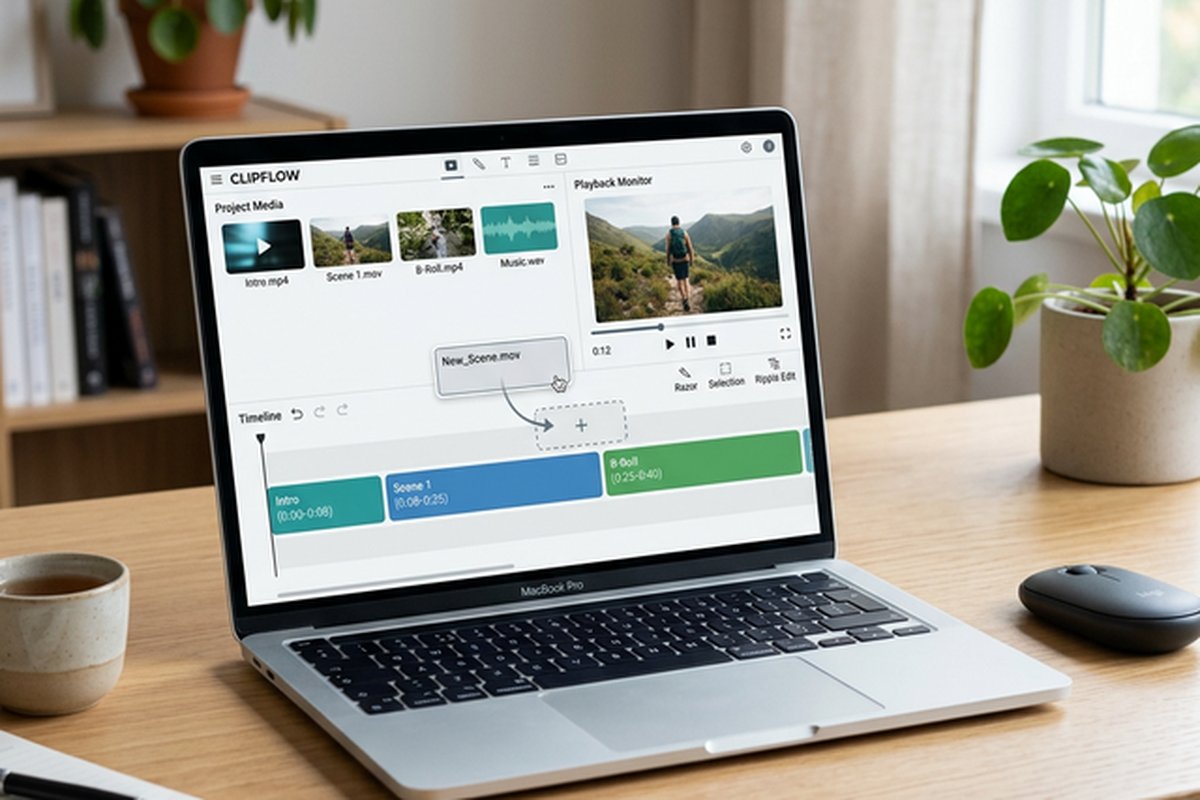
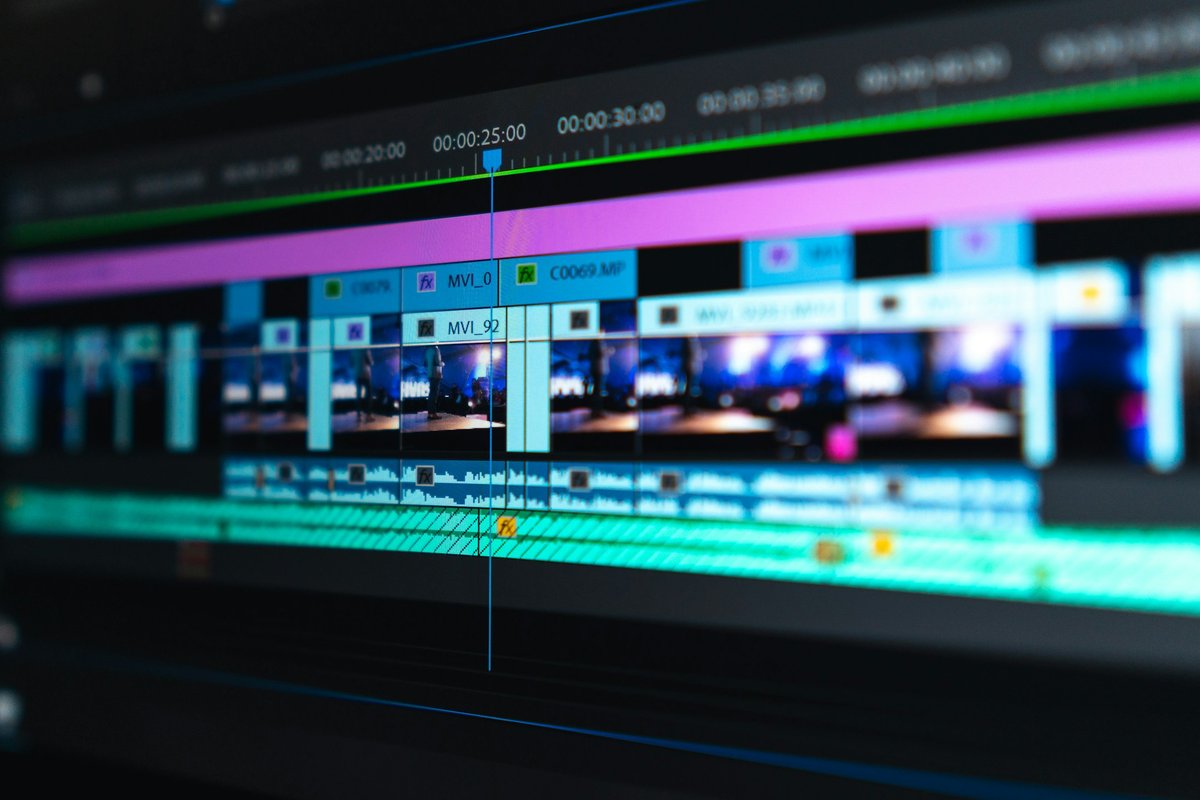
Premiere Pro’s timeline architecture provides unlimited video and audio tracks with full flexibility in clip
placement, layering, and organization. The track-based editing model is the traditional editing paradigm
that most professional editors learned and prefer, providing explicit control over clip placement, vertical
layering for compositing, and audio track organization that maps directly to professional mixing workflows.
Trim tools include ripple, roll, slip, and slide operations with both mouse-based and keyboard-driven
control, enabling the editing precision that professional narrative, documentary, and commercial editing
require.
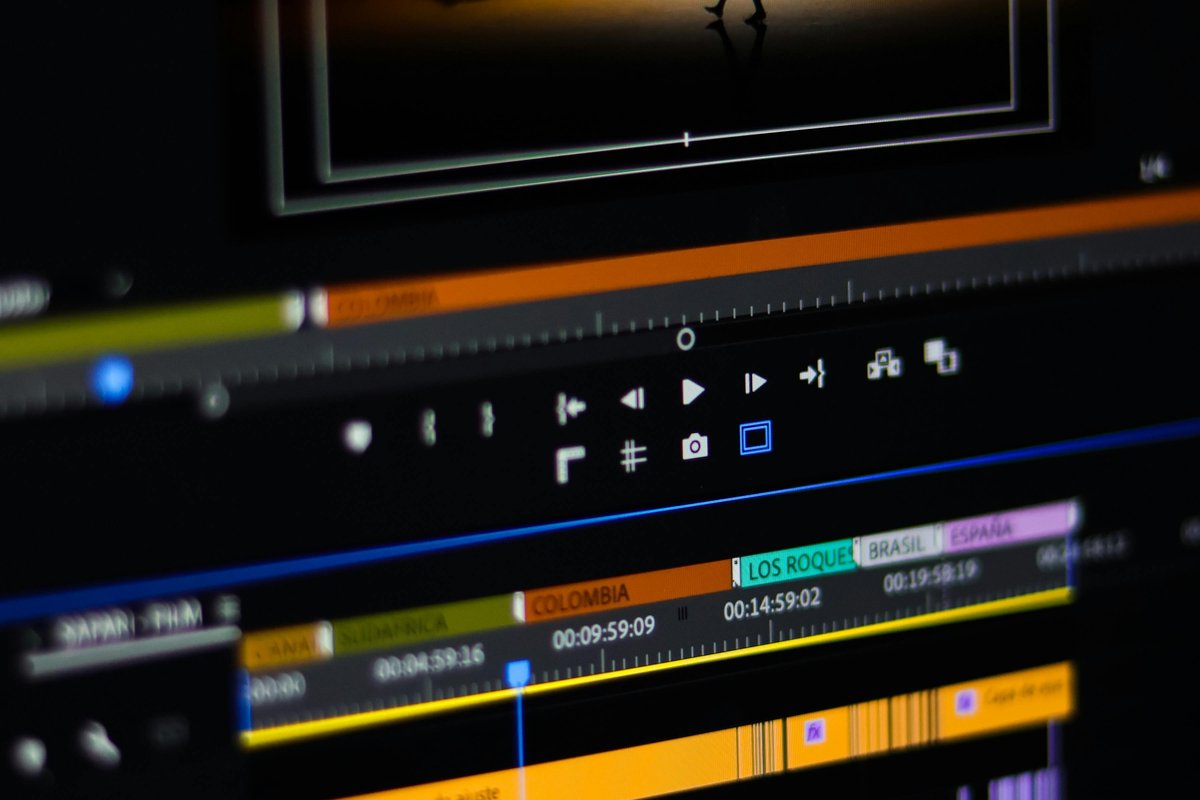
The Source and Program monitors provide traditional dual-monitor editing where source footage is previewed
and in/out points are set in the Source monitor before clips are inserted into the timeline shown in the
Program monitor. Three-point and four-point editing enable precise clip placement workflows familiar to
editors trained on professional editing systems. JKL keyboard navigation provides variable-speed playback
control that experienced editors use for efficient footage review and clip marking. The Lumetri color panel
provides integrated color correction and grading tools directly within the editing timeline, enabling basic
to intermediate color work without leaving the editing environment.
Creative Cloud Ecosystem Integration
Premiere Pro’s integration with the broader Adobe Creative Cloud ecosystem represents one of its most
significant competitive advantages and a primary reason that professional production environments
standardize on Adobe’s platform. Dynamic Link enables importing After Effects compositions directly into the
Premiere Pro timeline as live, rendered-on-demand clips — changes made in After Effects automatically update
in the Premiere Pro timeline without rendering intermediate files, eliminating the export-import round-trip
that wastes time and storage when using separate applications for editing and motion graphics.
Adobe Audition integration enables sending audio clips or entire sequences from Premiere Pro to Audition for
advanced audio editing, mixing, noise reduction, and restoration, with the finished audio automatically
replacing the original in the Premiere Pro timeline. Photoshop integration supports importing layered PSD
files with layer visibility and positioning preserved, enabling complex graphic elements to be created in
Photoshop and updated in the Premiere Pro timeline when the source PSD is modified. Media Encoder provides
background rendering and export that allows Premiere Pro to continue editing while renders process in the
background, supporting batch encoding to multiple formats and presets simultaneously.
Adobe Stock integration provides direct access to licensed stock footage, music, and graphics from within the
Premiere Pro interface, streamlining the process of finding and incorporating licensed media into projects.
Adobe Fonts provides access to the full Adobe font library for titling and graphic elements. Frame.io
integration enables cloud-based collaboration where team members and clients can review, comment, and
approve edits directly on the timeline through web browsers and mobile applications without requiring
Premiere Pro installation.
AI-Powered Features
Adobe Sensei AI technology powers several productivity-enhancing features within Premiere Pro. Auto Reframe
analyzes footage content and automatically reframes horizontal video for vertical or square aspect ratios by
tracking the primary subject and adjusting the frame position throughout the clip — a significant time-saver
for creators producing content across multiple social media platforms with different aspect ratio
requirements. Scene Edit Detection analyzes imported clips and automatically detects edit points, placing
markers at cut positions to facilitate re-editing previously compiled footage.
Speech to Text provides automated transcription of dialogue within video clips, generating text transcripts
that can be searched, edited, and used for captioning or subtitle creation. The transcript-based editing
workflow allows editing the video by editing the text transcript — selecting and deleting words in the
transcript removes the corresponding video segments, enabling a text-based editing approach that can
accelerate dialogue-driven editing workflows.
Auto Color and Auto Match provide one-click color correction that analyzes footage exposure and color
balance to apply corrective adjustments, and matches the color appearance between different clips for
visual consistency across shots captured under different lighting conditions. These AI-powered automation
features demonstrate Adobe’s strategy of using machine learning to reduce the time editors spend on
technical tasks, enabling more time for creative editorial decisions.
Audio Post-Production
Premiere Pro provides integrated audio editing tools including the Essential Sound panel that categorizes
audio clips by type — Dialogue, Music, Sound Effects, Ambience — and applies type-appropriate processing
presets that address the most common audio needs for each category. Dialogue clips receive automatic
loudness normalization, noise reduction, and clarity enhancement. Music clips receive ducking controls
that automatically reduce music volume during dialogue segments. This type-based audio processing approach
simplifies audio management by providing appropriate processing through categorization rather than
requiring manual configuration of individual audio processing parameters.
For advanced audio post-production requirements, Adobe Audition provides comprehensive spectral editing,
multi-track mixing, audio restoration, and mastering capabilities through Dynamic Link integration with
Premiere Pro. Audio clips can be round-tripped between Premiere Pro and Audition — sent to Audition for
detailed audio processing and automatically updated in the Premiere Pro timeline when saved. This
integration provides access to professional audio processing without requiring file export and re-import
workflows. Audio recording directly within Premiere Pro supports voice-over recording, ADR workflows,
and narration capture during the editing process.
Format Support and Media Management
Premiere Pro provides the broadest native format support among professional video editors, handling
virtually every video, audio, and image format in common use without requiring codec installation,
format conversion, or transcoding before editing. This comprehensive format support is particularly
valuable in production environments that receive footage from diverse camera sources — mixing footage
from different camera manufacturers, smartphones, drones, action cameras, and screen recordings within
a single project is handled natively without the format compatibility issues that affect some
competing editors.
The media management tools include the Media Browser for navigating project footage with metadata preview,
the Project panel for organizing imported media with bins, labels, and subclips, and the Search
functionality for finding clips across large project libraries. Project Manager consolidates and archives
project files for storage or transfer, collecting all referenced media and creating self-contained
project archives. The team projects feature enables multiple editors to work simultaneously on shared
projects through cloud-based collaboration, with version tracking and merge conflict resolution for
changes made by different team members to the same project.
Productions and Large-Scale Workflows
The Productions workflow organizes related projects within a shared folder structure, enabling large-scale
editorial workflows where multiple editors work on different segments that comprise a larger production.
Each project within a Production can reference shared media, share bins and sequences, and access
common project settings. This organizational model addresses the needs of broadcast, episodic, and
long-form production workflows where dozens or hundreds of hours of footage must be managed across
multiple editors and edit sessions.
Template projects enable establishing standardized project configurations — export presets, sequence
settings, workspace layouts, and bin structures — that are replicated across new projects, ensuring
consistency across recurring production workflows. The integration with Frame.io provides cloud-based
review and approval workflows where clients and stakeholders can review edits, leave timestamped
comments, and approve cuts through a web-based interface without requiring access to the editing
application itself.
Premiere Pro’s format support is among the most comprehensive in the industry, natively handling virtually
every common and many uncommon video, audio, and image formats without requiring format conversion before
editing. Native support for camera RAW formats from major cinema camera manufacturers, ProRes, DNxHD/DNxHR,
H.264, H.265/HEVC, RED RAW, ARRI RAW, Sony RAW, Canon Cinema RAW, and Blackmagic RAW provides immediate
editability for footage from virtually any production camera. This broad native format support eliminates
the transcoding workflow that some competing editors require for certain formats, saving both time and
storage space.
The Mercury Playback Engine leverages GPU acceleration for real-time playback of effects, transitions, and
color corrections, reducing the need for pre-rendering during the editing process. Proxy workflow support
enables creating lightweight proxy copies of high-resolution footage for editing on less powerful hardware,
with automatic relinking to full-resolution media for final export. Hardware encoding support for NVIDIA,
AMD, and Intel GPUs accelerates export rendering significantly compared to software-only encoding, reducing
delivery times for final exports.
Collaboration Features
Team Projects enable cloud-based collaboration where multiple editors work on the same project simultaneously
with automatic version management, conflict resolution, and production sharing. This collaborative editing
capability addresses the needs of production teams where multiple editors, assistant editors, and
post-production staff contribute to the same project concurrently — a common requirement in broadcast,
corporate, and large-scale content production environments.
Productions, a newer organizational framework, enable managing complex multi-project workflows where editors
work on individual segments or episodes that share common assets, sequences, and organizational structures.
This feature addresses the organizational challenges of large-scale productions like television series,
multi-episode content, and corporate video libraries where hundreds of assets and dozens of sequences need
coordinated management across team members. The combination of Team Projects for real-time collaboration and
Productions for structural organization provides enterprise-grade project management within the editing
application itself.
Workspace Customization and Workflow Efficiency
Premiere Pro’s workspace system enables creating and saving custom panel arrangements optimized for
specific editing phases — a layout for rough cuts with large timeline and preview panels, a color
grading layout with the Lumetri panel prominently displayed, an audio mixing layout with expanded
audio track controls, and an effects-focused layout with the Effects panel and Effect Controls
prominently accessible. These saved workspaces can be switched instantly with keyboard shortcuts,
enabling editors to reconfigure their editing environment to match the current phase of their
editing workflow without manually rearranging panels. Custom keyboard shortcut profiles further
enable personalizing the editing experience, and the ability to import keyboard profiles from
other editing applications eases the transition for editors migrating from Final Cut Pro, Avid
Media Composer, or other platforms with established shortcut habits.
Strengths and Honest Limitations
Premiere Pro’s strengths include the broadest format support in the industry, the deepest Creative Cloud
integration with After Effects for motion graphics and Audition for audio post-production, cross-platform
availability on both Windows and macOS, industry-standard status that ensures widespread training resources
and community support, AI-powered automation features through Adobe Sensei that accelerate editorial
workflows, comprehensive collaboration tools through Team Projects and Frame.io integration, and the
Productions workflow that addresses enterprise-scale editorial requirements. The Essential Sound panel
simplifies audio management, and the Lumetri color panel provides competent in-editor color correction.
For comparison with the primary Mac-focused competitor, our Premiere Pro
vs Final Cut comparison provides detailed analysis across all evaluation criteria.
Limitations include the subscription pricing model that creates ongoing costs without permanent ownership,
system resource demands that require capable hardware for smooth performance with high-resolution footage
and complex projects, the application complexity that creates a significant learning curve for new editors,
and occasional stability issues with large projects or specific plugin configurations. The subscription cost
accumulates significantly over years of use compared to one-time purchase alternatives like Final Cut Pro
or Vegas Pro. For users seeking free professional-grade alternatives, our DaVinci
Resolve review covers the most capable free option that rivals Premiere Pro’s editing capabilities,
and our free
video
editing comparison provides broader context across all available free editing platforms and their
respective strengths for different production requirements.
Features and pricing referenced in this article are based on information available at the time of writing
and are subject to change. Please verify current details on the official Adobe website.