Dropbox Platform Guide – File Sync and Sharing Capabilities
Dropbox essentially invented the modern cloud file synchronization category when Drew Houston and Arash
Ferdowsi founded the company in 2007 after Houston grew frustrated with carrying USB drives between
computers and repeatedly emailing files to himself. The elegantly simple idea — a folder on your computer
that automatically synchronizes its contents to the cloud and to every other device where you install
Dropbox — became one of the most successful technology products of its era and established the fundamental
paradigm that every subsequent cloud storage service has followed, adapted, or competed against.
Nearly two decades after its founding, Dropbox has evolved substantially beyond that original synchronized
folder into a comprehensive content collaboration platform that includes document editing, electronic
signatures, file transfer capabilities, password management, and team collaboration features. However, the
core file synchronization engine that made Dropbox famous remains the foundation of the platform and
continues to represent one of the most reliable, performant, and well-engineered file sync implementations
available. Understanding Dropbox today means examining both the mature synchronization technology that
remains its strongest technical asset and the expanded platform capabilities that Dropbox has built to
compete in an increasingly crowded productivity software landscape.
File Synchronization Technology
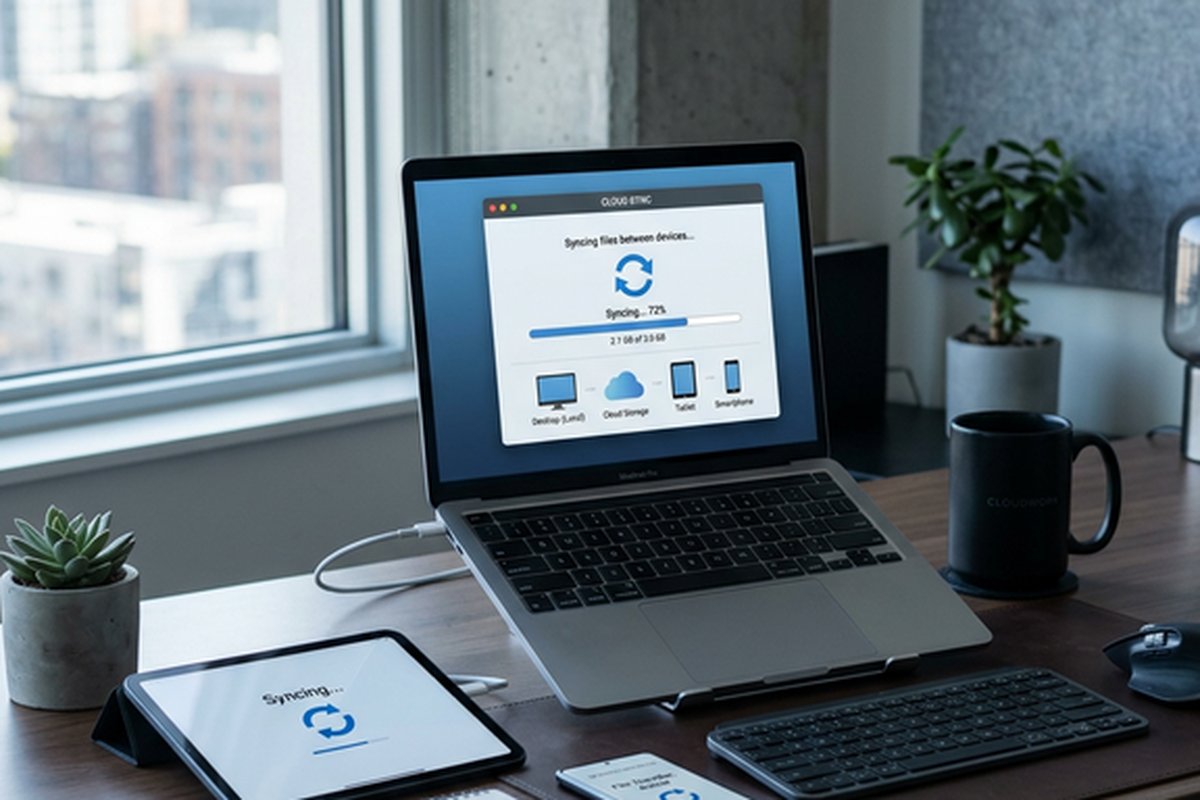
Dropbox’s file synchronization technology is genuinely exceptional and represents the single most compelling
technical reason to choose Dropbox over competitors. The sync engine uses a block-level synchronization
approach where files are broken into small blocks and only the blocks that have changed are transferred
during synchronization operations. This delta-sync technology means that editing a small section of a large
file results in transferring only the modified blocks rather than re-uploading the entire file, dramatically
reducing synchronization time and bandwidth consumption for iterative editing workflows involving large
files.
LAN sync capability detects when multiple Dropbox-connected devices are on the same local network and
transfers files directly between them at local network speeds rather than routing through Dropbox’s cloud
servers. For teams working in office environments where multiple team members need access to the same large
files, LAN sync can reduce synchronization times from minutes to seconds and eliminates the bandwidth
consumption of uploading files to the cloud only to immediately download them to another computer on the
same network. This feature operates automatically without configuration and provides one of the most
practically noticeable performance advantages Dropbox offers over competitors that lack equivalent local
network optimization.
Smart Sync, Dropbox’s selective synchronization technology, allows files to appear in the local file system
as placeholders that display file names, sizes, and metadata without downloading the actual file content
to the local disk. When a user opens a Smart Sync placeholder file, Dropbox downloads the content on demand,
making it available for editing. After the file is closed, it can return to placeholder status to reclaim
local disk space. This approach allows users to browse their entire Dropbox content library through the
familiar file system interface without requiring local storage capacity equal to their full cloud storage
usage — essential for users with terabytes of cloud storage who work on laptops with limited solid-state
drive capacity.
The reliability of Dropbox’s sync engine has been refined through years of engineering investment and
real-world operation across hundreds of millions of devices. Conflict resolution handles the scenario where
two users edit the same file simultaneously by creating conflicted copies that preserve both users’ changes
rather than silently overwriting one version. The sync status indicator system provides clear visual
feedback
showing whether files are synced, syncing, or have encountered synchronization issues, giving users
confidence in the currency of their local file copies.
Storage Plans and Capacity
Dropbox’s free Basic plan includes 2 gigabytes of storage, which is substantially less generous than the
free tiers offered by Google Drive at 15 gigabytes, Microsoft OneDrive at 5 gigabytes, and several other
competitors. This limited free tier effectively positions the Basic plan as a trial experience rather than
a viable long-term free storage solution for most users. The referral program that originally allowed users
to earn additional free storage by inviting others has been reduced in prominence, though existing referral
bonuses on established accounts remain active.
Dropbox Plus, the individual paid plan, provides 2 terabytes of storage along with features including Smart
Sync, remote device wipe for security when devices are lost or stolen, Dropbox Rewind for restoring entire
account contents to a previous point in time, and extended version history that maintains file version
records for 30 days or optionally one year with an additional purchase. The Plus plan pricing is competitive
with equivalent storage tiers from major competitors, though the feature differentiation between Dropbox
and competitors varies significantly depending on which specific capabilities matter most to individual
users.
Dropbox Professional adds additional capabilities targeting freelancers and independent professionals,
including Dropbox Transfer for sending large files with tracking and customizable branding, full-text
search across document contents, watermarking for shared files, and a larger Smart Sync cache. Business
plans scale from Dropbox Business for small teams through Dropbox Business Plus and Enterprise tiers that
add administrative controls, advanced security features, unlimited storage at higher tiers, and dedicated
support resources.
Sharing and Collaboration Features
File sharing in Dropbox supports both link-based sharing for distributing content to anyone and folder-based
sharing for ongoing collaboration with specific team members. Shared links can be configured with optional
passwords for security, expiration dates for time-limited access, and download disabling for view-only
distribution where the sender wants recipients to preview content without retaining local copies. The
link-sharing interface is clean and intuitive, reflecting years of refinement based on one of the most
heavily used file-sharing workflows in cloud storage.
Shared folders enable ongoing collaboration where multiple users have access to synchronized folder contents.
Changes made by any member of a shared folder are automatically synchronized to all other members, creating
a shared workspace within each participant’s Dropbox file system. Permission levels control whether shared
folder members have edit access or view-only access, and the folder owner retains control over membership
and permission management.
Dropbox Paper, the platform’s integrated document creation tool, provides a collaborative workspace for
creating documents, meeting notes, project plans, and creative briefs with real-time co-editing capability.
Paper documents can embed rich media including images, videos, audio recordings, code blocks, timelines,
tables, and content from integrated third-party services. While Paper does not match the full document
creation power of Google Docs or Microsoft Word, it provides a clean, focused writing environment that
excels for collaborative note-taking, project documentation, and creative planning scenarios where
simplicity and real-time collaboration matter more than advanced formatting control.
Dropbox Transfer and Large File Delivery
Dropbox Transfer addresses a workflow need distinct from ongoing synchronization and collaboration — the
delivery of completed files to recipients. While shared folders support ongoing collaborative access,
Transfer is designed for one-way delivery of finished work: sending final design deliverables to clients,
distributing completed video projects to stakeholders, or delivering large file packages that don’t
require ongoing synchronization. Transfer supports files up to 100 gigabytes with tracking capabilities
that show the sender when files are accessed and downloaded by recipients. Custom branding, password
protection, and expiration settings provide controlled, professional file delivery.
For creative professionals, this feature streamlines a workflow that previously required workarounds:
uploading large files to generic file-sharing services, sending download links through separate email
communications, and manually checking whether recipients have successfully downloaded the delivered
files. Transfer consolidates this workflow into a single Dropbox-native operation with integrated
tracking and professional presentation.
Dropbox Transfer serves the specific workflow of sending finished files to recipients who are not ongoing
collaborators — a use case that regular shared folders do not optimally address. Transfer allows sending
files up to 100 gigabytes with customizable branding, delivery notifications, download tracking that shows
when recipients access the transferred files, and automatic expiration. For creative professionals who
regularly deliver completed projects to clients, the Transfer feature provides a more professional and
trackable delivery mechanism than simple shared folder links or email attachments.
Security and Privacy Architecture
Dropbox encrypts files in transit using TLS 1.2 or higher and at rest using 256-bit AES encryption. The
encryption architecture uses Dropbox-managed keys, which means Dropbox has the technical capability to
access stored file content if required by legal process or for operational purposes. For users who require
zero-knowledge encryption where the service provider cannot access stored data, Dropbox does not natively
provide this capability — a meaningful distinction from competitors like Sync.com and Tresorit that offer
end-to-end encryption with customer-controlled keys as their fundamental security architecture. Our Sync.com
review examines the privacy-first alternative for users prioritizing zero-knowledge encryption.
Two-factor authentication is available across all plans and supports both SMS-based verification and
authenticator app-based TOTP codes. Administrative security controls on business plans include the ability
to enforce two-factor authentication for all team members, set session duration limits, configure network
restrictions, manage connected device lists, and remotely wipe Dropbox data from lost or stolen devices.
The security event logging on business plans provides detailed audit trails of file access, sharing
activities, and administrative changes for compliance and security monitoring purposes.
Data residency controls on certain business plans allow organizations to specify the geographic region where
their data is stored, addressing regulatory requirements for data localization that affect organizations
operating under GDPR, industry-specific compliance frameworks, or national data sovereignty regulations.
This capability is particularly relevant for European organizations that must ensure their data remains
within European data center facilities.
Integration Ecosystem
Dropbox integrates with thousands of third-party applications across productivity, project management,
communication, creative, and business operations categories. Key integrations include Slack for sharing
Dropbox files directly within communication channels, Zoom for accessing Dropbox content during video
meetings, Trello and Asana for attaching Dropbox files to project tasks, and Adobe Creative Cloud for
accessing Dropbox-stored creative assets directly from Adobe applications.
The Dropbox API enables developers to build custom integrations that read from, write to, and interact with
Dropbox storage programmatically. This API supports application development scenarios including automated
backup systems, content management workflows, media processing pipelines, and custom business applications
that use Dropbox as their storage backend. The developer documentation is comprehensive and well-maintained,
reflecting Dropbox’s history as a developer-friendly platform.
Strengths and Honest Limitations
Dropbox’s file synchronization technology remains genuinely best-in-class — the speed, reliability, and
efficiency of the sync engine provide a noticeably superior experience compared to most competitors,
particularly for users who work with large files, maintain extensive file libraries, or need reliable
synchronization across multiple devices in diverse network environments. Smart Sync implementation is
mature and dependable. The desktop integration creates a natural, familiar workflow that requires minimal
behavior change from traditional local file management practices.
The limitations are practical and worth understanding clearly. The 2-gigabyte free tier is inadequate for
meaningful use, effectively forcing paid subscription for any serious storage needs. The lack of native
zero-knowledge encryption creates a privacy gap compared to security-focused competitors. The integrated
productivity tools, while improving, do not match the depth or ecosystem integration of Google Workspace
or Microsoft 365. Pricing at higher tiers can become expensive relative to competitors offering similar
or greater storage capacity at lower per-user costs.
For users evaluating Dropbox alongside Google’s cloud storage offering, our Google Drive
vs Dropbox comparison provides detailed feature-by-feature analysis. Those seeking broader
perspective across the entire cloud storage landscape may find our cloud
storage comparison guide helpful for understanding how different platforms serve different priority
combinations.
Features and pricing referenced in this article are based on information available at the time of writing
and are subject to change. Please verify current details on the official Dropbox website.