Sync.com addresses a fundamental concern that privacy-conscious users have with mainstream cloud storage
services: the service provider’s technical ability to access stored data. When you store files on Google
Drive, Dropbox, OneDrive, or most other major cloud storage platforms, those services manage the encryption
keys that protect your data. While they encrypt your files both in transit and at rest, the encryption is
performed with keys that the provider controls, which means they have the technical capability to decrypt
and access your data if required by legal process, government request, or internal policy. Sync.com
eliminates this access capability through zero-knowledge end-to-end encryption where the encryption keys
are derived from your password and never leave your devices, making it technically impossible for Sync.com
to access your stored files regardless of any external requirements or internal decisions.
Based in Toronto, Canada, Sync.com operates under Canadian privacy jurisdiction, which provides strong
privacy protections through the Personal Information Protection and Electronic Documents Act and Canadian
constitutional privacy rights. While no jurisdiction provides absolute protection against all government
access requests, Canada’s privacy framework is meaningfully stronger than many alternatives and does not
include the mass surveillance provisions that concern some users about services headquartered in certain
other jurisdictions. The Canadian data center location ensures that stored data remains within Canadian
borders and under Canadian legal authority.
Sync.com positions itself as a privacy-first cloud storage service that delivers zero-knowledge end-to-end
encryption as a default feature rather than an optional add-on or premium tier upgrade. While most
mainstream
cloud storage services — including Google Drive, Dropbox, and OneDrive — use provider-managed encryption
that gives the service provider technical access to stored data, Sync.com implements client-side encryption
where files are encrypted on the user’s device before upload and can only be decrypted by the user’s own
encryption keys. This architectural choice places Sync.com in the category of truly private cloud storage
alongside services like Tresorit and the encrypted tier of pCloud, but at pricing that competes more
directly with mainstream non-encrypted alternatives, making encrypted cloud storage accessible to
budget-conscious users and small businesses.
Zero-Knowledge Encryption Architecture
Sync.com’s zero-knowledge encryption is not an optional add-on feature or a premium upgrade — it is the
fundamental architecture of the entire platform that applies to every file stored by every user on every
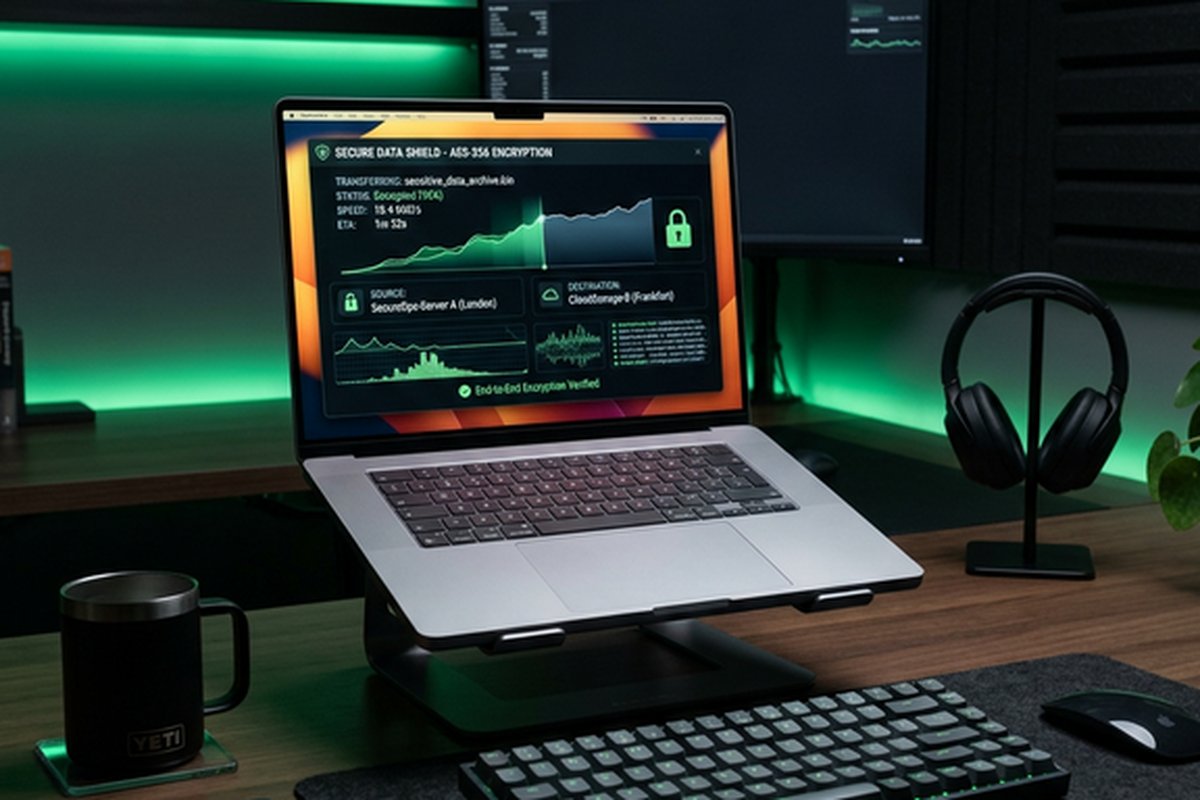
plan. All files are encrypted on the user’s device before being transmitted to Sync.com’s servers using
AES-256 encryption with keys derived from the user’s password through a key derivation process that occurs
entirely on the client side. Sync.com’s servers receive and store only encrypted data for which they do not
possess the decryption keys. The encryption password is never transmitted to Sync.com in any form, and the
key derivation process ensures that the encryption keys cannot be reconstructed without the original
password.
This zero-knowledge architecture has important practical implications that users should understand clearly.
If you forget your password, Sync.com cannot recover your data because they do not have the keys necessary
to decrypt it. There is no password reset mechanism that restores access to encrypted data — a forgotten
password means permanently lost access to stored files. This is not a limitation of Sync.com’s
implementation but an inherent consequence of genuine zero-knowledge encryption: the security guarantee
that the provider cannot access your data necessarily means the provider cannot help you regain access if
you lose your authentication credentials.
The encryption extends to file metadata, file names, and folder structure in addition to file contents,
providing comprehensive protection of all information about your stored data. Some encrypted storage
services encrypt file contents but leave metadata like file names and folder structures visible to the
server, which can reveal information about the nature and organization of stored content even without
access to the content itself. Sync.com’s complete metadata encryption ensures that the server stores
genuinely opaque encrypted data with no ability to observe what types of files are stored, how they are
organized, or what they are named.
Storage Plans and Pricing
Sync.com’s free plan provides 5 gigabytes of zero-knowledge encrypted storage, which is noteworthy because
most encrypted storage services either do not offer free plans or offer minimal free storage. The free tier
includes the same end-to-end encryption applied to paid plans, making it a genuinely useful option for
users who need secure cloud storage for a modest quantity of sensitive documents. For users who primarily
need to store encrypted copies of important documents like identity files, financial records, legal
documents, and other sensitive personal files, 5 gigabytes may provide sufficient capacity without
requiring a paid subscription.
Paid plans scale through several tiers, starting at 2 terabytes for individual users and extending through
higher capacity options for teams and businesses. Team plans add administrative controls, centralized
billing, and user management capabilities while maintaining the zero-knowledge encryption architecture
across all team members’ storage. Business plans include additional features such as custom branding,
activity logging, compliance documentation, and dedicated support. The pricing is competitive with
mainstream cloud storage services, which is significant because encrypted storage services historically
charged substantial premiums over non-encrypted alternatives.
File Synchronization and Access
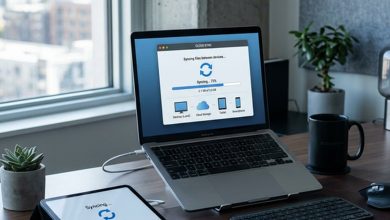
The desktop synchronization client creates a Sync folder on the local computer that mirrors the cloud
storage contents, operating similarly to the traditional Dropbox synchronization model. Files placed in
the Sync folder are automatically encrypted and uploaded to the cloud, and files added to cloud storage
from other devices are automatically downloaded to the local Sync folder. Selective sync allows choosing
which folders synchronize to the local device, reducing local storage requirements for users with large
cloud file collections.
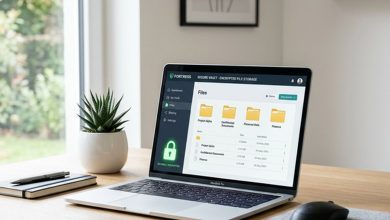
The Vault feature provides cloud-only storage for files that should be backed up to the cloud without
occupying local storage space. Files uploaded to the Vault exist only in encrypted cloud storage and are
accessible through the web interface or by explicitly downloading them to a local device. This separation
between synced content and vault-only content allows users to maintain a reasonable local sync folder size
while storing large archives, backups, and infrequently accessed files in the cloud without consuming
local disk space. The Vault is particularly useful for archival backup scenarios where files need secure
cloud storage but do not need to be immediately accessible through the local file system.
Mobile applications for iOS and Android provide encrypted file access from smartphones and tablets, including
file browsing, preview capabilities for common file types, camera upload for automatic photo backup,
and file sharing. The mobile applications maintain the zero-knowledge encryption architecture, encrypting
and decrypting files on the mobile device rather than on Sync.com’s servers. Camera upload provides
automatic backup of device photos to encrypted cloud storage, protecting personal photographs with the
same zero-knowledge encryption applied to all other stored content.
Web access through the Sync.com website provides browser-based file management, preview, and download
capabilities. The web interface handles encryption and decryption through client-side JavaScript, ensuring
that the zero-knowledge architecture is maintained even when accessing files through a web browser without
the desktop application installed. This browser-based encryption introduces some performance overhead
compared to native desktop application access, but maintains the security guarantee that Sync.com’s
servers never possess decryption keys.
Sharing and Collaboration
File sharing in Sync.com supports link-based sharing where recipients can access shared files through a web
link without needing Sync.com accounts. Shared links can be configured with optional password protection,
expiration dates, download count limits, and notification settings that alert the sender when shared content
is accessed. The sharing mechanism maintains encryption during transfer and provides encrypted delivery
to recipients. Enhanced sharing controls on paid plans add the ability to disable downloads for view-only
sharing, set custom expiration dates, and receive detailed access notifications.
The collaboration model in Sync.com is more limited than the real-time co-editing capabilities provided by
Google Drive or Microsoft OneDrive. Sync.com does not include integrated document creation tools or
real-time collaborative editing — it is a storage and file management platform rather than a
productivity suite. Collaboration occurs through file sharing and synchronized folder access rather than
simultaneous document editing. For users whose primary cloud storage requirement is secure storage and
controlled sharing rather than real-time document collaboration, this focused approach provides the
necessary functionality without the complexity of integrated productivity tools.
Compliance and Business Features
Sync.com provides compliance documentation and capabilities relevant to organizations operating under
regulatory frameworks that require specific data protection standards. The zero-knowledge encryption
architecture inherently addresses many regulatory requirements around data protection because the
encrypted data is technically inaccessible to the service provider, which simplifies compliance arguments
around data protection, access controls, and breach notification. HIPAA compliance documentation is
available for healthcare organizations, and GDPR compliance is supported through the combination of
encryption, Canadian data residency, and privacy-by-design architecture.
Activity logs on business plans record file access, sharing, and management activities with detailed
timestamps and user identification, supporting audit trail requirements for regulated organizations.
Remote device wipe capability allows administrators to remove Sync.com data from lost or stolen devices,
protecting organizational data when hardware is compromised. User management tools enable centralized
administration of team members, storage allocations, and sharing policies.
Practical Use Cases for Encrypted Storage
Sync.com’s zero-knowledge encryption architecture makes it particularly well-suited for storing content
where privacy is not merely a preference but a requirement. Legal professionals handling privileged
client communications and case materials benefit from encryption that protects attorney-client privilege
at the technical level rather than relying solely on the storage provider’s internal policies. Healthcare
providers managing patient records under HIPAA requirements can use Sync.com’s encrypted infrastructure
to meet technical safeguard obligations. Journalists protecting source materials and confidential
communications use encrypted storage to ensure that source protection cannot be compromised through
storage provider data access.
Small businesses handling customer data, financial information, and proprietary business materials
benefit from Sync.com’s encryption without requiring the enterprise-scale budgets that services like
Tresorit or Box’s most secure tiers demand. Freelancers and contractors who handle client-sensitive
materials — financial advisors managing client records, accountants handling tax documents, consultants
reviewing proprietary business strategies — can use Sync.com to demonstrate professional data protection
practices to their clients without significant additional cost beyond what they would pay for
non-encrypted cloud storage.
Individual users with personal privacy concerns use Sync.com for storing sensitive personal documents
including identity documents, financial records, medical records, legal documents, and other content
that would cause significant personal harm if accessed by unauthorized parties. The 5-gigabyte free
tier provides enough capacity for encrypted storage of critical personal documents without requiring
payment, making baseline encrypted personal document protection accessible to everyone regardless
of budget.
Strengths and Honest Limitations
Sync.com’s primary strength is delivering zero-knowledge encryption as a default feature rather than a
premium add-on, making encrypted storage accessible at pricing that competes directly with non-encrypted
mainstream services. The Canadian jurisdiction provides favorable privacy framework benefits under
Canadian privacy legislation, which includes strong personal information protection requirements.
The platform provides competent file synchronization, sharing, and collaboration features alongside
its security foundation. The 5-gigabyte free tier with full encryption provides meaningful free
encrypted storage that enables users to evaluate the service and protect their most sensitive
documents without any financial commitment.
For professional users, Sync.com’s combination of encryption, compliance support, and reasonable
pricing makes it particularly attractive for small and medium businesses, freelancers, and independent
professionals who need to demonstrate data protection practices to clients or regulators without
the budget for enterprise-grade solutions like Tresorit or Box.
Limitations include the absence of integrated productivity and collaboration tools that platforms like
Google Drive and OneDrive provide, the irrecoverable nature of forgotten passwords that is inherent to
genuine zero-knowledge encryption, desktop synchronization performance that does not match Dropbox’s
speed and efficiency, and a smaller third-party integration ecosystem compared to mainstream platforms.
For comparisons with related services, our Tresorit
review examines another zero-knowledge option with a different feature emphasis, and our cloud
storage comparison provides broader context across the market.
Features and pricing referenced in this article are based on information available at the time of writing
and are subject to change. Please verify current details on the official Sync.com website.
Author Persona

Tools Editor
Professional Tech Editor specializing in mobile applications, security privacy, and digital tools. Dedicated to providing in-depth reviews and guides for users worldwide.