Kdenlive represents the open-source community’s most successful effort to create a genuinely capable, free
video editing application that runs on Linux, Windows, and macOS. As a KDE community project with over two
decades of development history, Kdenlive embodies the open-source development philosophy where community
contributors, volunteer developers, and dedicated maintainers collaboratively build software that serves
users without commercial licensing restrictions, subscription fees, or the proprietary restrictions that
define most capable video editing platforms. The result is a video editor that provides professional-level
editing capabilities through a completely free, community-driven application.
While commercial free editors like DaVinci Resolve’s free version provide professional capabilities supported
by hardware sales revenue, and CapCut provides free editing supported by its TikTok ecosystem relationship,
Kdenlive provides free editing through pure community effort and organizational support from KDE, the
international community producing free and open-source software. This development model creates both
strengths — genuine platform independence, complete transparency, and zero-cost access — and challenges,
including development pace that depends on volunteer availability, occasional stability issues that
commercial QA processes might catch earlier, and a user experience that reflects engineering-driven design
rather than the polished interfaces produced by well-funded commercial design teams.
Editing Timeline and Core Features
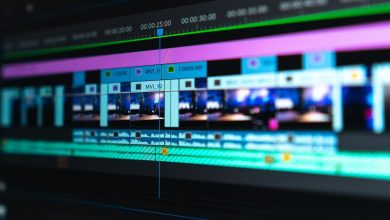
Kdenlive’s timeline provides multi-track editing with unlimited video and audio tracks, professional trim
operations including ripple, insert, and overwrite editing modes, and clip grouping and linking for managing
related audio and video elements. The timeline supports multiple guide markers and zone selection for
organizing projects and defining render regions. Track compositing options control how tracks blend
together, enabling both standard overlay compositing and more complex multi-layer video compositions.
The clip monitor and project monitor provide standard dual-monitor editing workflow where source clips are
previewed and marked in the clip monitor before insertion into the timeline. Proxy clip generation creates
lightweight editing copies of high-resolution footage automatically, enabling smooth editing on hardware
that cannot handle real-time playback of high-resolution source material. The proxy system generates
lower-resolution copies upon import and automatically swaps to full-resolution source files during final
rendering, providing a seamless proxy workflow that requires minimal manual management.
Keyframe animation enables creating smooth parameter changes over time for position, scale, rotation,
opacity, and effects parameters. The keyframe interpolation system supports linear, smooth, and discrete
interpolation types for different animation needs. Motion tracking capabilities enable tracking objects or
regions within footage and applying the tracked motion data to other elements for stabilization, object
following, and effects attachment.

Effects and Compositing
Kdenlive includes a comprehensive effects library built on the MLT multimedia framework that provides video
effects, audio effects, transition effects, and compositing operations. Video effects categories include
color correction, blur and distortion, artistic and stylize effects, transform operations, and utility
effects for technical adjustments. The effects stack for each clip displays all applied effects with
individual controls for parameter adjustment, enable/disable toggling, and reordering. Effects presets
enable saving customized effect configurations for reuse across clips and projects.
Color correction tools include basic brightness, contrast, and saturation adjustments, RGB curves for tonal
correction, color balance controls, and vectorscope and waveform displays for technical color evaluation.
The color correction capabilities are adequate for standard correction and basic creative grading, though
they do not approach the depth of DaVinci Resolve’s professional color grading tools or the specialized
grading capabilities of dedicated color applications. The LUT application capability enables using external
look-up tables for creative grading and camera normalization.
Audio effects include equalization, compression, noise reduction, and spatial effects that cover common audio
processing needs for video post-production. Audio level normalization, volume envelope drawing, and
per-track mixing controls provide the audio management tools needed for assembling dialogue, music, and
effects mixes within the editing environment.
Linux Native Advantage
While Kdenlive runs on Windows and macOS, its strongest position and most polished experience are on Linux,
where it serves as the primary professional-capable video editor for the Linux desktop ecosystem. For Linux
users who need video editing capabilities, Kdenlive represents the most feature-complete available option
without requiring Windows or macOS virtual machines or Wine compatibility layers. The Linux-native advantage
extends beyond availability — Kdenlive integrates with Linux desktop environments, follows Linux
distribution packaging conventions for installation and updates, and performs optimally on Linux systems
where the development team focuses the majority of testing and optimization efforts.
The availability of Kdenlive through Linux distribution package managers and Flatpak provides straightforward
installation and update management that integrates with the distribution’s overall software management
workflow. For educational institutions, government agencies, and organizations that have adopted Linux for
desktop computing, Kdenlive provides video editing capability that aligns with the organization’s platform
commitment without requiring Windows-based exceptions in the software stack for video editing needs.
Rendering and Export Pipeline
Kdenlive’s rendering system leverages the FFmpeg multimedia framework to support an exceptionally broad range
of output formats, codecs, containers, and quality settings. The rendering dialog presents categorized
presets for common delivery targets including web video, social media platforms, broadcast delivery, and
archival formats, while providing full access to codec-level parameters for users who need precise control
over encoding settings. Hardware-accelerated encoding through VAAPI on Linux and equivalent GPU encoding
on Windows enables significantly faster rendering times for H.264 and H.265/HEVC output compared to
software-only encoding paths.
The zone rendering capability enables rendering only selected portions of the timeline, which accelerates
the preview-and-refine workflow where specific sections need to be evaluated without rendering the entire
project. Background rendering enables continuing editing work while renders process, and the rendering
queue supports multiple sequential render jobs for batch delivery workflows. The script rendering feature
generates command-line rendering scripts that can be executed on separate machines or during off-hours,
enabling distributed rendering workflows without specialized rendering infrastructure. For projects
requiring multiple delivery formats — web-optimized, broadcast-quality, social media variants — the
rendering queue processes all format variations sequentially from a single setup.
Title and Text Tools
Kdenlive’s integrated titler provides text creation and animation capabilities for creating title cards,
lower-third overlays, credit sequences, and informational text overlays. The titler supports custom fonts,
text formatting, background shapes, shadow and outline effects, and scrolling animations for credit
sequences. Template support enables creating and reusing standardized title designs across multiple
projects,
supporting brand consistency for recurring content production. The titler integrates with system-installed
fonts and supports Unicode text rendering for multi-language title creation.
Beyond the built-in titler, Kdenlive supports importing title graphics created in external applications
including Inkscape, GIMP, and other open-source graphic design tools, providing design flexibility that
extends beyond the built-in titler’s capabilities for complex graphic title designs. The transparency
support for imported PNG and SVG graphics enables layering sophisticated title designs over video content
with proper alpha channel handling.
Format Support and Codec Handling
Built on the MLT and FFmpeg frameworks, Kdenlive provides format support breadth that matches or exceeds
most commercial editing applications. The FFmpeg foundation enables reading and writing virtually every
video, audio, and image format in common use including H.264, H.265/HEVC, ProRes, DNxHD/DNxHR, VP9, AV1,
MPEG-2, and specialized formats from various camera manufacturers. This comprehensive format support
eliminates the transcoding requirement that some commercial editors impose for certain formats, enabling
editors to work directly with source footage regardless of camera brand or recording format.
Image sequence support enables importing numbered image sequences as video clips, supporting animation
workflows where frames are rendered from 3D applications, generated by procedural tools, or created as
individual images in illustration applications. The image sequence to video conversion capability provides
a bridge between frame-based creative workflows and video delivery requirements. RAW photo import support
enables using high-quality photographic images in video projects with format conversion handled
automatically during the import process.
Community Development Model
Kdenlive’s development as a KDE community project means that feature development, bug fixing, and user
experience improvements are driven by community priorities and contributor availability rather than
commercial
product roadmap decisions. Users can submit feature requests, report bugs, and participate in development
discussions through public forums and issue trackers. Contributors with development skills can submit code
changes, review others’ contributions, and participate directly in shaping the software’s evolution. This
participatory development model creates software that directly reflects user needs and preferences, though
the development pace depends on volunteer contributor capacity and organizational support.
The KDE community provides organizational infrastructure including hosting, build systems, translation
services for internationalization, and coordination resources that support Kdenlive’s ongoing development
without requiring commercial revenue. Donations and organizational memberships fund infrastructure costs
and occasional sponsored development work, while the majority of development effort comes from volunteer
contributors motivated by personal use, educational interest, and commitment to open-source software
principles. This sustainable community development model has maintained Kdenlive’s development for over
twenty years, providing reasonable confidence in continued availability and development.
Practical Editing Workflows
Kdenlive supports several practical editing workflows that serve its primary user base effectively. The
standard editing workflow for YouTube content creators involves importing footage, creating proxy copies
for smooth editing, assembling clips on the timeline with basic cuts and transitions, applying color
correction and audio normalization, adding titles and lower-thirds using the built-in titler, and
rendering to web-optimized formats. This workflow runs smoothly on mid-range hardware when proxy
editing is enabled, and the rendering output quality matches what viewers expect from independent
content channels.
Documentary and informational video production benefits from Kdenlive’s ability to handle mixed media
types — combining video footage, still photographs with Ken Burns-style animation, audio recordings,
and text overlays in a single timeline. The guide marker system enables organizing long-form content
by marking chapter points, interview segments, and B-roll sections for efficient navigation during
extended editing sessions. For educational institutions teaching video production on Linux systems,
Kdenlive provides a capable platform that covers the editing concepts students need to learn without
requiring proprietary software licenses or platform switching.
Plugin Ecosystem and Extensibility
Kdenlive’s open-source architecture enables extensibility through multiple mechanisms. The Frei0r
plugin collection provides a standardized set of video effects that Kdenlive can access alongside
its built-in MLT effects, expanding the available effects library without requiring commercial
plugin purchases. The LADSPA and LV2 audio plugin standards enable using third-party audio
processing plugins within Kdenlive’s audio workflow, providing access to equalization, compression,
reverb, and specialized audio processing tools developed by the broader open-source audio
community.
Custom render profiles enable defining specialized output configurations beyond the built-in presets,
accommodating delivery requirements for specific platforms, broadcast standards, or archival formats
that may not match the default export options. The ability to modify and create render profiles
through configuration files provides a level of output customization that exceeds what most
commercial editors offer through their graphical export interfaces. The keyboard shortcut system
is fully customizable, enabling editors migrating from other applications to replicate familiar
keyboard layouts that preserve established muscle memory. Script-based automation through
command-line rendering enables batch processing workflows that integrate Kdenlive projects
into larger automated production pipelines, useful for organizations producing standardized
content at scale or processing multiple projects with consistent output settings.
Strengths and Honest Limitations
Kdenlive provides genuinely capable, completely free video editing with cross-platform support, open-source
transparency, professional editing features, and community-driven development that ensures the software
serves user needs without commercial compromises. The Linux-native experience makes it the strongest editing
option available in the Linux ecosystem. The MLT framework foundation provides broad format support and a
solid effects infrastructure. The rendering pipeline’s FFmpeg foundation ensures broad output format
compatibility, and the proxy editing system enables working with high-resolution footage on modest hardware.
For comparison with the most capable free editor across all platforms, our DaVinci
Resolve review covers the strongest free alternative.
Limitations include stability that occasionally lags behind commercial editors, a user interface that
prioritizes functionality over visual polish, a learning curve that exceeds beginner-friendly alternatives
like Filmora or CapCut, and community-driven development that cannot match the update cadence and feature
development speed of well-funded commercial alternatives. The Windows and macOS versions, while functional,
generally receive less testing and optimization attention than the primary Linux version. Documentation
quality varies across features, with some advanced capabilities lacking comprehensive user guides.
For broader context on free editing options, our free video
editing comparison evaluates the complete range of free alternatives available across platforms.
Features referenced in this article are based on information available at the time of writing and are
subject to change. Please verify current details on the official Kdenlive website.
Author Persona

Tools Editor
Professional Tech Editor specializing in mobile applications, security privacy, and digital tools. Dedicated to providing in-depth reviews and guides for users worldwide.