HitFilm occupies a distinctive position in the free video editing landscape by combining standard video
editing capabilities with visual effects compositing tools in a single, free application. While most free
video editors provide basic editing functionality and most VFX compositing tools carry significant costs,
HitFilm offers both editing timeline and compositing workspace within one interface, making visual effects
accessible to creators who cannot justify the expense of separate editing and VFX applications. Developed by
FXhome, HitFilm was originally released as HitFilm Express with a separate paid Pro version, though the
product has evolved through several naming and packaging iterations that have adjusted the free-to-paid
feature boundary over time.
The combination of editing and visual effects in a single application addresses a genuine workflow need for
content creators who produce VFX-enhanced content — short films, YouTube content with effects elements,
music videos, educational content with visual demonstrations, and creative projects that require compositing
capabilities beyond basic editing. Rather than requiring the workflow complexity of editing in one
application and compositing in another, HitFilm enables completing both tasks within a single environment
with direct integration between the editing timeline and compositing workspaces, reducing both the learning
burden and the workflow overhead associated with multi-application post-production pipelines.
Video Editing Capabilities
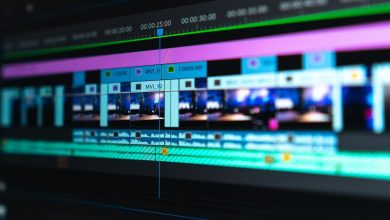
The editing timeline provides standard track-based editing with multiple video and audio tracks, trim tools
including ripple and roll editing, clip speed control including reverse playback, and standard transition
effects. The editing interface follows conventional editing application layout with source preview, program
monitor, media bin, and timeline panels arranged in a familiar configuration. While the editing tools do not
match the depth of professional editors like Premiere Pro or DaVinci Resolve — lacking features like
advanced multi-camera editing, professional audio mixing, and some advanced trim modes — they provide the
editing functionality needed for the types of projects that HitFilm’s target users typically produce.
Audio editing capabilities include basic mixing through per-track volume controls, audio effects including
equalization and compression, and audio waveform display for visual editing reference. The editing timeline
integrates with the compositing workspace through composite shots — sections of the timeline that can be
expanded into the compositing canvas for effects work, with the composited result automatically appearing in
the editing timeline. This integration eliminates the export-import cycle that would be necessary when using
separate editing and compositing applications.
Visual Effects and Compositing
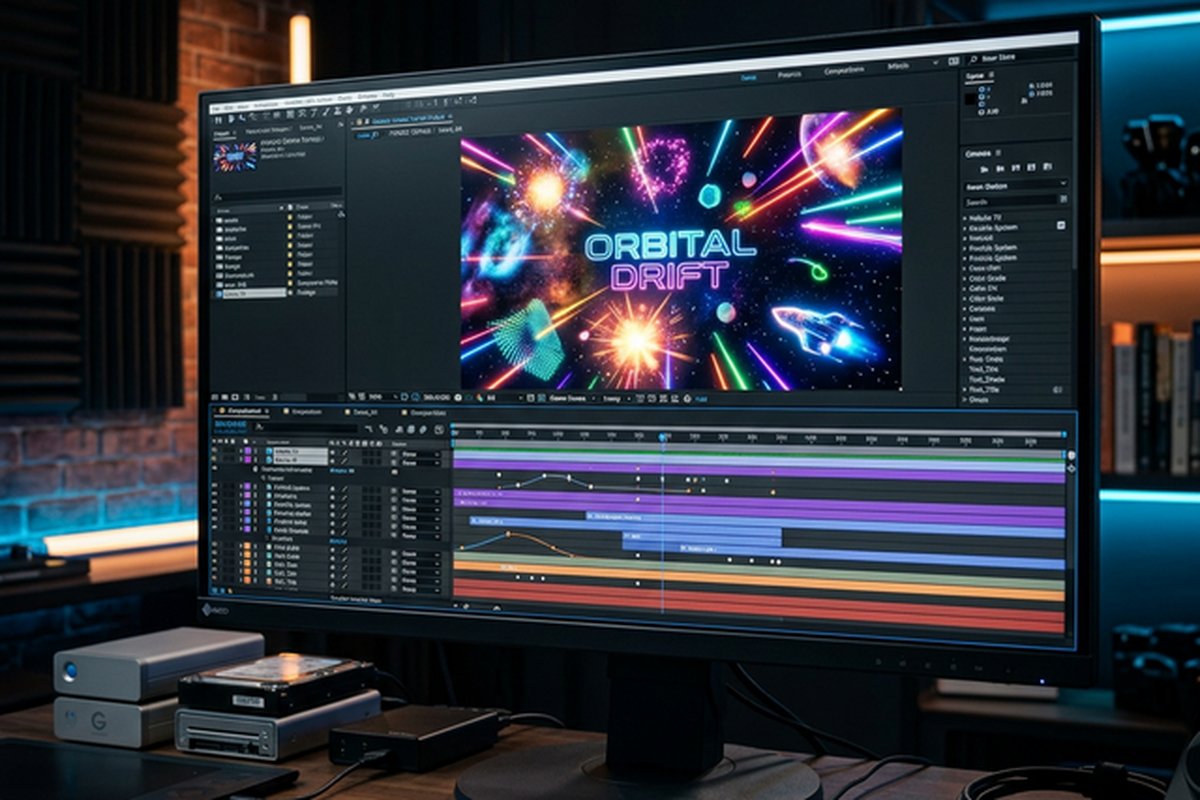
The compositing workspace provides a layer-based compositing environment where visual effects are constructed
by stacking, masking, tracking, and blending multiple visual elements. The compositing model uses layers
similar to After Effects rather than the node-based approach used by DaVinci Resolve’s Fusion, making the
compositing environment more immediately accessible to users familiar with Photoshop’s layer-based
organization. Effects are applied per-layer and can include transform operations, color adjustments, blur
and distortion effects, keying operations, particle generation, and 3D rendering.
Green screen and blue screen keying tools enable background removal from footage shot against colored
backgrounds, with controls for edge refinement, spill suppression, and key density adjustment that handle
common chroma key scenarios. Motion tracking enables attaching elements to moving features within footage
for sign replacement, screen insertion, and effects tracking. The tracking capabilities include point
tracking for positional attachment and planar tracking for surface-aware element placement. 2D and 3D
particle effects generators enable creating fire, smoke, rain, snow, sparks, and custom particle effects
that add environmental and atmospheric elements to footage.
The 3D compositing capabilities enable importing 3D models, positioning them in 3D space with camera and
light controls, and compositing the rendered 3D elements with live-action footage. While not a replacement
for dedicated 3D applications for complex modeling and animation, the built-in 3D capabilities provide
useful functionality for incorporating 3D text, simple 3D objects, and 3D camera moves into visual effects
compositions. The unified 2D/3D workspace enables mixing 2D footage elements with 3D objects and cameras
within the same composition, providing creative flexibility for hybrid compositions.
Effects Library and Add-On Packs
HitFilm includes a substantial built-in effects library covering standard video effects categories including
color correction, blur and sharpen, distortion, stylize, grading, and compositing utilities. The free
version provides enough built-in effects for many common effects tasks, while additional effect packs are
available as purchasable add-ons that extend the effects library with specialized capabilities including
additional particle presets, professional-grade grading tools, and stylized effect packages inspired by
specific visual styles from film and television.
The add-on purchasing model provides an alternative to the all-or-nothing approach of full-price professional
VFX software — users can purchase only the specific effect categories they need rather than paying for
comprehensive capabilities they may never use. This modular approach enables customizing the HitFilm
experience to specific workflow needs without significant upfront investment, though the cumulative cost of
multiple add-on packs can approach or exceed the price of alternative software depending on how many packs
are purchased.
Learning Resources and Community
FXhome provides extensive learning resources including tutorial videos, project files, and educational
content specifically structured to teach both editing and visual effects techniques using HitFilm. The
educational focus reflects HitFilm’s significant adoption in film schools, university programs, and
self-taught VFX learning paths where the free price point enables students and beginners to access both
editing and compositing functionality without financial barriers that might prevent engagement with VFX
production entirely.
The community forums and user showcase provide peer support and inspiration, and the availability of project
files and assets from tutorials enables hands-on learning that goes beyond passive video instruction. For
aspiring VFX artists and content creators interested in learning visual effects skills, HitFilm provides a
legitimate learning platform where effects techniques learned in HitFilm transfer conceptually to
professional VFX applications if users eventually transition to industry-standard tools for professional
production work.
Performance and System Requirements
HitFilm’s combined editing and compositing workload places meaningful demands on system hardware,
particularly
when working with high-resolution footage and complex compositing setups that involve multiple layers,
effects, and 3D elements. GPU acceleration supports NVIDIA and AMD graphics cards for real-time effects
preview and rendering acceleration. The minimum system requirements are higher than simple editing
alternatives, reflecting the additional computational demands of real-time compositing preview alongside
editing playback.
Proxy editing support enables working with lightweight copies of high-resolution footage during the editing
phase, with automatic replacement to full-resolution media for final rendering. This proxy capability is
essential for users with modest hardware who need to edit high-resolution footage without the performance
penalties that full-resolution real-time processing would impose. RAM requirements are significant for
complex compositions — users working with multiple HD or 4K layers in the compositing workspace will
benefit from 16GB or more of system RAM to maintain responsive editing performance. SSD storage improves
media loading and timeline scrubbing performance compared to traditional hard drives.
Production Workflows and Use Cases
Short film and independent film production represents one of HitFilm’s strongest use cases, where the
combination of editing and VFX capabilities enables producing effects-enhanced narratives within a single
application. Short film creators can edit their footage, composite green screen shots, add environmental
effects, create title sequences, and finish their projects without the workflow complexity and expense
of multiple specialized applications. Music video production similarly benefits from integrated editing
and effects, enabling creative visual treatments that combine footage manipulation with compositing
and particle effects.
YouTube and online content creation that incorporates visual effects elements — gaming channels with
animated overlays, educational content with visual demonstrations, creative content with stylized
effects — represents a growing use case for HitFilm where the integrated workflow eliminates the
barrier between editing and effects that would otherwise require learning and managing separate
applications. Tutorial and how-to content about visual effects techniques also represents a
significant HitFilm use case, where the free availability enables tutorial creators to demonstrate
techniques that their audience can immediately replicate without purchasing software.
Format Support and Export
HitFilm supports a broad range of import formats including H.264, H.265/HEVC, ProRes, and most common
camera formats, enabling editors and compositors to work directly with footage from consumer and
prosumer cameras without format conversion requirements. Export options include standard video formats
at various quality levels with configurable bitrate settings for balancing quality and file size.
The rendering pipeline supports hardware-accelerated encoding through supported GPU hardware for
faster export rendering compared to software-only encoding.
Image sequence export enables outputting individual frames for use in external compositing or
post-processing workflows. The ability to export with alpha channel transparency enables creating
compositing elements in HitFilm that can be layered into other editing applications or compositing
environments, supporting workflows where HitFilm’s compositing capabilities complement editing in
other applications. Preset export configurations for common delivery targets including YouTube,
social media platforms, and broadcast specifications simplify the export process for common
delivery scenarios.
Comparison with Alternatives
Among free editors, HitFilm’s closest competitor in VFX capability is DaVinci Resolve’s Fusion
compositing environment, which provides node-based compositing within a more capable overall
editing platform. However, HitFilm’s layer-based compositing model may feel more intuitive to
users familiar with Photoshop’s layer organization, while Fusion’s node-based approach provides
greater flexibility for complex compositions at the cost of a steeper learning curve. For users
primarily interested in editing with occasional effects needs, DaVinci Resolve provides a
stronger overall package, while HitFilm may serve users who prioritize accessible VFX
capabilities and prefer the layer-based workflow model.
Platform Evolution and Availability
HitFilm has undergone several naming and packaging changes throughout its development history, evolving
from a clearly separated free Express version and paid Pro version into a unified platform with a
free tier and optional paid add-on packs. These changes have occasionally caused confusion among
potential users researching the software, as search results, reviews, and tutorials may reference
previous product names and feature configurations that no longer match the current offering.
Understanding the current product structure requires checking FXhome’s official website rather than
relying on older third-party reviews that may describe the previous Express and Pro distinction.
The platform runs on both Windows and macOS, providing cross-platform availability for users on
either operating system. Linux is not currently supported, which means Linux users seeking
VFX-integrated editing must look to alternatives like DaVinci Resolve’s Fusion or Blender’s
video editing and compositing capabilities. FXhome has maintained consistent development of the
platform with regular updates that add new effects, improve performance, and expand format support.
The freemium business model — free core application with revenue from add-on effect packs — enables
sustainable development without requiring either subscription fees or upfront purchase costs from
the majority of users who find the free tier sufficient for their editing and compositing needs.
Strengths and Honest Limitations
HitFilm provides a genuinely unique combination of editing and visual effects compositing in a free package
that has no direct equivalent among other free editors. The layer-based compositing workspace provides
accessible VFX creation that lowers the barrier to effects-enhanced content production significantly. The
tutorial ecosystem provides structured learning paths for developing VFX skills alongside software
proficiency. The particle engine and 3D compositing capabilities provide creative possibilities that far
exceed what simple editing applications offer. The add-on model enables purchasing specific advanced
capabilities without paying for a full professional suite. For comparison with professional editing
capabilities, our Adobe
Premiere Pro review covers the industry standard paid platform, while our DaVinci
Resolve review covers the strongest free alternative.
Limitations include editing capabilities that, while functional, do not match the depth and efficiency of
dedicated editing applications for pure editing workflows without VFX requirements. The system requirements
exceed those of simpler editors, potentially limiting performance on budget hardware configurations. The
add-on purchase model means some effects showcased in promotional materials require additional purchase
beyond the free base application. The learning curve for compositing concepts is steeper than basic
editing, requiring investment in understanding layer-based compositing principles and effects parameter
relationships. Interface performance can slow with complex compositions that involve many layers and
effects, particularly on systems with limited GPU memory. For broader context on free editing options
available across different use cases and skill levels, our free video
editing comparison evaluates the complete range of options.
Features and pricing referenced in this article are based on information available at the time of writing
and are subject to change. Please verify current details on the official FXhome website.
Author Persona

Tools Editor
Professional Tech Editor specializing in mobile applications, security privacy, and digital tools. Dedicated to providing in-depth reviews and guides for users worldwide.