OpenShot Features – Cross-Platform Video Production Tool
OpenShot Video Editor provides a genuinely approachable entry point into video editing for users who find
professional editing applications intimidating and need a free editor that prioritizes simplicity and
visual clarity over feature density. Among the crowded field of free video editors, OpenShot distinguishes
itself primarily through interface accessibility — the application is designed so that users with no
prior editing experience can understand the basic workflow and begin producing edited videos within
minutes of opening the application for the first time. This accessibility focus makes OpenShot
particularly suitable for educators, students, casual content creators, and individuals who need to
edit videos occasionally without investing the learning time that more complex editors require.
OpenShot is a free, open-source project created by Jonathan Thomas and developed with community
contributions. The application is released under the GNU General Public License, ensuring that it
remains freely available without the feature restrictions, watermarks, or premium upselling that
many “free” editors use to drive commercial conversions. The project has been in active development
since 2008, with regular releases that progressively expand capabilities while maintaining the
approachable interface that defines OpenShot’s identity within the free editing ecosystem. The
application runs on Linux, Windows, and macOS, providing consistent cross-platform availability
for users on any major operating system.
Interface Design and Workflow
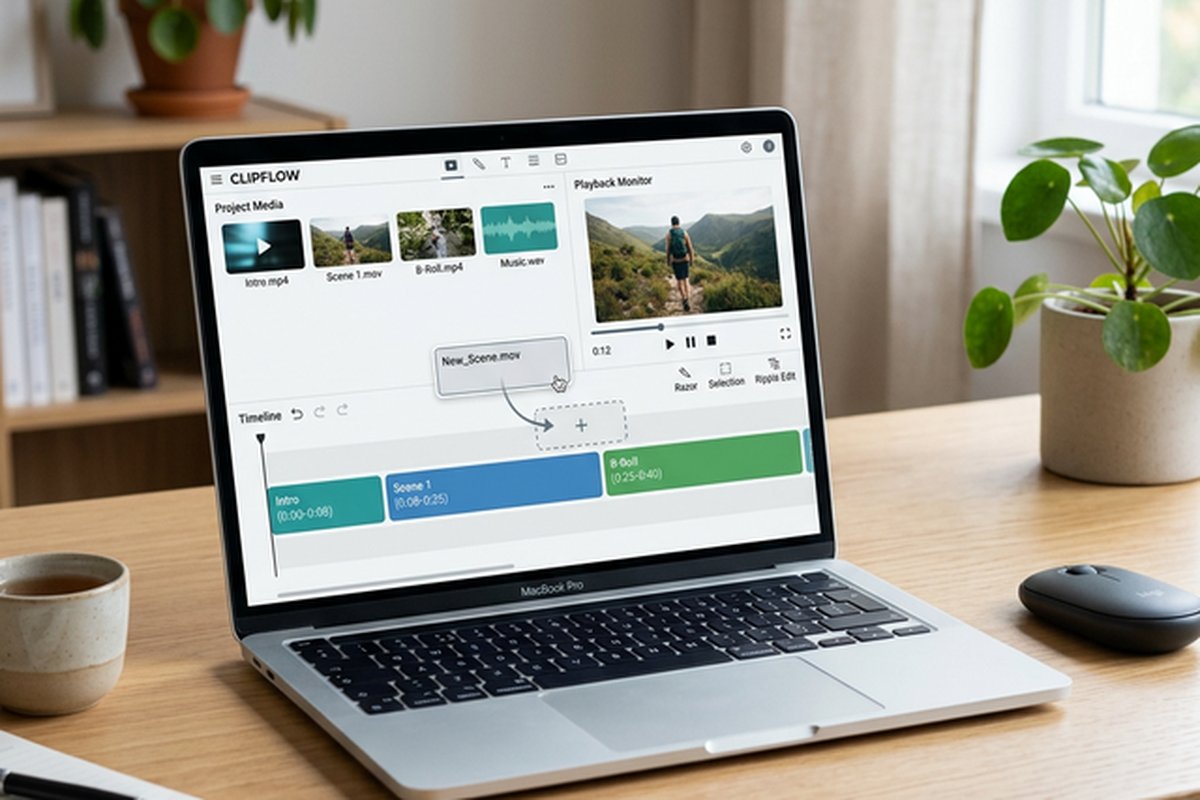
OpenShot’s interface follows a clean, uncluttered design philosophy that presents the essential editing
panels — project files, preview window, timeline, and properties panel — in an intuitive arrangement
that new users can navigate without explicit instruction. The drag-and-drop workflow enables importing
media by dragging files from the operating system’s file manager directly into the project files panel,
and placing clips on the timeline through the same drag-and-drop interaction. This direct manipulation
approach reduces the abstraction layers between the user’s intent and the editing actions, making the
editing process feel natural for first-time editors.
The timeline provides multiple video and audio tracks with standard editing operations including trim,
split, and razor tool cutting. Clip properties are accessible through a right-click context menu and
the dedicated properties panel, where users can adjust volume, speed, direction, and basic visual
parameters. The timeline zoom and navigation controls enable working with projects of various durations,
from short social media clips to longer-form content including presentations and educational videos.
Keyboard shortcuts are available for common editing operations, though the interface is designed to
be equally functional through mouse-only interaction for users who prefer visual, menu-driven
workflows over keyboard-accelerated editing.
Animation Framework
OpenShot includes a keyframe-based animation framework that enables animating clip properties including
position, scale, rotation, opacity, and crop parameters over time. The animation system provides
standard interpolation options including linear, Bézier, and constant keyframe interpolation for
controlling how properties transition between keyframe values. This animation capability enables
creating zoom effects, pan-and-scan movements on still images, picture-in-picture positioning
changes, and fade effects that add production value to edited content.
The animation framework extends to title cards and text elements, enabling animated titles that move,
scale, rotate, and fade through keyframe-driven animation. While the animation capabilities do not
match the sophistication of dedicated motion graphics applications, they provide the essential
animation tools that common editing projects require — animated titles for chapter headings, zoom
effects to highlight specific areas of screen recordings, gradual position changes for documentary-
style photo presentations, and opacity fading for transitions between content sections.
Titles and Text
OpenShot provides two title creation systems: a simple title editor for creating static text cards with
configurable fonts, colors, sizes, and backgrounds, and an animated title system powered by Blender
integration that enables creating 3D animated titles when Blender is installed alongside OpenShot.
The simple title system serves the common need for chapter headings, name plates, credit scrolls,
and informational text overlays without requiring additional software installation or complex
configuration.
The Blender-powered animated title system provides access to pre-designed 3D title templates that
generate rendered animated title clips through Blender’s 3D rendering engine. These animated titles
include flying text, rotating text, particle effects, and other 3D-enhanced text animations that
add visual sophistication to projects. The template system enables customizing text content, fonts,
colors, and basic animation parameters without requiring Blender expertise — users modify template
parameters through OpenShot’s interface rather than working directly in Blender’s complex 3D
environment. This integration provides access to 3D title capabilities that would otherwise require
significant motion graphics expertise.
Effects and Transitions
OpenShot includes video effects for color adjustment, blur, brightness, chroma key (green screen
compositing), saturation, hue, deinterlace, and other standard processing operations. The effects
can be applied to individual clips and adjusted through the properties panel with real-time preview
of parameter changes. The chroma key effect enables removing colored backgrounds from footage filmed
against green or blue screens, providing basic compositing capability for creators who film with
green screen setups.
The transition library provides dissolves, wipes, and pattern-based transitions between clips, with
configurable duration and properties. Transitions are applied by dragging transition effects onto
the timeline between or overlapping clips. The available transition collection covers the standard
transition types that most editing projects require, though the library is smaller than what
commercial editors with extensive transition packs provide. Audio effects include volume adjustment,
fade in, and fade out, with per-clip and per-track volume controls for basic audio mixing. While
the audio tools are basic compared to dedicated audio editing applications, they serve the essential
audio management needs that video editing projects commonly require.
Format Support
OpenShot’s FFmpeg foundation provides broad format support for both import and export, handling most
common video, audio, and image formats without requiring additional codec installation. Import
support covers H.264, H.265/HEVC, ProRes, WebM, and numerous additional codecs and container
formats. Export options include preset profiles for common delivery targets including YouTube,
Vimeo, and standard video sharing platforms, with configurable resolution, frame rate, quality,
and codec settings for users who need specific output parameters.
The format support breadth means that users can import footage from virtually any camera, screen
recording application, or media source without encountering format incompatibility that requires
pre-processing through conversion tools. Image sequence import enables incorporating image
sequences from animation applications or time-lapse photography into OpenShot projects. The
export system includes hardware-accelerated encoding support where compatible GPU hardware is
available, reducing export rendering time for systems with supported NVIDIA, Intel, or AMD
graphics processors.
Performance Considerations
OpenShot’s performance characteristics reflect its Python-based architecture with C++ libraries
for core processing tasks. Timeline playback performance is generally adequate for straightforward
editing projects with standard-resolution footage and moderate effects usage. Performance can
decrease with high-resolution footage, complex multi-track compositions, and heavy effects usage
— scenarios where professional editors with more optimized rendering pipelines maintain smoother
performance. The application’s memory usage can increase significantly with large projects and
high-resolution media, and some users report stability improvements by working with proxy-quality
media for complex projects.
Hardware acceleration through GPU processing supports both preview playback and export rendering
where compatible hardware is available. The rendering pipeline utilizes FFmpeg for final output,
providing access to hardware-accelerated encoding through NVENC, Quick Sync, and VCE for
significantly faster export times compared to software-only encoding. System requirements are
modest for basic editing tasks, making OpenShot practical on hardware that would struggle with
more resource-demanding professional editors. For users whose projects outgrow OpenShot’s
performance capabilities, transitioning to more optimized free editors like DaVinci Resolve
or Shotcut may provide better performance for complex projects.
Target Audience and Use Cases
OpenShot serves its target audience — beginners, occasional editors, educators, and users who
prioritize simplicity — more effectively than trying to compete with professional editors
on feature depth. School projects, simple YouTube videos, family event compilations, basic
marketing videos, classroom presentations, and personal video collections benefit from
OpenShot’s approachable interface and zero-cost availability. The learning curve is genuinely
minimal, meaning that users can produce their first edited video within a single session
without tutorial dependency.
Educational settings benefit particularly from OpenShot’s availability and simplicity.
Teachers can introduce video editing concepts using OpenShot without requiring institutional
software licenses, and students can install the same software on their personal computers
for homework and personal projects without cost barriers. The straightforward interface
enables class time to focus on creative and communication skills rather than software
operation, and the cross-platform availability means that students using different operating
systems can all use the same editing application.
Community and Development
OpenShot’s development is supported through Kickstarter campaigns, Patreon subscriptions, and
community donations that fund ongoing development and maintenance. The project’s funding model
enables continued development without introducing premium tiers or feature restrictions that
would compromise the completely free nature of the application. Community contributions include
bug reports, feature requests, translations for international availability, and documentation
contributions that improve the project beyond what the core development team can accomplish
alone.
The documentation and learning resources include official user guides, tutorial videos, and
community forums where users help each other with editing questions and workflow challenges.
The tutorial ecosystem is growing but remains smaller than those available for major commercial
editors or more established free alternatives like DaVinci Resolve. The application’s simplicity
reduces the need for extensive tutorials, as most features can be discovered through intuitive
interface exploration rather than requiring explicit instruction.
Audio Management and Music Integration
OpenShot’s audio capabilities cover the essential audio management that video editing projects require,
including per-clip volume control, audio fading for smooth transitions, and multi-track audio mixing
for layering narration, music, and sound effects. The audio waveform display on timeline clips provides
visual reference for identifying audio content and timing audio edits to speech patterns and music
beats. While the audio tools are basic compared to editors with sophisticated audio post-production
capabilities, they address the audio needs that the majority of beginner and intermediate editing
projects actually require — adjusting relative volumes between tracks, fading music under narration,
and timing audio transitions to visual edit points.
The audio import capabilities support standard audio formats including MP3, WAV, FLAC, OGG, and AAC,
enabling editors to incorporate music, sound effects, and voice recordings from any common audio
source. Multiple audio tracks enable layered audio arrangements where background music, narration,
and sound effects each occupy separate tracks for independent volume and timing control. The audio
normalization and gain controls help achieve consistent audio levels across clips from different
sources — a common challenge when combining footage from different cameras, recording sessions,
and downloaded audio elements within a single project timeline.
Project Organization and File Management
OpenShot’s project management enables saving complete project state including timeline arrangement,
applied effects, and media references for continued editing across multiple sessions. The project
file saves all editing decisions and filter settings while referencing original media files from
their storage locations, keeping project files compact while maintaining the complete editing state.
Recent project history provides quick access to previously edited projects for returning to ongoing
work without manually navigating file systems. The auto-save functionality prevents loss of editing
work from unexpected application closure or system interruptions, providing recovery capability
that protects time invested in editing sessions.
Strengths and Honest Limitations
OpenShot’s strengths include the most accessible interface among free video editors, completely
free availability with no feature restrictions or watermarks, genuine cross-platform support
including Linux, the Blender-powered 3D animated title system, a keyframe animation framework
for clip property animation, and broad format support through FFmpeg. The learning curve is
minimal, making OpenShot suitable for users who need to edit videos without investing significant
learning time. For comparison with the most capable free editor, our DaVinci
Resolve review covers a more powerful free alternative for users ready to invest in
learning a professional-grade platform.
Limitations include editing capabilities that are basic compared to more feature-rich free
alternatives, performance that can struggle with high-resolution and complex projects, audio
editing tools that are minimal compared to editors with dedicated audio post-production
capabilities, the absence of professional features including multicam editing, advanced color
grading, and sophisticated titling systems, and stability that can be inconsistent with demanding
projects on some hardware configurations. Users who outgrow OpenShot’s capabilities should
consider transitioning to more capable free editors. For broader context on free editing options
across skill levels and use cases, our free
video editing comparison evaluates the complete range of free editors, while our Kdenlive
review covers another open-source option with deeper editing capabilities.
Features referenced in this article are based on information available at the time of writing and are
subject to change. Please verify current details on the official OpenShot website.