The cloud storage market in its current state offers more capable options than most users realize, and the
differences between competing platforms extend well beyond simple storage capacity and pricing. Each major
cloud storage service has developed distinct strengths, architectural approaches, and integration strategies
that make it genuinely better suited for specific use cases and worse suited for others. The common approach
of comparing services purely on gigabytes per dollar misses the more important question: which service’s
design philosophy, ecosystem integration, security architecture, and collaboration capabilities align with
how you actually work and what you actually need from cloud storage.
This comparison examines the major cloud storage platforms across the criteria that most significantly
affect the practical daily experience of using them: synchronization quality, productivity ecosystem
integration, security and privacy architecture, free tier value, and collaboration capabilities. Rather
than declaring a single winner, the goal is to help readers identify which combination of strengths
matters most for their specific situation and make an informed selection based on their actual
priorities.
Ecosystem Integration Comparison
The degree to which a cloud storage service integrates with a broader productivity ecosystem often
determines its practical value more than any individual storage feature. Three services stand apart in
this category: Google Drive with Google Workspace, OneDrive with Microsoft 365, and iCloud Drive with
Apple’s device ecosystem. Each creates a deeply connected experience where storage, creation, and
collaboration function as unified workflows rather than separate activities.
Google Drive’s integration with Google Docs, Sheets, Slides, and other Workspace applications creates a
seamless experience where document creation happens directly within the storage platform. Documents
created in Google Workspace do not consume storage quota, enabling unlimited creation. Real-time
collaboration within Google’s applications is industry-leading in reliability and accessibility. For
users and organizations that use Google Workspace as their primary productivity platform, Google Drive
is the natural storage choice because the integration eliminates the friction of managing files between
separate storage and creation tools. For a detailed examination, see our Google
Drive review.
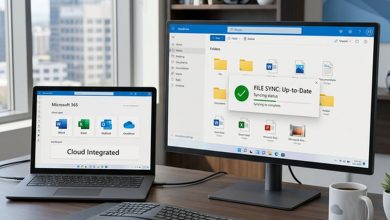
OneDrive’s integration with Windows and Microsoft 365 provides the most seamless cloud storage experience
for Windows users. The operating system integration makes OneDrive files indistinguishable from local files
in File Explorer, and the connection with Word, Excel, PowerPoint, and Teams creates a unified productivity
environment. For organizations standardized on Microsoft’s platform, OneDrive is effectively included
with existing Microsoft 365 subscriptions. Our OneDrive
review explores these integration advantages in depth.
iCloud Drive provides the deepest integration for Apple device users, with seamless file synchronization
across iPhone, iPad, and Mac that extends through the entire Apple experience including Handoff, Photos
synchronization, and automatic device backup. The ecosystem lock-in is both iCloud’s greatest strength
and its most significant limitation — exceptional for Apple-only users, limited for cross-platform
scenarios. Details are covered in our iCloud Drive
review.
Synchronization Performance
File synchronization quality — the speed, reliability, and efficiency with which files are kept consistent
across devices — varies meaningfully between services and matters most to users who work with large files,
maintain extensive file libraries, or depend on prompt synchronization across multiple devices.
Dropbox consistently leads this category with its block-level delta sync technology, LAN sync for local
network optimization, and the overall reliability of its sync engine developed over more than 15 years
of continuous refinement. For users whose primary cloud storage priority is fast, reliable, efficient
file synchronization — particularly professionals working with large design files, video assets,
development repositories, or other substantial content — Dropbox’s sync engine provides a noticeably
superior experience. Our Dropbox
review details these synchronization capabilities.

Google Drive and OneDrive both provide competent synchronization that handles typical file management
workflows well, though neither matches Dropbox’s performance for demanding synchronization scenarios.
Both support selective sync and placeholder-file features similar to Dropbox’s Smart Sync. pCloud’s
virtual drive approach offers a different synchronization model that presents cloud storage as a
separate drive without consuming local storage, which suits different workflow preferences. See our pCloud
review for more on this approach.
Security and Privacy Comparison
Security architecture creates the most fundamental division in the cloud storage market: services with
provider-managed encryption where the provider can technically access stored data, and services with
zero-knowledge end-to-end encryption where the provider cannot access stored data regardless of
circumstances. Understanding this distinction is essential for users whose data sensitivity requires
informed security architecture decisions.
Google Drive, Dropbox, OneDrive, and iCloud Drive (without Advanced Data Protection enabled) all use
provider-managed encryption. Files are encrypted in transit and at rest, but the service provider manages
the encryption keys and maintains the technical capability to decrypt and access stored data. For the
majority of personal and business use cases, provider-managed encryption provides adequate security —
data is protected against external unauthorized access, and the trusted providers have strong incentives
and obligations to protect customer data. However, users with data sensitivity requirements that preclude
provider access need to understand this architectural characteristic.
Tresorit, Sync.com, Mega, and pCloud (with Crypto add-on) provide zero-knowledge encryption where the
encryption keys are derived from the user’s password and never shared with the service provider. This
architecture makes provider access technically impossible, providing stronger privacy guarantees at the
cost of certain convenience features like password recovery and some sharing capabilities. Tresorit
offers the most comprehensive encrypted platform with business features, as detailed in our Tresorit
review. Sync.com provides zero-knowledge encryption as a default at competitive pricing, covered
in our Sync.com
review. Mega combines generous free storage with encryption, explored in our Mega
review.
Free Tier Comparison
Free storage allocations vary substantially across services and often determine the platform that new users
try first, creating familiarity that influences paid plan decisions later. The practical value of free
tiers depends both on storage capacity and on the functionality available without payment.
Mega leads with 20 gigabytes of encrypted free storage, though with transfer bandwidth limitations that
restrict heavy downloading. Google Drive provides 15 gigabytes shared across Drive, Gmail, and Photos —
generous in capacity but diluted by the shared allocation model. iCloud provides 5 gigabytes, OneDrive
provides 5 gigabytes, and Sync.com provides 5 gigabytes of encrypted storage. Dropbox’s 2-gigabyte free
tier is inadequate for meaningful use and functions primarily as a service trial. Tresorit does not offer
a permanent free tier.
For users seeking functional free cloud storage, Mega and Google Drive provide the most usable free
allocations, with Mega adding the distinctive advantage of end-to-end encryption at no cost.
Pricing Model Comparison
Most cloud storage services operate on monthly or annual subscription pricing models, but notable
alternatives exist. pCloud offers lifetime plans that require a single payment with no recurring charges,
providing long-term cost advantages for users confident in multi-year usage commitments. IDrive provides
backup-focused storage with promotional first-year pricing. Box targets enterprise customers with
per-user pricing that includes extensive compliance and governance tools, as detailed in our Box review.
For value-conscious individual users, the bundling of storage with productivity subscriptions often
provides the most practical pricing. Google One and Microsoft 365 subscriptions include substantial
storage alongside productivity applications, making the effective per-gigabyte cost very competitive
when the productivity tools provide independent value.
Backup-Focused Alternatives
IDrive serves a fundamentally different use case from the synchronization and collaboration-focused
services discussed above. As a backup service, IDrive’s unlimited device backup, physical transport
options, server backup capabilities, and snapshot-based recovery address data protection requirements
rather than cloud-based file management needs. For users whose primary concern is comprehensive data
protection across multiple devices, IDrive occupies a different category from traditional cloud storage.
Our IDrive review
provides detailed examination of its backup capabilities.
Collaboration Features Comparison
Collaboration capability varies dramatically across cloud storage services and often determines whether a
service can serve as a team’s primary platform or only as supplementary storage. Google Drive leads this
category through integration with Google Docs, Sheets, and Slides, enabling seamless real-time co-editing
of documents, spreadsheets, and presentations directly within the storage platform. Multiple users can
edit the same document simultaneously with visible presence indicators and instant change propagation,
making Google Drive the strongest option for teams that prioritize collaborative document creation.
OneDrive provides comparable collaboration through Microsoft Office co-authoring in Word, Excel, and
PowerPoint, which is particularly valuable for organizations standardized on Microsoft’s productivity
suite. iCloud Drive enables collaboration through Apple’s iWork applications with real-time co-editing,
though the smaller iWork user base limits its practical reach for cross-organizational collaboration.
Dropbox supports collaboration through integrations with Microsoft Office and its own Paper tool, but
the collaboration experience depends on external applications rather than built-in editing tools.
Encrypted storage services — Tresorit, Sync.com, Mega, and pCloud — generally provide limited or no
built-in collaboration tools. The zero-knowledge encryption architecture that protects file privacy
also complicates real-time collaborative editing, which typically requires server-side processing of
document content. Users who need both strong encryption and real-time collaboration may need to use
an encrypted service for storage alongside a separate collaboration platform for document creation.
Data Migration and Platform Switching
The practical difficulty of switching between cloud storage platforms varies and should factor into
initial service selection. All services allow downloading stored files and re-uploading them to a
different platform, but the time, effort, and bandwidth required for large file collections can be
substantial. Third-party migration tools from services like MultCloud, Rclone, or CloudHQ can
automate transfers between platforms without downloading to a local device first, though these
tools introduce their own security considerations by requiring access credentials for both source
and destination services.
Beyond file migration, switching platforms may require updating shared links that have been distributed
to collaborators, reconfiguring third-party application integrations, and adjusting established
workflows that depend on platform-specific features. These switching costs accumulate over time and
effectively create vendor lock-in that makes the initial platform choice more consequential than
the month-to-month subscription pricing might suggest. Users who value long-term flexibility should
consider platform-agnostic services and avoid deep dependency on proprietary features that have no
equivalent on competing platforms.
Choosing the Right Service
The choice between cloud storage platforms is best made by identifying your primary priority and selecting
the service that excels in that area. If productivity ecosystem integration is paramount and you work
within Google’s platform, Google Drive is the natural choice. If you work within Microsoft’s ecosystem,
OneDrive integrates most seamlessly. If you use Apple devices exclusively, iCloud Drive provides the most
invisible cloud storage experience. If synchronization speed and reliability matter most, Dropbox remains
the performance leader. If privacy and zero-knowledge encryption are non-negotiable requirements, Tresorit
provides the most comprehensive encrypted platform for businesses, while Sync.com offers strong encryption
at more affordable pricing. If free storage capacity is the priority, Mega provides the most generous
encrypted free tier. If lifetime pricing appeals to your financial preferences, pCloud offers the most
established one-time-payment model.
No single service excels across all criteria, and each platform’s strengths directly correspond to
trade-offs in other areas. The most informed choice comes from clarity about your own priorities rather
than searching for an objectively best service that does not exist.
Some users and organizations adopt a multi-service strategy, using different cloud storage platforms
for different purposes — for example, Google Drive for collaborative document creation, an encrypted
service like Sync.com for sensitive personal files, and IDrive for comprehensive device backup. While
this approach adds complexity, it allows leveraging each platform’s specific strengths rather than
accepting a single platform’s compromises across all use cases. The increasing interoperability
between cloud services makes multi-platform strategies more practical than they were in earlier years
of cloud storage evolution.
Features and pricing referenced in this article are based on information available at the time of writing
and are subject to change. Please verify current details on each service’s official website.
Author Persona

Tools Editor
Professional Tech Editor specializing in mobile applications, security privacy, and digital tools. Dedicated to providing in-depth reviews and guides for users worldwide.